Power outages can disrupt our daily routines, and one of the inconveniences they bring is the inability to use essential appliances. When the power goes out, your Chamberlain garage door opener may stop functioning properly. This can be frustrating, especially when you need to access your garage. In this article, we will guide you on how to reset your Chamberlain garage door opener after a power outage to ensure smooth operation once the power is restored.
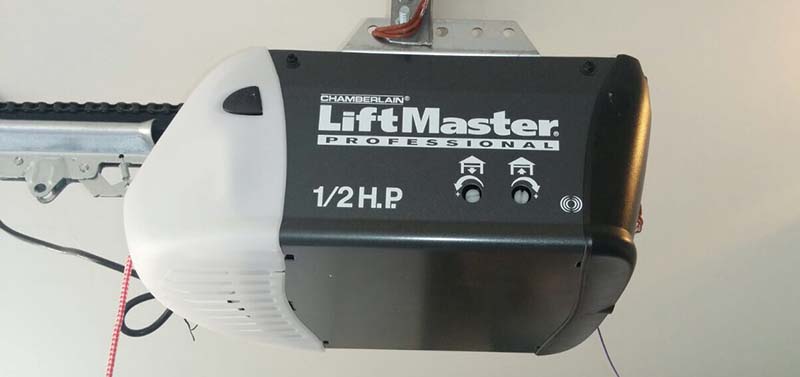
Understanding Chamberlain Garage Door Openers
Before we delve into the steps to reset your Chamberlain garage door opener, let’s take a moment to understand how these devices work. Chamberlain garage door openers are equipped with a mechanism that uses electricity to operate. When the power supply is disrupted, the opener’s settings may be affected, causing it to malfunction.
Resetting Your Chamberlain Garage Door Opener
- Disconnect the Power Source
- To reset your Chamberlain garage door opener, start by disconnecting it from the power source. You can either unplug it from the electrical outlet or turn off the circuit breaker that supplies power to your garage door opener. This step is crucial to ensure your safety during the reset process.
- Wait for a Few Minutes
- After disconnecting the power, wait for a minimum of 10 minutes. This waiting period allows the opener’s internal systems to reset and discharge any remaining electrical charge. It’s essential to be patient and avoid rushing through the process.
- Reconnect the Power
- Once the waiting period is over, plug the garage door opener back into the electrical outlet or turn the circuit breaker on. Make sure the power supply is stable, and there are no fluctuations.
- Test the Opener
- Now, it’s time to test whether the reset process was successful. Press the button on your remote control or the wall-mounted control panel to operate the garage door opener. If it works as expected, your reset was successful, and your Chamberlain garage door opener is back to functioning normally.
- Reconfigure Your Settings (if needed)
- In some cases, you might need to reconfigure your settings after a power outage. This may involve resetting the time, reprogramming remote controls, or adjusting the travel limits of your garage door. Refer to your Chamberlain garage door opener’s user manual for specific instructions on how to do this.
Preventing Future Issues
Power outages are unpredictable, but you can take steps to prevent future issues with your Chamberlain garage door opener. Here are some tips:
- Install a Battery Backup
- Chamberlain offers battery backup systems that can keep your garage door opener running during power outages. Consider installing one to ensure continuous operation.
- Perform Regular Maintenance
- Regular maintenance can help your garage door opener work smoothly. Lubricate moving parts, inspect the sensors, and tighten any loose screws or bolts to avoid unexpected issues.
- Keep Your Remote Control Handy
- In case of a power outage, keep your remote control or wall-mounted control panel easily accessible. This will allow you to manually operate the garage door opener if needed.
Conclusion
How To Reset Chamberlain Garage Door Opener After Power Outage? Power outages can disrupt our daily lives, but with the right knowledge, you can quickly reset your Chamberlain garage door opener to ensure it functions correctly. Remember to disconnect the power, wait for a few minutes, and then reconnect the power to reset the opener. If you encounter any issues or need to reconfigure settings, consult your user manual for guidance. By following these steps and considering preventive measures, you can minimize the inconvenience of power outages and keep your garage accessible at all times.



Leave a Reply