If you’re facing issues with your garage door keypad from Precision and need to reset it, this comprehensive guide will walk you through the process step by step. Learn how to effectively Reset Precision Garage Door Keypad to restore functionality and secure access to your home.
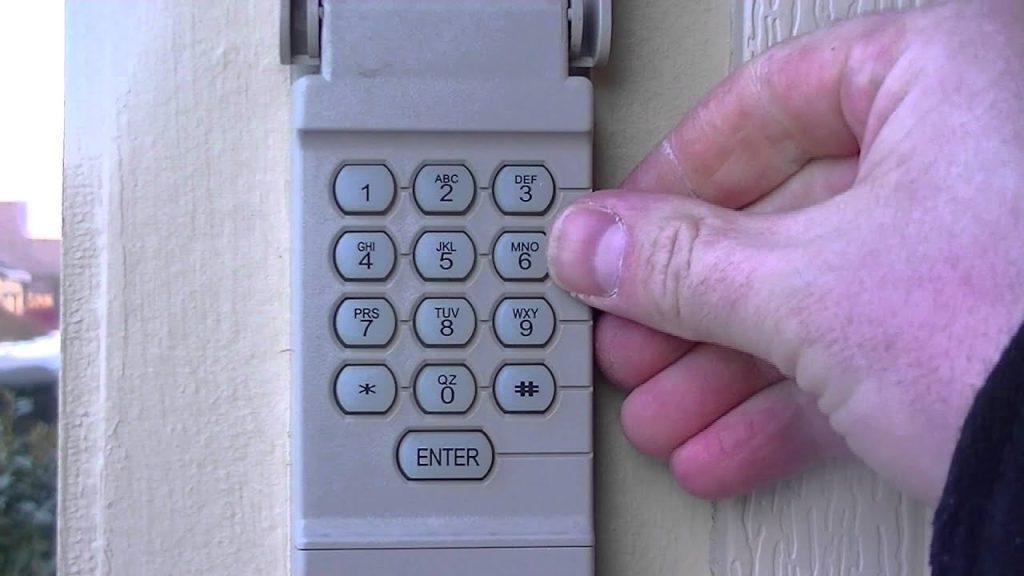
How to Reset Precision Garage Door Keypad
If your Precision garage door keypad is not functioning correctly, a reset may be necessary to resolve the issue. Follow these steps to reset your Precision garage door keypad:
- Locate the Keypad: Find the keypad typically installed near your garage door. It’s usually mounted outside, near the entrance.
- Identify the Reset Button: Look for a small reset button on the keypad. This button is often recessed to prevent accidental activation.
- Press and Hold the Reset Button: Using a small tool like a paperclip or pen tip, press and hold the reset button. Hold it down for about 10-15 seconds until you see the keypad’s lights flash or hear a beep, indicating the reset process has begun.
- Release the Button: Once the lights flash or you hear the beep, release the reset button. The keypad will now be reset to its factory settings.
- Reprogram the Keypad (if necessary): After resetting, you may need to reprogram the keypad with your desired PIN code. Follow the manufacturer’s instructions for setting up a new PIN to ensure proper operation.
- Test the Keypad: Enter your new PIN code on the keypad and test its functionality by opening and closing the garage door. Ensure that the keypad operates smoothly and the door responds correctly to your commands.
Troubleshooting Common Issues with Precision Garage Door Keypads
Sometimes, simply resetting the keypad can solve common issues such as:
- Keypad Not Responding: If the keypad stops responding to key presses, a reset often restores normal operation.
- Forgotten PIN: Resetting allows you to set a new PIN code if you’ve forgotten the previous one.
- Intermittent Operation: Resetting can help resolve issues where the keypad works inconsistently.
Additional Tips for Precision Garage Door Keypad Maintenance
To keep your Precision garage door keypad in optimal condition, consider these maintenance tips:
- Clean Regularly: Periodically clean the keypad with a soft, dry cloth to remove dust and debris that can affect performance.
- Check Battery Levels: Replace batteries in the keypad as needed to ensure reliable operation.
- Protect from Weather: If your keypad is exposed to the elements, consider installing a protective cover to shield it from rain, snow, or direct sunlight.
Conclusion
Resetting your Precision garage door keypad is a straightforward process that can resolve many common issues related to its operation. By following these steps and maintaining your keypad properly, you can ensure seamless access to your garage and enhance overall security for your home.
Read too: How To Replace Garage Door Roller Like a Pro? Step-by-Step Guide
For more detailed instructions on how to Reset Precision Garage Door Keypad, refer to your owner’s manual or contact Precision’s customer support for assistance.



Leave a Reply