Precision garage door keypads provide convenience and security, allowing homeowners to access their garage without traditional keys. Learning how to program Precision Garage Door Keypad ensures smooth operation and enhances your home’s security features.
Understanding the Precision Garage Door Keypad
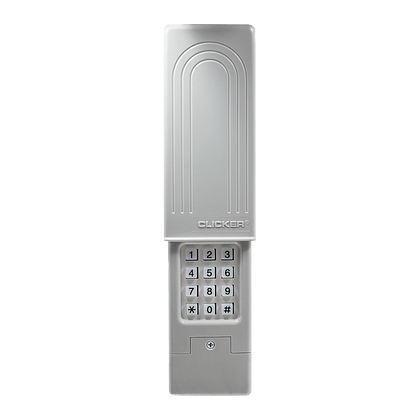
A Precision garage door keypad serves as an alternative to remote controls and keys. It typically consists of a numeric keypad that allows you to input a code to open or close your garage door. This technology is reliable and convenient, especially for households with multiple family members or frequent visitors.
Steps to Program Precision Garage Door Keypad
Resetting the Keypad (if needed)
Before programming, it’s advisable to reset the keypad to clear any existing codes and start fresh. This ensures that only authorized users have access to your garage.
Read too: The Complete Guide to Tighten Chain On Garage Door Opener for Smooth Operation
Locating the Learn Button on Your Garage Door Opener
To program the keypad, you’ll need to locate the “Learn” button on your garage door opener unit. This button is usually found on the back or side of the motor unit. Pressing this button puts the opener into programming mode.
Entering a PIN Code
Once in programming mode, enter a new PIN code of your choice on the keypad. This code should be easy for you to remember but difficult for others to guess. Avoid using common codes like birthdays or addresses for security reasons.
Confirming the Programming
After entering the new PIN code, press the “Enter” or “Learn” button on the keypad. This action sends the code to the garage door opener, confirming the programming. You may need to repeat this step depending on your opener’s model.
Testing the Keypad
Test the keypad by entering the PIN code and pressing the “Enter” button. The garage door should respond by opening or closing accordingly. If the door doesn’t operate as expected, revisit the programming steps to ensure accuracy.
Troubleshooting Tips
Check Battery Power
If the keypad becomes unresponsive, check the battery power. Replace the batteries if necessary, as low battery levels can affect the keypad’s performance.
Re-syncing with the Opener
If the keypad and opener seem out of sync, repeat the programming process. Ensure that the keypad is within range of the opener and that there are no obstructions hindering the signal.
Contacting Precision Garage Door Professionals
For complex issues or if you encounter difficulties during programming, contact Precision garage door professionals. They can provide technical support and ensure your keypad operates correctly.
Security Considerations
Changing PIN Codes Regularly
To enhance security, change your PIN code periodically. This practice prevents unauthorized access and ensures that your garage remains secure.
Keeping the PIN Code Private
Avoid sharing your PIN code with unauthorized individuals. If necessary, provide access codes only to trusted family members or visitors.
Conclusion
In conclusion, knowing how to program Precision Garage Door Keypad empowers homeowners with convenience and security. Following these steps ensures that your garage door operates smoothly and securely, adding value to your home’s security system.
For more tips on Programming Precision Garage Door Keypad or professional assistance, contact our team today!



Leave a Reply