Are you facing issues with your Chamberlain garage door opener antenna? If so, you’re not alone. Many homeowners encounter problems with their garage door openers, particularly related to antenna functionality. In this comprehensive guide, we’ll delve into common issues, troubleshooting steps, and solutions to get your Chamberlain garage door opener antenna back in working order.
Understanding Chamberlain Garage Door Opener Antenna Issues
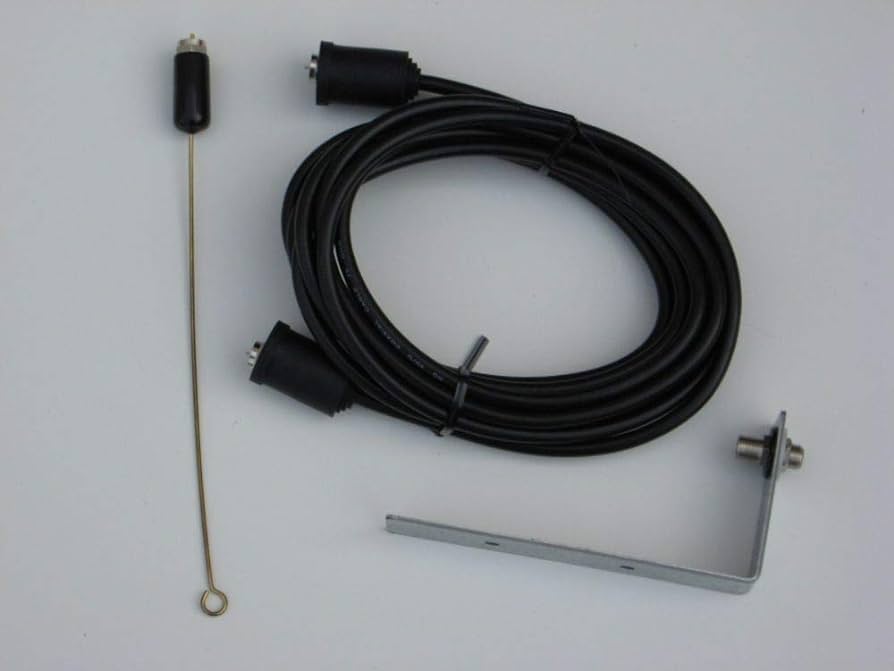
Chamberlain garage door openers are renowned for their reliability and convenience. However, like any electronic device, they can experience technical glitches, especially concerning the antenna. The antenna is a crucial component responsible for receiving signals from your remote control and transmitting them to the opener unit. When the antenna malfunctions, it can disrupt the communication between the remote and the opener, leading to frustration and inconvenience.
Common Causes of Antenna Malfunction
Several factors can contribute to a Chamberlain garage door opener antenna not working properly. These include:
- Physical Damage: Accidental impacts or exposure to harsh weather conditions can damage the antenna, affecting its ability to receive signals effectively.
- Interference: Nearby electronic devices or radio frequency interference can disrupt the signal transmission between the remote control and the opener.
- Faulty Wiring: Poorly connected or damaged wiring within the antenna system can lead to signal loss and malfunction.
- Low Battery Power: If the battery in your remote control is weak or depleted, it may struggle to send signals to the opener, even if the antenna is functioning correctly.
- Alignment Issues: Misalignment of the antenna or its components can hinder signal reception and transmission, causing operational issues.
Troubleshooting Steps for Chamberlain Garage Door Opener Antenna Problems
If you’re experiencing issues with your Chamberlain garage door opener antenna, here are some troubleshooting steps you can take to diagnose and resolve the problem:
- Check for Physical Damage: Inspect the antenna for any visible signs of damage, such as bends, breaks, or corrosion. If damaged, consider replacing the antenna to restore functionality.
- Identify and Eliminate Interference Sources: Move any nearby electronic devices or appliances away from the garage door opener to minimize interference. Additionally, ensure that there are no metal objects obstructing the signal path between the remote control and the opener.
- Verify Wiring Connections: Examine the wiring connections between the antenna and the opener unit. Tighten any loose connections and replace any damaged wires to ensure proper signal transmission.
- Replace Remote Control Batteries: If the remote control batteries are low or depleted, replace them with fresh ones and test the opener again. Weak batteries can cause signal transmission issues, even if the antenna is functioning correctly.
- Adjust Antenna Alignment: Ensure that the antenna and its components are properly aligned for optimal signal reception. Make adjustments as needed to improve signal strength and reliability.
- Reset the Opener: Perform a factory reset on your Chamberlain garage door opener to restore it to its default settings. Follow the manufacturer’s instructions for resetting the opener, and then reprogram your remote control to establish a new connection.
Read too: Why Your Liftmaster Garage Door Won’t Stay Closed and How to Fix It? Troubleshooting Tips
Conclusion
Dealing with a Chamberlain garage door opener antenna not working can be frustrating, but with the right troubleshooting steps, you can identify and resolve the issue effectively. By addressing common causes such as physical damage, interference, faulty wiring, low battery power, and alignment issues, you can restore your garage door opener to optimal functionality and enjoy seamless operation once again.
Leave a Reply