Smart garage door openers are meant to make life easier, and Chamberlain’s MyQ system is one of the most popular on the market. It allows you to open and close your garage door from anywhere using your smartphone, integrate with smart home systems, and even monitor activity in real-time. However, many homeowners run into a frustrating problem: their Chamberlain MyQ garage door opener not connecting to WiFi.
Read too: Door and Garage Door Companies: Choosing the Right Partner for Your Needs
This issue can prevent you from using the app or enjoying the full smart features. If you’ve found yourself struggling to connect, don’t worry—you’re not alone. This article will explain the possible causes, provide step-by-step troubleshooting, and give you tips to get your MyQ system back online.
Why Does the MyQ Garage Door Opener Require WiFi?
The WiFi connection is what allows the Chamberlain MyQ system to communicate with the MyQ app and the Chamberlain cloud servers. Without WiFi:
- You can’t control the garage door remotely.
- App notifications won’t work.
- Smart home integrations like Google Assistant or Amazon Alexa will fail.
- Firmware updates may not download.
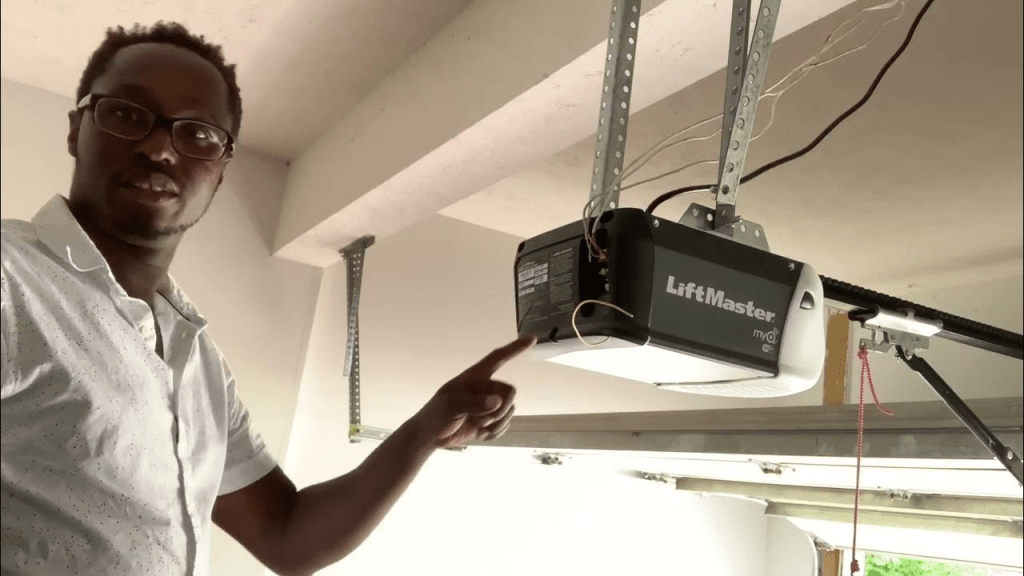
Essentially, your MyQ opener becomes a traditional opener without its smart features if WiFi is disconnected.
Common Reasons for Chamberlain MyQ Garage Door Opener Not Connecting To WiFi
When users report connection issues, they usually fall into a few categories:
- Weak WiFi Signal – The garage may be far from the router, leading to poor connectivity.
- Incorrect WiFi Credentials – Entering the wrong SSID or password can block access.
- Router Compatibility Issues – MyQ openers typically connect only to 2.4GHz networks, not 5GHz.
- Outdated Firmware – The device or app may need an update.
- App Setup Errors – Skipping steps in the setup process often leads to failure.
- Interference from Other Devices – Microwaves, cordless phones, and thick walls can disrupt signals.
- ISP or Router Settings – Firewalls, parental controls, or custom DNS settings may block the connection.
Understanding the root cause is the first step to solving the problem.
How To Troubleshoot Chamberlain MyQ Garage Door Opener Not Connecting To WiFi
Here’s a detailed step-by-step guide to fix the issue.
Step 1: Check WiFi Signal Strength
- Stand in your garage with your smartphone and connect to your home WiFi.
- If the signal is weak or drops frequently, your MyQ opener won’t connect reliably.
- Consider moving your router closer or installing a WiFi extender.
Step 2: Verify Network Requirements
- Chamberlain MyQ openers work best on 2.4GHz WiFi networks.
- If your router is set to 5GHz only, enable 2.4GHz or use a dual-band setting.
- Ensure WPA2 security is enabled (MyQ doesn’t support older or highly customized settings).
Step 3: Reset the MyQ Opener’s WiFi Settings
- Press and hold the learn button on your opener until the LED turns off.
- This clears old WiFi information.
- Restart the setup process through the MyQ app.
Step 4: Enter WiFi Credentials Carefully
- Double-check that you’re typing the correct SSID and password.
- Remember: WiFi passwords are case-sensitive.
- Avoid special characters if possible, as some devices struggle with them.
Step 5: Update Firmware and App
- Ensure your MyQ app is updated to the latest version.
- If available, apply any firmware updates to the opener.
- Outdated software is a common cause of connection problems.
Step 6: Power Cycle Your Devices
- Unplug your garage door opener for 30 seconds, then plug it back in.
- Restart your WiFi router as well.
- This refresh often clears temporary glitches.
Step 7: Minimize Interference
- Keep the opener’s antenna extended downward.
- Move electronics like cordless phones or microwaves away from the garage.
- If your garage walls are concrete or brick, consider placing a WiFi extender inside the garage.
Step 8: Adjust Router Settings (Advanced)
If the issue persists, log in to your router’s settings:
- Ensure your firewall isn’t blocking new devices.
- Disable MAC address filtering if enabled.
- Use WPA2 instead of WPA3 if compatibility issues occur.
- Set a static channel (1, 6, or 11 on 2.4GHz) instead of auto.
Chamberlain MyQ Garage Door Opener Not Connecting To WiFi: When to Reset Everything
Sometimes, the best solution is a full reset:
- Delete the MyQ opener from your app.
- Factory reset the garage door opener by holding the learn button for about 10 seconds.
- Restart your router.
- Begin the WiFi setup process as if it were a new device.
This ensures no old settings interfere with the connection.
Other Solutions If MyQ Still Won’t Connect
If you’ve tried everything and your Chamberlain MyQ garage door opener not connecting to WiFi issue continues, consider:
- Upgrading Your Router – Older routers may not handle smart devices well.
- Using a WiFi Extender – Place it closer to the garage to improve signal strength.
- Switching ISPs or Router Settings – Some ISPs provide locked-down routers with strict firewalls.
- Using Ethernet with MyQ Hub – If you have a MyQ Smart Hub model, connect it via Ethernet instead of WiFi.
Risks of Ignoring Connection Problems
If you don’t fix the connection, you risk losing key benefits:
- No Remote Control – You can’t open/close the garage door remotely.
- No Alerts – You won’t know if the garage door was left open.
- Security Issues – Smart features like scheduling or integrations with Ring or Google Home won’t work.
- Inconvenience – You’ll need to rely only on remotes or wall buttons.
For safety, security, and convenience, it’s worth taking the time to fix WiFi issues quickly.
When to Contact Chamberlain Support
If all else fails, Chamberlain’s customer service can help. They may:
- Walk you through advanced troubleshooting.
- Verify if your opener is defective.
- Provide firmware files if an update is needed.
- Recommend replacement hardware if your model is outdated.
Best Practices to Keep MyQ Connected Long-Term
Once you’ve solved the problem, follow these tips to avoid future issues:
- Keep your router firmware updated.
- Place your router in a central location.
- Use a dedicated 2.4GHz SSID for smart devices.
- Test your WiFi in the garage monthly.
- Reboot your router and opener occasionally to clear minor glitches.
Final Thoughts
Dealing with a Chamberlain MyQ garage door opener not connecting to WiFi can be frustrating, but the solution is usually straightforward. Most issues come down to weak signals, incorrect WiFi settings, or outdated software. By following the troubleshooting steps outlined here—checking your WiFi, resetting the opener, updating firmware, and adjusting router settings—you can restore full functionality to your smart garage door system.
If nothing works, don’t hesitate to contact Chamberlain support or upgrade your home network setup. Once your MyQ is back online, you’ll enjoy the full benefits of smart access, security, and convenience.


Leave a Reply