If you’re facing issues with your Overhead Door garage door opener, it might be time to reprogram it. Whether you’ve replaced the battery, changed your remote, or simply want to refresh your system, reprogramming an Overhead Door garage door opener is a simple yet essential task. Knowing how to reprogram your garage door opener can save you time and frustration. In this article, we’ll guide you step-by-step on how to successfully reprogram your Overhead Door garage door opener and restore smooth functionality.
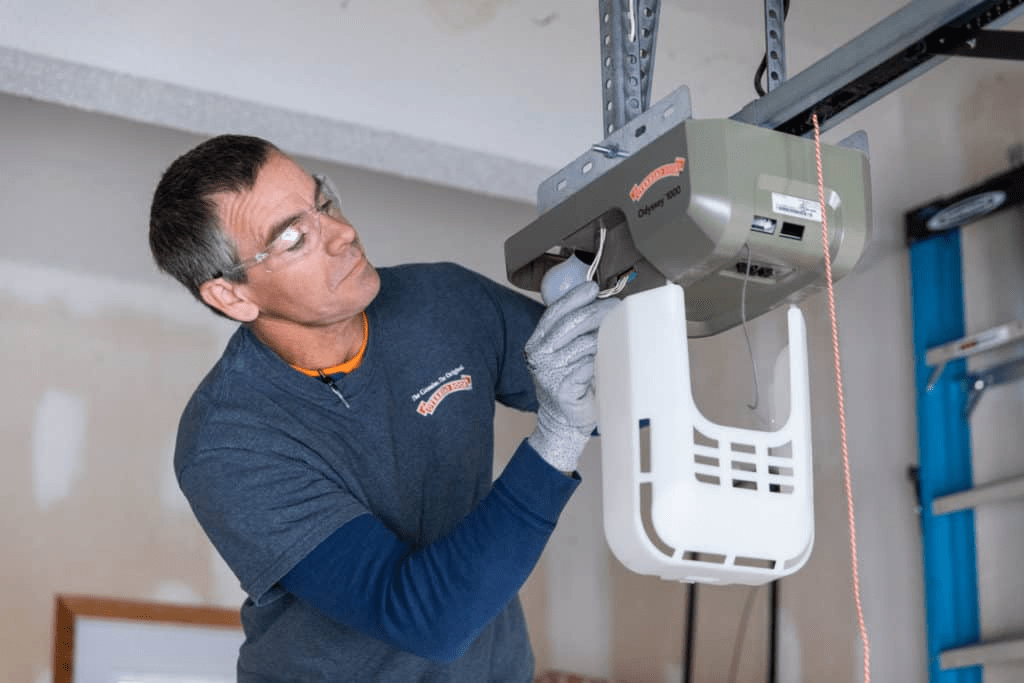
Why Do You Need to Reprogram an Overhead Door Garage Door Opener?
Over time, your Overhead Door garage door opener may lose its programming for several reasons. Some common causes include:
- Battery Replacement: Changing the battery of your garage door opener remote can result in the need to reprogram it.
- Power Surge: A sudden power surge can cause the opener’s memory to reset.
- New Remote: If you’ve purchased a new remote or keypad, you’ll need to reprogram it to work with your system.
- Lost Codes: In some cases, the opener’s codes can be lost, or you might have forgotten the existing code.
Read too: Door and Garage Door Companies: Choosing the Right Partner for Your Needs
Regardless of the reason, learning how to reprogram an Overhead Door garage door opener will ensure your garage door works smoothly again.
How Do You Reprogram An Overhead Door Garage Door Opener?
Reprogramming your Overhead Door garage door opener is a fairly straightforward process. Depending on the model and features of your opener, the steps might vary slightly. However, the general process for reprogramming remains consistent. Here’s how to do it:
Step 1: Locate the “Learn” Button
The first step in reprogramming your Overhead Door garage door opener is to locate the “Learn” button. This button is typically found on the back or side of the opener motor unit, near the antenna.
- Turn Off the Power: Before you begin, it’s a good idea to disconnect the opener from the power supply to ensure safety while programming.
- Find the Button: The Learn button might be labeled as “Learn,” “Program,” or even “Set.” It’s often located near the light bulb socket or antenna of the opener.
Step 2: Activate the Learn Mode
Once you’ve located the Learn button, follow these steps:
- Press and Hold the Learn Button: Press and hold the button for about 6 seconds or until the indicator light on the opener begins to blink or remain solid (depending on the model).
- Wait for the Light to Blink: The blinking light indicates that the opener has entered programming mode. The light will usually stay on for about 30 seconds, giving you time to program the remote or keypad.
Step 3: Program Your Remote or Keypad
Now that your opener is in learn mode, it’s time to program the remote or keypad to your opener. Follow the specific instructions based on the type of device you’re reprogramming:
- For a Remote:
- Within 30 seconds of the light blinking, press and hold the button on the remote that you want to use to operate the garage door.
- Continue holding the button until the indicator light on the opener flashes or turns off. This indicates that the opener has successfully learned the remote’s signal.
- For a Keypad:
- Enter your desired PIN code on the keypad.
- Press the “Enter” button on the keypad to complete the programming.
- The indicator light on the opener will flash or turn off when the keypad is successfully programmed.
Step 4: Test the System
After programming your remote or keypad, it’s essential to test the system to ensure that the reprogramming was successful:
- Press the Remote Button: Use the remote or keypad to activate the garage door opener.
- Check the Response: The door should begin to open or close. If the opener works as expected, you’ve successfully reprogrammed your system!
Step 5: Reconnect the Power
Once you’ve tested the opener, reconnect the power supply to the opener. This step ensures that the opener works as usual and can continue to be operated as expected.
Common Issues When Reprogramming an Overhead Door Garage Door Opener
While reprogramming your Overhead Door garage door opener is typically a straightforward process, you may encounter some common issues. Here are some troubleshooting tips:
- The Remote or Keypad Doesn’t Work: If the remote or keypad isn’t working after programming, make sure the batteries are fresh. Replace the batteries and try reprogramming the opener.
- The Learn Button Doesn’t Activate: If pressing the Learn button doesn’t activate the programming mode, the opener might be malfunctioning. Check the power supply and ensure that there is no obstruction to the antenna.
- Code Still Doesn’t Work: If your opener isn’t responding even after successfully programming the remote or keypad, reset the opener and try reprogramming again from scratch.
When to Call a Professional
If you’ve followed all the steps and troubleshooting tips but are still facing issues, it may be time to consult a professional. Some advanced issues, such as problems with the opener’s logic board or transmitter, may require professional repair or replacement. Additionally, if your opener is old or outdated, it may be more cost-effective to replace it rather than continue to troubleshoot.
Tips for Maintaining Your Overhead Door Garage Door Opener
To avoid the need for frequent reprogramming and ensure your Overhead Door garage door opener functions smoothly, consider the following maintenance tips:
- Regularly Test the Remote: Periodically test your remote to ensure it’s working properly and has a strong signal.
- Check the Batteries: Replace the batteries in your remote and keypad every 6 to 12 months.
- Lubricate Moving Parts: Keep the door’s moving parts, such as tracks and rollers, lubricated to ensure smooth operation.
- Inspect the Safety Sensors: Ensure that the safety sensors are clean and aligned to prevent any safety issues.
By following these tips, you can prolong the life of your Overhead Door garage door opener and reduce the need for frequent reprogramming.
Conclusion
Knowing how to reprogram an Overhead Door garage door opener is an essential skill for any homeowner. Whether you’re replacing a remote, changing the battery, or troubleshooting a malfunction, reprogramming is often the first step to getting your garage door back on track. By following the step-by-step instructions provided in this guide, you can easily reprogram your Overhead Door garage door opener and keep your garage functioning as it should. If you encounter persistent issues, remember that professional help is just a call away.
Leave a Reply