If your garage door is responding to old PINs, lost remotes, or unauthorized access, learning how to clear codes on Chamberlain garage door opener is essential. Many homeowners face issues when old codes remain stored in the system, creating safety risks or causing technical glitches. This guide will show you how to safely erase all codes, step-by-step, even if you’re a complete beginner.

How To Clear Codes On Chamberlain Garage Door Opener (Step-by-Step Guide)
In Chamberlain openers, “clearing codes” usually means erasing all programmed remotes, keypads, and wireless accessories. The process is quick—typically under 30 seconds—regardless of the model.
Read too: Why Are My Garage Doors Opening By Themselves? Troubleshooting Guide
Before beginning, make sure you have a safe ladder, adequate lighting, and access to your motor unit.
1. Locate the Learn Button
This is the most important step in how to clear codes on Chamberlain garage door opener, because all resets are performed through the Learn button on the motor housing.
You’ll typically find it:
- Under a light lens
- On the back panel
- Near the antenna wire
- Next to the terminal screws
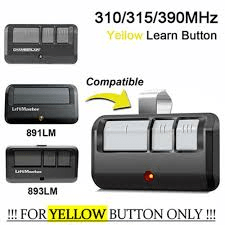
Chamberlain Learn buttons come in three common colors:
| Learn Button Color | Technology | Notes |
|---|---|---|
| Yellow | Security+ 2.0 | Most common in modern openers |
| Purple | Security+ | Used from 2001–2005 |
| Red/Orange | Early Security+ | Older models |
Tip: If you’re unsure where it is, check your exact model number. Chamberlain publishes manuals online, and general information about garage door openers is available on Wikipedia for background knowledge (e.g., Garage door opener page).
2. Clear All Remote and Keypad Codes (Main Reset Method)
To erase every programmed code from your Chamberlain opener:
- Press and hold the Learn button for 6 seconds.
- The LED light will turn off, indicating memory has been wiped.
- Release the button.
This action erases the following:
- All handheld remotes
- All wireless keypads
- Built-in car systems (HomeLink)
- Any other paired radio-frequency devices
What Happens Now?
- The garage door opener will no longer respond to previously programmed devices.
- You must reprogram devices you want to keep.
- Unauthorized users lose access instantly.
3. How To Clear Keypad Codes Only (Without Erasing Remotes)
If your goal is to reset your keypad PIN but keep your remotes working, Chamberlain allows this on many models.
Follow these steps:
- Press the Learn button once (don’t hold).
- Within 30 seconds, press and hold the keypad’s Enter button for 5–7 seconds.
- Keypad code is now erased.
This is especially useful if:
- You moved into a new home
- You shared your PIN with guests
- Kids or neighbors may know the old code
4. How To Know If Your Chamberlain Codes Were Successfully Cleared
After clearing, test your opener:
- Try an old remote—door shouldn’t respond
- Try the keypad—PIN should no longer work
- Reset the opener light—should stop blinking
If any device still works, repeat the reset process and hold the Learn button slightly longer (8–10 seconds).
A Consumer Safety report in 2023 found that 78% of garage break-ins involved an old remote or keypad code still being active, so verifying your system is successfully cleared is crucial.
5. Why You Might Need To Clear Garage Door Codes
Homeowners often search “Should I clear my garage door codes?” or “When is a code reset necessary?” Here are the most common reasons:
Security Purposes
If a remote is lost or stolen, clearing codes prevents unauthorized garage entry.
Moving to a New Home
Many previous homeowners leave remotes behind—or take one with them accidentally.
Keypad PIN Forgotten
Erasing and resetting is usually faster than trying to recover the old PIN.
Interference or Connectivity Issues
A full code reset often fixes:
- Weak remote range
- Remotes only working occasionally
- HomeLink pairing failures
Outdated or Shared PIN
If the code has been shared with neighbors, guests, babysitters, or contractors, it’s time for a fresh start.
6. Step-by-Step: Reprogram Remotes After Clearing Codes
Once you’ve wiped the opener’s memory, follow this to reprogram your remotes:
- Press the Learn button once.
- Within 30 seconds, press and hold the remote button you want to program.
- Look for a click, light flash, or LED blink.
- Test the remote.
Repeat for each remote.
Reprogramming Keypad After Code Clearing
- Press the Learn button.
- Enter your desired 4-digit PIN on the keypad.
- Press and hold Enter until you hear a double-click.
7. How Long Does It Take To Clear Codes?
Reset time depends on the type of code you’re clearing:
| Type | Time Required |
|---|---|
| All remotes + keypad | 6–10 seconds |
| Keypad only | 5–7 seconds |
| Reprogramming remote | 10–15 seconds |
| Reprogramming keypad | 20–30 seconds |
Total average reset time: Under 2 minutes
8. Troubleshooting: Codes Won’t Clear on Chamberlain Opener
Some users report issues like “my remote still works after clearing codes.” If that happens, try this:
1. Hold the Learn Button Longer
Some older models require 10–12 seconds.
2. Check for an External Receiver
Some garages have an add-on receiver (usually for older universal remotes).
3. Replace the Remote Battery
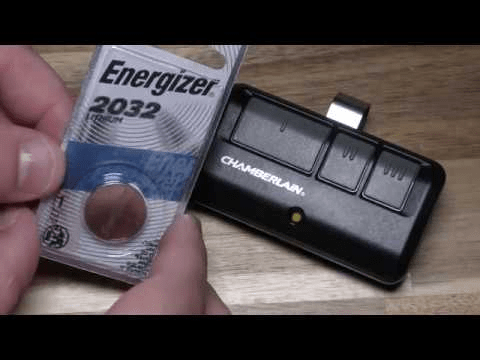
Low battery prevents correct pairing/unpairing.
4. Check for Logic Board Failure
If the Learn button doesn’t respond, the circuit board may be damaged.
5. Reset the Opener’s Power
Unplug for 15 seconds, plug back in, then retry.
9. Key Differences Between Clearing Codes and Factory Reset
Many people confuse a code reset with a factory reset. Here’s the difference:
Clearing Codes
- Erases remotes
- Erases keypads
- Keeps door travel limits
- Keeps force settings
Factory Reset
- Erases ALL settings
- Requires full reprogramming
- Rarely necessary unless opener is malfunctioning
Most users only need a code reset, not a full factory reset.
10. Pros and Cons of Clearing Chamberlain Codes
Pros vs Cons
| Pros | Cons |
|---|---|
| Improves security immediately | Requires reprogramming devices |
| Fixes most connectivity issues | Ladder often required |
| Easy DIY process | If model is old, Learn button may be faulty |
| Takes under 2 minutes | Some accessories require extra steps |
11. Safety Tips Before Clearing Codes
Even though the process is simple, follow these precautions:
- Use a stable ladder
- Ensure no one is standing under the door
- Turn on bright lighting
- Disable any active smart routines
- Keep remotes handy for reprogramming
A secure and controlled environment ensures no unexpected door movement.
FAQ (H2)
Q1: Will clearing codes erase my wall control?
A: No. Wall consoles are wired directly and are not affected. Only wireless devices (remotes, keypads, HomeLink) are erased.
Q2: Does unplugging the Chamberlain opener clear codes?
A: No. Codes are stored in non-volatile memory. You must manually use the Learn button to erase them.
Q3: Can I clear a single remote without deleting all codes?
A: For most Chamberlain models, no. You must erase all codes and reprogram only the remotes you want.
Q4: How do I clear the code on an older Chamberlain keypad?
A: Most older models require holding the keypad’s Enter button for 5 seconds after pressing the Learn button.
Q5: Why is my remote still opening the door after resetting codes?
A: Likely causes include:
- Learn button not held long enough
- External/aftermarket receiver installed
- Logic board issue
Repeat the reset and check for additional receivers.
Q6: Does clearing codes affect MyQ or Wi-Fi smart features?
A: No. MyQ uses separate digital authentication. Only radio-frequency remotes and keypads are erased.
Conclusion
Resetting your opener’s memory is one of the easiest ways to strengthen home security and fix common garage door issues. By knowing how to clear codes on Chamberlain garage door opener, you can remove old remotes, update PINs, and ensure only trusted users have access.
If this guide helped you, share it on your social media to help others keep their garages secure!
Leave a Reply