The Chrysler Pacifica is a versatile and innovative vehicle, offering convenience features like a built-in garage door opener. But what if you need to program it without a remote? Whether your remote is lost, broken, or unavailable, learning how to program the Chrysler Pacifica garage door opener without remote can save time and hassle. In this guide, we’ll walk you through the process step by step, providing clear instructions and helpful tips to ensure success.
Understanding the Built-In Garage Door Opener System
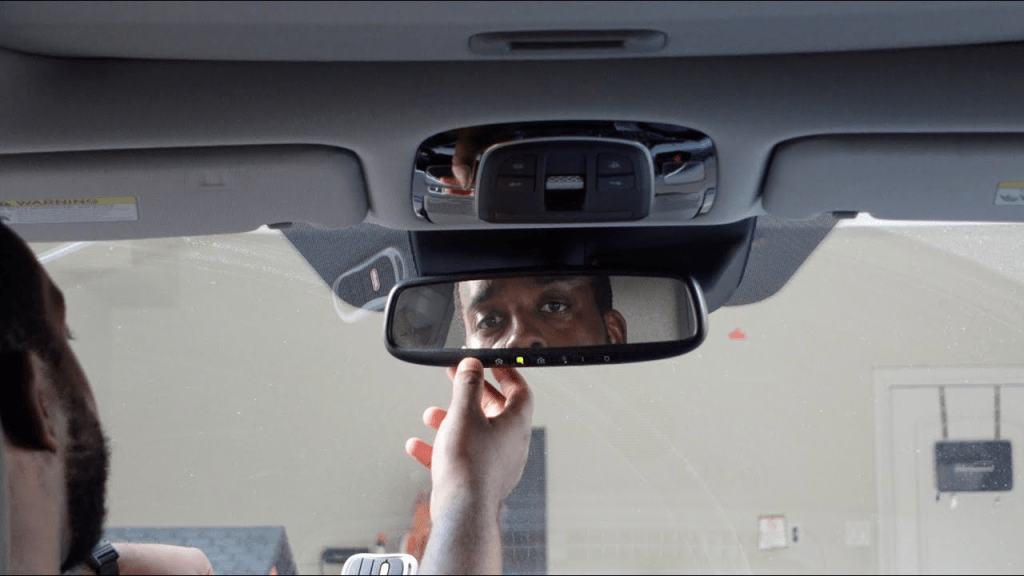
The Chrysler Pacifica comes equipped with the HomeLink system, an advanced technology that allows seamless integration with your garage door opener. This system can connect to most garage doors, even without a physical remote, by utilizing a “learn” or “smart” button on the garage door opener motor.
Read too: How To Replace Garage Door Roller Like a Pro? Step-by-Step Guide
How To Program Chrysler Pacifica Garage Door Opener Without Remote
Step 1: Prepare Your Vehicle and Garage Door Opener
- Park Safely: Position your Chrysler Pacifica within range of the garage door opener, ensuring the vehicle is in park with the engine running.
- Identify the HomeLink Buttons: Locate the HomeLink buttons, typically found on the overhead console. These buttons are used to program and control your garage door opener.
Step 2: Clear Previous Programming
If the HomeLink system was previously programmed, it’s a good idea to reset it:
- Press and hold the first and third buttons on the HomeLink system for about 20 seconds.
- Wait for the indicator light to change from solid to flashing rapidly, then release the buttons.
This clears all prior programming from the system.
Step 3: Locate the Learn/Smart Button
Since you don’t have a remote, the process relies on the “Learn” or “Smart” button on your garage door opener motor.
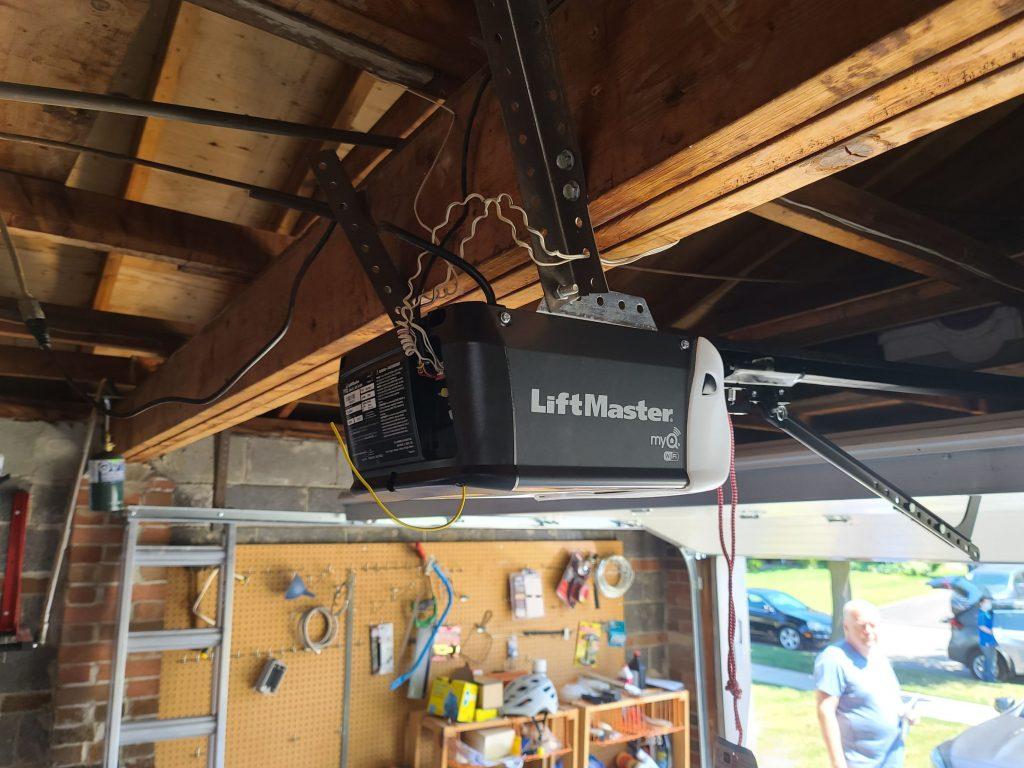
- Find the Learn/Smart Button: This button is usually located on the back or side of the garage door opener motor.
- Press the Learn/Smart Button: Once located, press and release the Learn/Smart button. You may have about 30 seconds to complete the next step.
Step 4: Program the HomeLink System
- Press the Desired HomeLink Button: Return to your vehicle and press the HomeLink button you want to program. Hold it down for about two seconds.
- Watch the Indicator Light: The indicator light on the HomeLink system should begin flashing, signaling that the system is attempting to sync with your garage door opener.
- Repeat if Necessary: If the garage door doesn’t respond immediately, repeat the process.
Step 5: Test the System
Once programmed, test the HomeLink button to ensure it opens and closes your garage door. If it works, the programming is complete.
Troubleshooting Tips
If you encounter issues while programming, try the following:
- Check the Learn/Smart Button: Ensure you pressed the Learn/Smart button on the garage door opener motor before attempting to program the HomeLink system.
- Inspect the Antenna: Make sure the garage door opener’s antenna is intact and unobstructed.
- Repeat the Process: It may take a few attempts to successfully program the system.
Benefits of Programming the Chrysler Pacifica Garage Door Opener Without Remote
Convenience
Programming your garage door opener directly into the Pacifica eliminates the need for a physical remote, streamlining your daily routine.
Security
By integrating your garage door opener with the HomeLink system, you reduce the risk of losing a remote, which could fall into the wrong hands.
Enhanced Driving Experience
The built-in system is seamlessly integrated into the vehicle, providing a modern and user-friendly experience.
Advanced Features of the Chrysler Pacifica HomeLink System
- Multiple Doors: Program up to three different garage doors or gates.
- Rolling Code Technology: Compatible with most modern garage door openers that use rolling code security.
- Expandable Functions: Control home lighting and other smart devices directly from your vehicle.
Safety Precautions During Programming
- Keep the area clear of children and pets while testing the garage door.
- Ensure the garage door is fully functional before attempting to program the HomeLink system.
- Avoid standing directly under the garage door during operation.
Frequently Asked Questions
Q: Can I program the HomeLink system without the Learn/Smart button?
A: No, the Learn/Smart button is necessary to sync the HomeLink system with the garage door opener.
Q: What should I do if the garage door opener is too old to work with HomeLink?
A: Consider upgrading your garage door opener to a model compatible with HomeLink technology.
Q: How do I reprogram a HomeLink button for a new garage door?
A: Clear the existing programming and repeat the steps outlined in this guide.
Why Learn How To Program Chrysler Pacifica Garage Door Opener Without Remote?
Programming the Chrysler Pacifica garage door opener without a remote is a valuable skill that ensures you’re never stuck outside your garage. Whether your remote is lost or you simply prefer a streamlined setup, mastering this process enhances convenience and security.
Conclusion
The Chrysler Pacifica HomeLink system offers a powerful solution for operating your garage door without a remote. By following the step-by-step guide, you can easily program your garage door opener using the Learn/Smart button on your garage door motor. With its seamless integration and user-friendly design, the HomeLink system in your Chrysler Pacifica makes accessing your garage effortless and secure.


Leave a Reply