Locked out without your remote? Need a secure way for family members to enter the garage without keys? The LiftMaster 976LM Garage Door Opener Keypad Remote Keyless Entry is designed for exactly this situation. This guide explains how to program, reset, and maintain your keypad so you can regain reliable access in minutes.
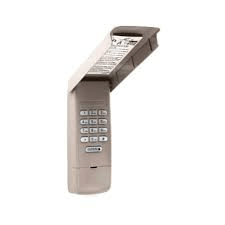
What Is the LiftMaster 976LM Keyless Entry Keypad?
The LiftMaster 976LM is a wireless exterior keypad that opens your garage door using a personal 4-digit PIN. It communicates with compatible LiftMaster, Chamberlain, and Craftsman openers using rolling-code radio signals.
Read too: Door and Garage Door Companies: Choosing the Right Partner for Your Needs
Why Homeowners Prefer Keypads
- No remote required for entry
- Safe access for kids, guests, or deliveries
- Mounts outside the garage for convenience
- Works during power outages (opener must have backup power)
Field service reports show that keypads reduce “lockout” calls by a large margin because users can enter without carrying a remote.
LiftMaster 976LM Garage Door Opener Keypad Remote Keyless Entry — Programming Steps
Follow these exact steps for first-time setup.
Step 1 — Install the Battery
- Open the keypad cover
- Insert a 9V alkaline battery
- Close the cover firmly
Step 2 — Locate the Learn Button on the Opener
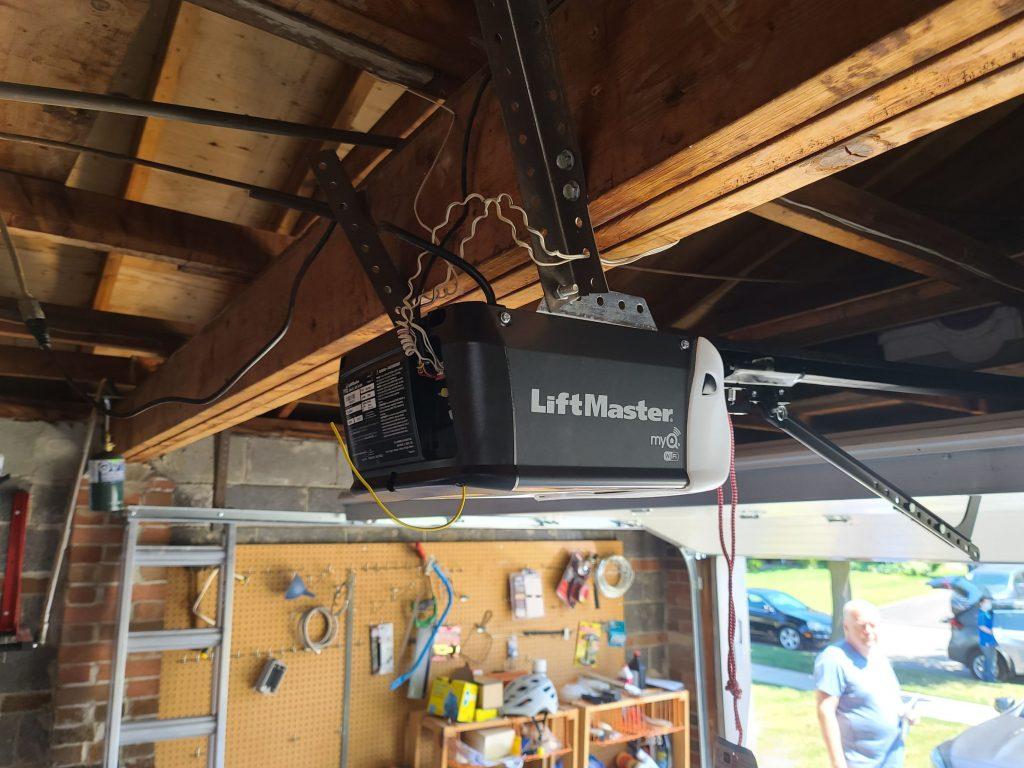
Find the Learn button on your opener motor head (back/side panel, near antenna).
| Learn Button Color | System Type | 976LM Compatible |
|---|---|---|
| Yellow | Security+ 2.0 | Yes |
| Purple | Security+ | Yes |
| Red/Orange | Security+ | Yes |
| Green | Billion Code | Yes |
Step 3 — Activate Learn Mode
- Press and release the Learn button
- LED stays on for 30 seconds
Step 4 — Enter Your PIN on the Keypad
- Enter a 4-digit PIN of your choice
- Press and hold the ENTER button
- Release when the opener light blinks or clicks
Step 5 — Test the Keypad
- Close the cover
- Enter your PIN and press ENTER
- The garage door should operate
How to Change or Reset Your PIN
Forgot your PIN? Moving into a new house? Reset it.
- Press and hold the Learn button for 6–10 seconds to clear memory
- Reprogram the keypad with a new PIN using the steps above
Tip: Avoid common PINs like 1234 or birth years for better security.
Where Should You Mount the 976LM Keypad?
Correct placement improves reliability.
Best mounting height: 1.5–1.7 meters (5–5.5 ft) from the ground
Distance from door: Within sight of the garage door, away from metal surfaces
Avoid: Direct rain exposure without cover, extreme heat zones
Many users install it beside the service door frame for easy access.
Troubleshooting Common Keypad Problems
Keypad Lights Up but Door Doesn’t Move
- Programming lost → Repeat Learn steps
- Battery weak → Replace 9V battery
No Lights on Keypad
- Dead battery
- Corroded terminals → Clean gently
Intermittent Operation
- RF interference from LED bulbs
- Keypad mounted on metal surface → Relocate slightly
Door Opens After Multiple Attempts
- Signal obstruction → Reposition keypad or antenna wire
Battery Life and Maintenance
- Use high-quality alkaline 9V battery
- Replace every 12 months
- Ideal operating temperature: 22–28°C (72–82°F)
Cold weather can temporarily reduce battery output and range.
Advantages vs Limitations
Advantages
- Keyless convenience
- Multiple users can share PIN
- Weather-resistant design
- Strong rolling-code security
Limitations
- Requires battery maintenance
- Needs correct mounting location
- Not compatible with very old dip-switch openers
Compatibility Overview
| Brand | Year Range | Works with 976LM |
|---|---|---|
| LiftMaster | 1993–present | Yes |
| Chamberlain | 1993–present | Yes |
| Craftsman | 1993–present | Yes |
| Pre-1993 | Dip switch | No |
Security Background (Why Rolling Codes Matter)
Each time you use the keypad, a new encrypted signal is sent to the opener. This prevents code capture devices from duplicating your access signal. For technical background, see Wikipedia’s garage door opener overview:
https://en.wikipedia.org/wiki/Garage_door_opener
Pro Installation Tips from Technicians
- Program the keypad before mounting it permanently
- Test signal strength from intended location
- Keep spare 9V battery indoors
- Label installation date inside cover to track battery age
FAQ — LiftMaster 976LM Keyless Entry
Q1: Can multiple people use the same keypad?
Yes. Anyone with the PIN can operate the door.
Q2: How many PINs can it store?
One primary PIN at a time.
Q3: Will this work during a power outage?
Only if the opener has battery backup.
Q4: Does rain damage the keypad?
It’s weather-resistant but should not be directly exposed to heavy rain without cover.
Q5: What if I forget the PIN?
Clear the opener memory and reprogram with a new PIN.
Q6: Can it control gates?
Yes, if the gate operator supports LiftMaster Security+ signals.
Conclusion
The LiftMaster 976LM Garage Door Opener Keypad Remote Keyless Entry offers simple, secure, and remote-free access to your garage. With proper programming, smart placement, and yearly battery replacement, it provides dependable entry for families, guests, and everyday use.
If this guide helped you set up your keypad successfully, share it on social media—someone else might be searching for the same solution right now.


Leave a Reply