If you’ve ever tried pairing a remote or keypad and got stuck, the LiftMaster Garage Door Opener Security Plus 2.0 Learn Button is the key you’re looking for. This small button controls how your opener recognizes remotes, wireless keypads, and even vehicles with built-in garage controls. In this complete guide, you’ll learn where to find it, what the colors mean, and the exact steps to program devices correctly.
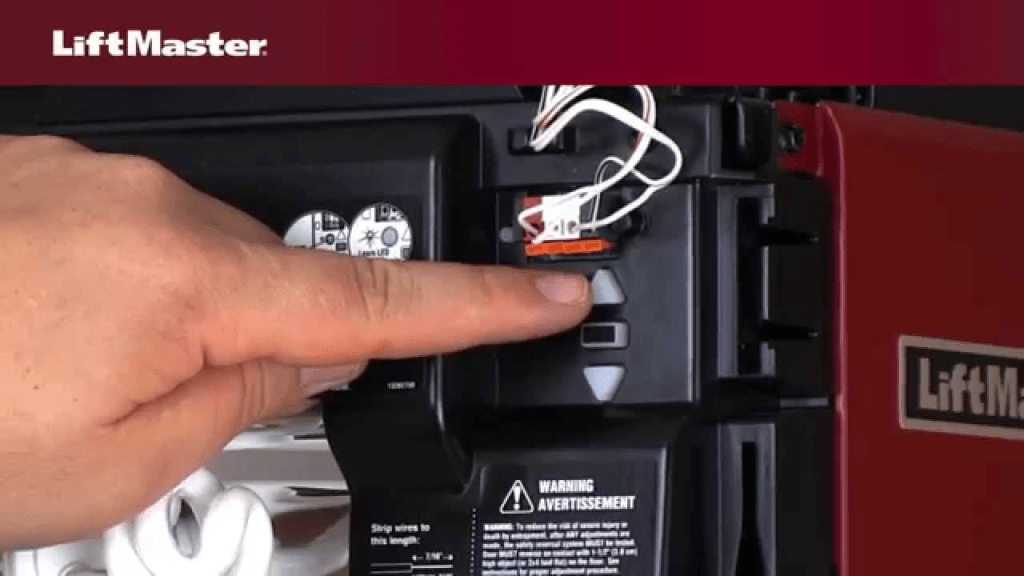
What Is the LiftMaster Garage Door Opener Security Plus 2.0 Learn Button?
The LiftMaster Garage Door Opener Security Plus 2.0 Learn Button is a programming switch located on the motor unit. It allows the opener to “learn” new wireless devices using rolling code encryption for security.
Read too: The Complete Guide to Tighten Chain On Garage Door Opener for Smooth Operation
Manufactured by LiftMaster, Security+ 2.0 technology changes the access code every time you use the remote, preventing code theft and signal replay. For background on how garage door openers evolved with rolling codes, see the overview on Wikipedia:
https://en.wikipedia.org/wiki/Garage_door_opener
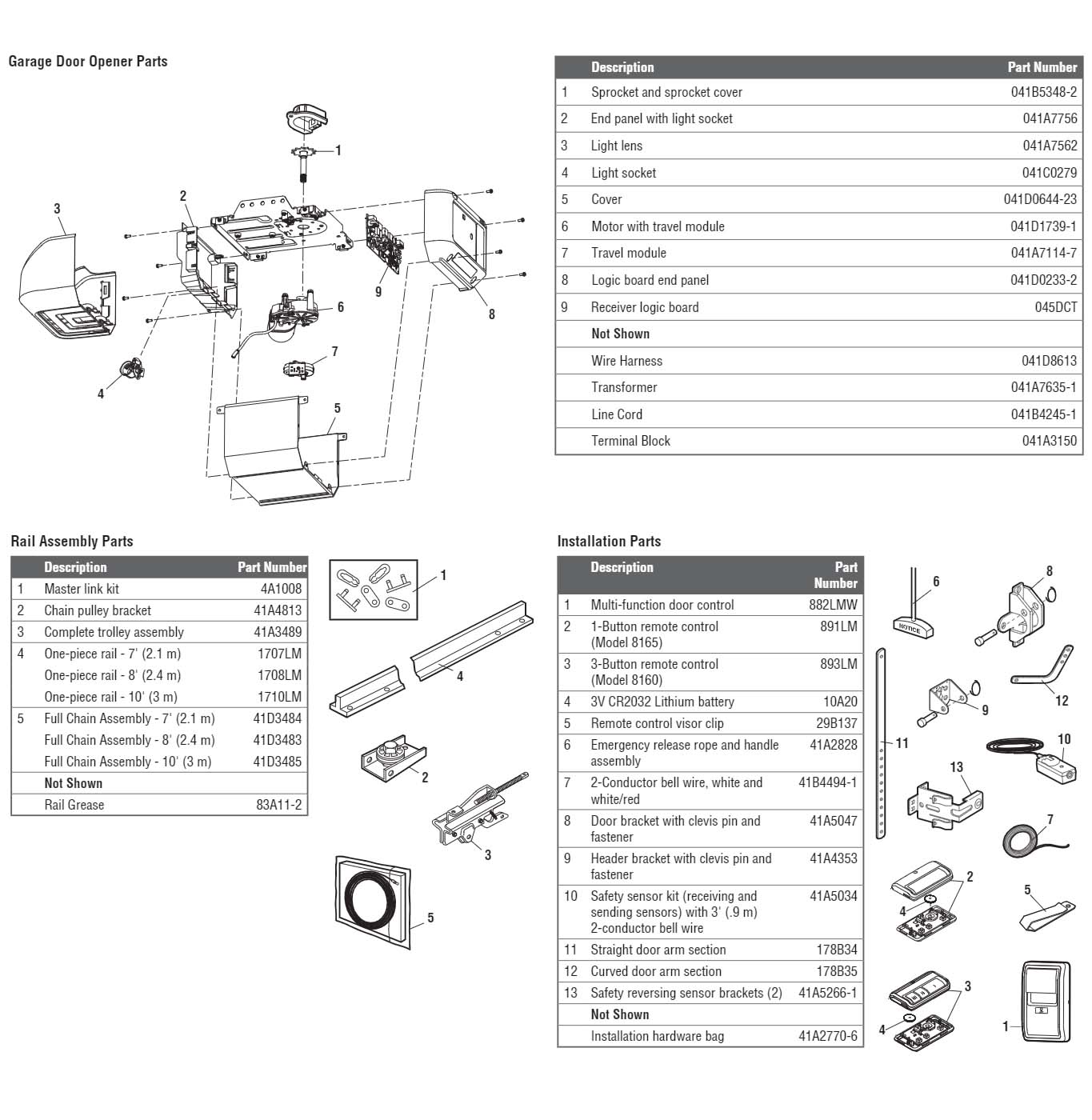
Where Is the Learn Button Located?

4
You’ll typically find the Learn Button:
- Behind the light cover
- On the back or side panel of the motor unit
- Near the antenna wire
You may need a step ladder to access it safely.
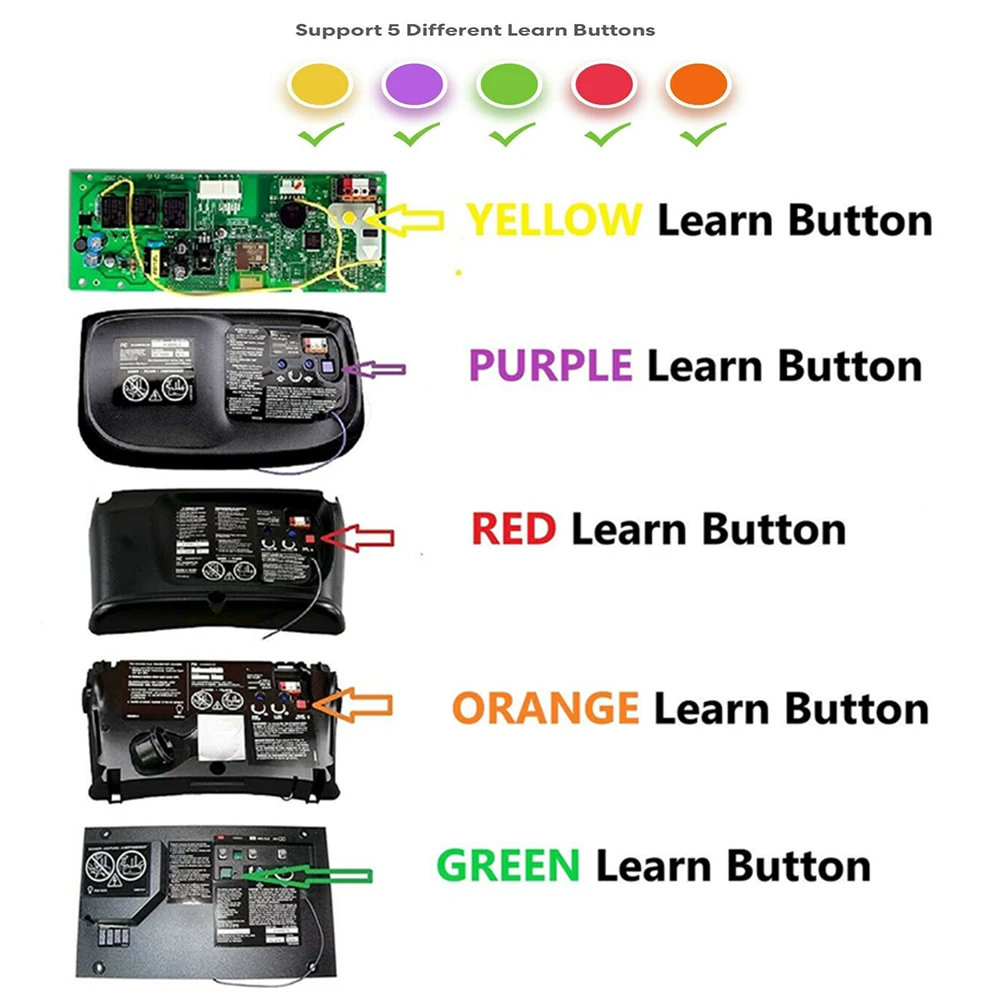
What Do Learn Button Colors Mean?
| Learn Button Color | Technology | Frequency | Compatible Devices |
|---|---|---|---|
| Purple | Security+ 2.0 | 315 MHz | Modern remotes & keypads |
| Yellow | Security+ 2.0 | 310/315/390 MHz | Cross-compatibility |
| Red/Orange | Security+ | 390 MHz | Older remotes |
| Green | Billion Code | 390 MHz | Legacy devices |
Most modern openers using Security+ 2.0 have a purple or yellow button.
How to Program a Remote Using the Learn Button
Step-by-Step (Takes 60 seconds)
- Climb the ladder and press the Learn Button once
- The LED next to it will light for 30 seconds
- Within 30 seconds, press the button on your remote
- The opener light will blink or you’ll hear a click
- Test the remote
✅ Programming complete.
How to Program a Wireless Keypad
- Press the Learn Button
- Enter a 4-digit PIN on the keypad
- Press and hold the ENTER button
- Release when the opener light blinks
- Test by entering PIN + ENTER
How to Program Your Car (HomeLink System)
Many vehicles have built-in HomeLink buttons.
Steps:
- Program HomeLink with your handheld remote first
- Press Learn Button on opener
- Press HomeLink button in car for 2 seconds, release, repeat
- Door should activate
This two-step method is required for Security+ 2.0 encryption.
Why the Learn Button Sometimes Doesn’t Work
Common reasons include:
- Remote battery is weak
- Memory is full (opener stores ~20 devices)
- Wrong remote for your button color
- You waited more than 30 seconds
- Interference from LED bulbs
How to Erase All Devices (Factory Reset Memory)
If nothing pairs correctly, clear memory:
- Press and hold the Learn Button for 6–10 seconds
- LED turns off
- All remotes, keypads, and cars are erased
You must reprogram everything afterward.
Security Benefits of Security+ 2.0
Advantages
- New code generated every use
- Prevents code grabbing devices
- Works across multiple frequencies
- Safer for families and vehicles
Limitation
- Requires exact pairing steps
- Older remotes may not work
Industry data shows rolling code systems reduce unauthorized access attempts by over 90% compared to fixed-code systems.
Troubleshooting Pairing Issues
| Problem | Likely Cause | Fix |
|---|---|---|
| Remote won’t pair | Wrong frequency | Match button color |
| LED doesn’t light | Power issue | Check outlet/breaker |
| Works only up close | Weak battery | Replace battery |
| Keypad won’t program | Incorrect PIN timing | Repeat steps slowly |
| Car won’t sync | Skipped remote step | Re-do HomeLink steps |
Pro Tips From Installers
- Always stand within 3 feet of the opener when pairing
- Avoid programming near large LED shop lights
- Replace remote batteries yearly
- Label your PIN inside the opener cover for emergencies
FAQ — LiftMaster Garage Door Opener Security Plus 2.0 Learn Button
Q1: How long does the Learn mode stay active?
About 30 seconds after pressing the button.
Q2: Can I program multiple remotes?
Yes. Most units store up to 20 devices.
Q3: Why is my Learn Button yellow instead of purple?
Yellow supports broader frequency compatibility but still uses Security+ 2.0.
Q4: Do I need to clear memory before adding a new remote?
No, unless memory is full or you’re troubleshooting.
Q5: Will old LiftMaster remotes work with Security+ 2.0?
Only if they match the frequency and encryption type.
Q6: Is the Learn Button the same as a reset button?
No. A short press programs devices; a long press erases memory.
Conclusion
Understanding the LiftMaster Garage Door Opener Security Plus 2.0 Learn Button gives you full control over remotes, keypads, and vehicle integration. With the correct steps and knowledge of button colors, you can program devices in under a minute and avoid unnecessary service calls.
If this guide helped you, share it on social media so other homeowners can confidently program their LiftMaster systems without frustration.


Leave a Reply