Experiencing a power outage with your Liftmaster garage door opener can be a frustrating inconvenience. In this comprehensive guide, we’ll explore essential tips and solutions to help you navigate through a Liftmaster garage door power outage smoothly and effectively. Discover how to troubleshoot and resolve common issues, ensuring your garage door remains functional even during unexpected power disruptions.
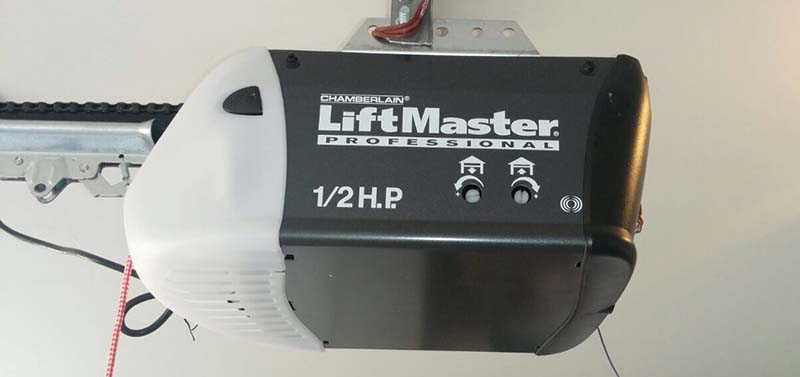
Understanding Liftmaster Garage Door Power Outages
A power outage affecting your Liftmaster garage door opener can occur due to various reasons, including severe weather, electrical faults, or utility company maintenance. When faced with a power outage, it’s essential to know how to address the situation promptly to restore access to your garage.
Troubleshooting Liftmaster Garage Door Power Outages
Common Causes and Solutions
1. Verify Power Status
- Cause: Determine if the power outage is localized to your property or if it’s affecting your entire area.
- Solution: Check the main electrical panel for tripped circuit breakers and reset any tripped breakers associated with the garage door opener.
2. Manual Operation
- Cause: During a power outages, you may need to operate your Liftmaster garage door opener manually.
- Solution: Locate the manual release mechanism on the opener and use it to disengage the door from the motor carriage, allowing for manual operation.
3. Backup Power Options
- Cause: Lack of backup power sources can leave your Liftmaster garage door opener non-functional during a power outage.
- Solution: Consider installing a backup battery system or generator to provide emergency power to your garage door opener during outages.
Read too: Why Your Liftmaster Garage Door Won’t Stay Closed and How to Fix It? Troubleshooting Tips
Additional Tips for Handling Power Outages
- Ensure all family members are aware of manual operation procedures in case of emergencies.
- Keep a flashlight and spare batteries in the garage for visibility during power outages.
- Regularly test backup power sources to ensure they are functioning correctly when needed.
Conclusion
In conclusion, knowing how to handle a Liftmaster garage door power outages is essential for maintaining convenience and security. By following the tips and solutions provided in this guide, you can effectively navigate through power outages and ensure continued functionality of your Liftmaster garage door opener.



Leave a Reply