If you’re encountering the frustrating issue of Myq not opening your garage door, you’re not alone. Many homeowners rely on Myq technology for convenient access to their garages, but occasional malfunctions can occur. In this comprehensive troubleshooting guide, we’ll explore the possible causes behind Myq not opening the garage door and provide practical solutions to resolve the issue. Whether you’re facing connectivity issues, sensor problems, or other technical glitches, we’ll help you troubleshoot the problem and get your garage door operating smoothly once again.
Understanding Myq Technology
How Myq Works
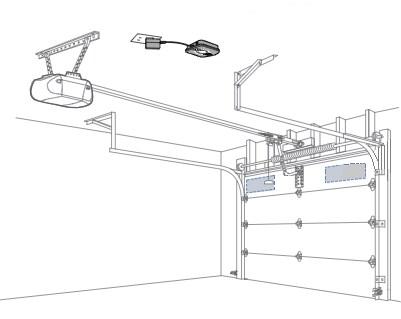
Myq technology allows homeowners to control their garage door opener remotely using a smartphone app or a web interface. By connecting to a Wi-Fi network, Myq enables users to open and close their garage doors from anywhere, providing convenience and peace of mind. However, like any technology, Myq systems can encounter issues that may prevent the garage door from opening or closing as intended.
Common Issues
Several factors can contribute to Myq not opening the garage door, including:
- Connectivity problems: If your Myq hub or garage door opener loses its connection to the Wi-Fi network, it may not respond to commands from the app or web interface.
- Sensor issues: Misaligned or malfunctioning sensors can prevent the garage door from opening or closing properly, causing Myq to display an error message or fail to operate.
- Software glitches: Occasionally, software updates or compatibility issues can cause Myq to malfunction, resulting in issues with remote operation.
Troubleshooting Steps
Check Wi-Fi Connection
Start by ensuring that your Myq hub and garage door opener are properly connected to your Wi-Fi network. Verify that the Wi-Fi signal strength is strong enough in the garage area and consider relocating the hub or installing a Wi-Fi extender if necessary. If your Wi-Fi network is working correctly but Myq still isn’t opening the garage door, move on to the next step.
Inspect Sensors
Inspect the sensors located near the bottom of the garage door tracks to ensure they are properly aligned and free from obstructions. Clean any dirt or debris that may be blocking the sensors’ line of sight and check for any damage to the sensor wires or connections. If the sensors appear to be functioning correctly but the garage door still isn’t opening, proceed to the next troubleshooting step.
Perform a System Reset
Try resetting your Myq hub and garage door opener to their factory default settings. This can often resolve software glitches or compatibility issues that may be preventing Myq from operating correctly. Refer to the user manual for instructions on how to perform a reset, and follow the steps carefully to avoid causing further damage to the system.
Read too: No Power to Genie Garage Door Opener – Resolving the Issue with Ease: Troubleshooting Guide
Contact Customer Support
If you’ve exhausted all troubleshooting steps and Myq still isn’t opening the garage door, it may be time to contact customer support for assistance. Provide them with detailed information about the issue you’re experiencing, including any error messages or unusual behavior, and they can help diagnose the problem and recommend further steps for resolution.
Conclusion
In conclusion, troubleshooting Myq not opening the garage door can be frustrating, but with patience and persistence, you can often resolve the issue and regain access to your garage. By following the steps outlined in this guide, you can identify common causes of Myq malfunctions and implement effective solutions to resolve the problem. Whether it’s addressing connectivity issues, sensor problems, or software glitches, taking proactive steps to troubleshoot Myq can help ensure smooth and reliable operation of your garage door opener.



Leave a Reply