If you’re having trouble Programming A Remote For A LiftMaster Garage Door Opener, you’re not alone. Many homeowners replace a lost remote or buy a new one—only to find the door won’t respond. It can be frustrating, especially when you need quick access to your garage.
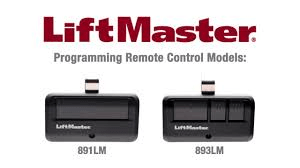
The good news? Programming a LiftMaster remote is usually fast and beginner-friendly. In this complete guide, you’ll learn the exact steps, understand why they work, and discover troubleshooting tips to make sure everything syncs properly the first time.
Programming A Remote For A LiftMaster Garage Door Opener: Step-By-Step Guide
When it comes to Programming A Remote For A LiftMaster Garage Door Opener, the process revolves around one key feature: the Learn button on your motor unit.
Read too: Door and Garage Door Companies: Choosing the Right Partner for Your Needs
LiftMaster systems use rolling code technology, which changes the access code each time you use the remote. This prevents signal theft and improves security. You can learn more about rolling code systems on Wikipedia:
https://en.wikipedia.org/wiki/Rolling_code
Because of this security feature, you must pair the remote directly with the motor unit.
What You Need Before Programming
Before starting, prepare the following:
- Your new LiftMaster remote
- Access to the garage motor unit
- A stable ladder
- Fresh battery inside the remote
- 5–10 minutes of uninterrupted time
Important: Make sure the garage door is fully closed before programming.
Where Is the Learn Button on a LiftMaster Opener?
One of the most common questions homeowners ask is where to find the Learn button.
How to Locate It:
- Climb a sturdy ladder.
- Locate the motor unit mounted on the ceiling.
- Remove the light cover if necessary.
- Look near the antenna wire.
You’ll see a small colored button labeled “Learn.”
LiftMaster Learn Button Color Guide
The color of your Learn button determines the frequency and technology type.
| Button Color | Frequency | Year Range | Technology |
|---|---|---|---|
| Yellow | 310/315/390 MHz | 2011–Present | Security+ 2.0 |
| Purple | 315 MHz | 2005–2014 | Security+ |
| Red/Orange | 390 MHz | 1997–2005 | Rolling Code |
| Green | 390 MHz | 1993–1996 | Early Rolling |
Most remotes manufactured today are compatible with yellow and purple systems.
Step-by-Step: Programming A Remote For A LiftMaster Garage Door Opener
Follow these precise steps carefully.
Step 1: Press the Learn Button
- Press the Learn button once.
- A small LED light next to it will turn on.
- You now have 30 seconds to complete programming.
Do not hold the button unless you want to erase memory.
Step 2: Program the Remote
- Press and hold the button on your new remote.
- Hold for 2–3 seconds.
- Release.
- Press again for 2–3 seconds.
You may need to repeat this 2–3 times.
If successful:
- Garage light will blink
- Motor will click
- Door may move slightly
That confirms pairing is complete.
Step 3: Test the Remote
Stand about 5–10 feet away and press the remote.
The door should open or close smoothly.
How Long Does Programming Take?
Most homeowners complete the process in:
- 1 minute locating Learn button
- 2 minutes pairing
- 1 minute testing
Total time: 3–5 minutes
According to home improvement service reports, over 80% of garage remote issues are resolved without professional assistance when proper programming steps are followed.
Why Isn’t My LiftMaster Remote Working?
If your remote won’t sync, here are the most common reasons:
1. Weak Battery
Replace with a new CR2032 or AAA battery, depending on your model.
2. Memory Is Full
LiftMaster openers typically store 5–7 remote devices.
To erase all devices:
- Press and hold the Learn button.
- Hold for 6–10 seconds.
- Release when LED turns off.
This clears all paired remotes.
You’ll need to reprogram each one afterward.
3. Wrong Remote Model
Ensure your remote matches the frequency of your opener.
4. Signal Interference
LED light bulbs, Wi-Fi routers, or metal structures may block signal transmission.
Try programming:
- With garage lights off
- Standing closer to motor unit
- Removing LED bulbs temporarily
LiftMaster Remote vs Universal Remote
| Feature | LiftMaster Original | Universal Remote |
|---|---|---|
| Compatibility | Brand-specific | Multi-brand |
| Setup Difficulty | Easy | Moderate |
| Cost | Slightly higher | Often lower |
| Reliability | High | Depends on model |
Recommendation: For best performance, use an original LiftMaster remote designed for your system.
Safety Tips During Programming
Garage doors are heavy—often weighing between 130 and 400 pounds.
Follow these safety precautions:
- Keep children and pets away
- Avoid standing under moving door
- Use stable ladder
- Do not test while someone is near the door path
Thousands of garage-related injuries occur annually in the U.S., often due to improper operation.
Can I Program Multiple Remotes?
Yes.
Most LiftMaster models allow:
- 5–7 remote controls
- Multiple vehicles (HomeLink)
- Wireless keypads
Each device must be programmed individually using the Learn button.
Programming Without Erasing Existing Remotes
If you simply want to add a new remote:
- Press Learn button once (do not hold)
- Program new remote within 30 seconds
Existing remotes will remain connected.
FAQ: Programming A Remote For A LiftMaster Garage Door Opener
Q1: Do I need the old remote to program a new one?
No. You only need access to the Learn button on the motor unit.
Q2: How many remotes can my LiftMaster store?
Typically 5–7 devices depending on model.
Q3: Why does my garage light blink but door won’t move?
This may indicate partial programming. Repeat the pairing steps.
Q4: Will programming reset my door settings?
No. Programming a remote does not affect travel limits or force settings.
Q5: Do I need professional installation?
In most cases, no. The process is beginner-friendly and takes under 10 minutes.
Q6: What if my Learn button is missing?
Very old dip-switch systems (pre-1993) may not have one. These systems require a different remote type.
Expert Insight: Why Rolling Code Technology Matters
Rolling code technology generates a new access code each time the remote is used. This prevents signal cloning devices from capturing and reusing your garage signal.
Security professionals recommend rolling code systems because they significantly reduce unauthorized entry risks compared to fixed-code remotes.
Quick Troubleshooting Checklist
If programming fails:
✔ Replace battery
✔ Confirm Learn button color
✔ Reset memory if full
✔ Reduce interference
✔ Stand closer to motor
✔ Retry within 30 seconds
Conclusion
Programming A Remote For A LiftMaster Garage Door Opener is a simple process when you understand how the Learn button and rolling code system work together.
In just a few minutes, you can restore convenient garage access and eliminate the frustration of a non-working remote. Follow the steps carefully, prioritize safety, and test properly.
If this guide helped you, consider sharing it on social media so other homeowners can quickly and confidently solve the same issue.


Leave a Reply