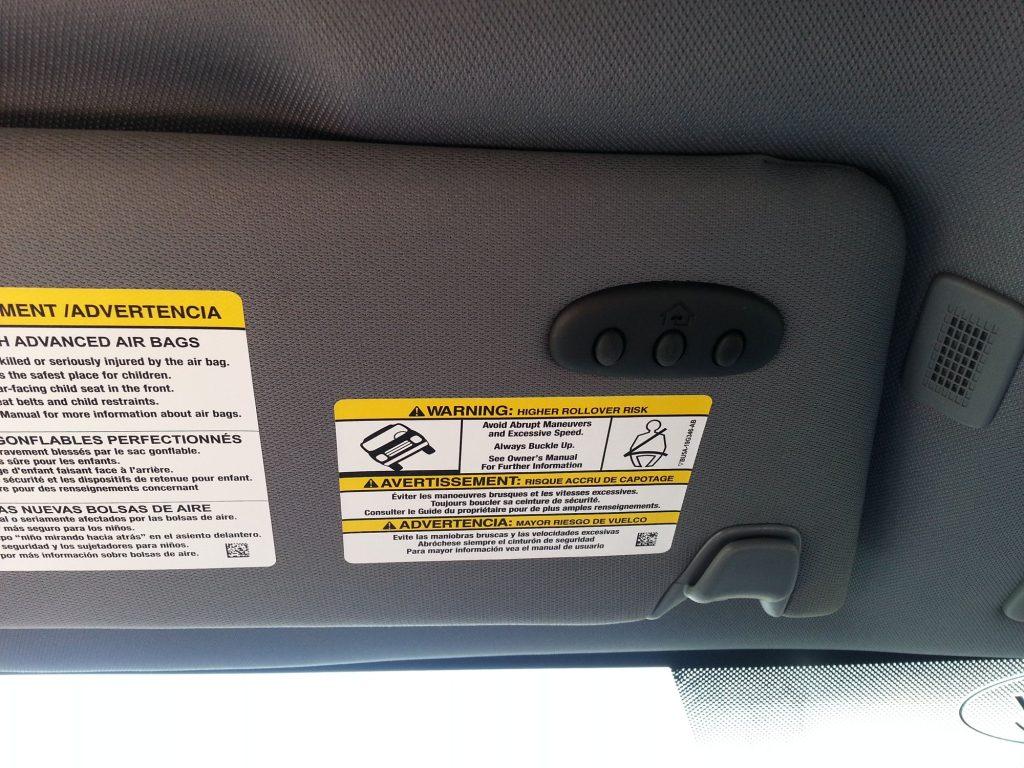
How To Program Garage Door Opener In Ford F150
You just bought a new Ford F-150 — or maybe you’ve had yours for a while — and you’re tired of fumbling for your garage door remote every single time you pull into the driveway. You want that seamless, one-button experience right from your truck’s overhead console. The good news? Learning how to program garage door opener in Ford F150 is simpler than most people think, and it only takes about 10–15 minutes.
Whether your F-150 uses the built-in HomeLink system or you’re pairing a third-party universal remote, this comprehensive guide walks you through every step with clear instructions, troubleshooting tips, and answers to the most common questions. Let’s get your garage door synced up so you can enjoy hands-free convenience every day.
What Is HomeLink and Why Does Your Ford F-150 Have It?
Before diving into the steps, it helps to understand what you’re actually programming. HomeLink is a wireless control system integrated into many Ford vehicles, including most F-150 trims from 2004 onward. It replaces handheld remotes by communicating directly with your garage door opener, gate system, or even home lighting.
According to Wikipedia, HomeLink was originally developed by Johnson Controls and is now owned by Gentex Corporation. It operates on radio frequencies between 288 MHz and 399 MHz, making it compatible with the vast majority of garage door openers sold in North America.
Key Benefits of Using HomeLink in Your F-150
| Benefit | Description |
|---|---|
| Convenience | Open/close your garage without searching for a remote |
| Security | Uses rolling-code technology to prevent signal theft |
| Multi-Device | Program up to 3 different devices (garage, gate, lights) |
| No Batteries | Draws power from your vehicle’s electrical system |
Before You Start: What You’ll Need
Gathering the right items before you begin will save you time and frustration. Here’s your checklist:
- Your Ford F-150 owner’s manual (for model-specific button locations)
- The original garage door remote (the handheld one that came with your opener)
- A ladder or step stool (you may need to access the “Learn” button on the garage motor unit)
- A second person (helpful but not always required)
- Your vehicle parked outside the garage with the engine running or ignition in the “ON” position
Pro Tip: If your garage door opener was manufactured after 1996, it almost certainly uses rolling-code technology. This means there’s an extra synchronization step compared to older fixed-code openers. Don’t worry — we cover both below.
Step-by-Step: How To Program Garage Door Opener In Ford F150 Using HomeLink
Follow these steps carefully. The entire process typically takes 10 to 15 minutes.
Step 1: Clear Any Existing HomeLink Programming
If you purchased your F-150 used, or if you’ve previously programmed a device, start fresh:
- Press and hold the two outer HomeLink buttons simultaneously.
- Hold them for approximately 10–20 seconds until the indicator light begins to flash rapidly.
- Release both buttons. Your HomeLink system is now reset.
Note: On some newer F-150 models (2021+), the HomeLink buttons may be located in the rearview mirror assembly rather than the overhead console.
Step 2: Put HomeLink Into Training Mode
- Choose which of the three HomeLink buttons you want to use (Button 1, 2, or 3).
- Press and hold that button for about 2 seconds. The indicator light should turn on steadily.
- While still holding the HomeLink button, take your handheld garage door remote and point it toward the HomeLink buttons (about 1–3 inches away).
- Press and hold the button on your handheld remote that operates your garage door.
- Watch the HomeLink indicator light. It will transition from a slow blink → rapid blink → solid light.
- Once the light turns solid, release both buttons.
Congratulations! You’ve successfully trained the HomeLink button to recognize your garage door opener’s signal.
Step 3: Synchronize With Rolling-Code Garage Door Openers
If your garage door opener uses rolling-code technology (most units made after 1996), you must complete this additional step:
- Locate the “Learn” or “Smart” button on your garage door opener motor unit. It’s usually found on the back or side panel and may be colored yellow, red, purple, or orange.
- Press and release the Learn button. An indicator light on the motor unit will illuminate (you typically have 30 seconds to complete the next step).
- Return to your F-150 and press the newly programmed HomeLink button firmly for 2 seconds, then release.
- Repeat pressing the HomeLink button up to 3 times, holding each press for 2 seconds.
- Your garage door should activate, confirming successful synchronization.
⚠️ Safety Reminder: Make sure no people, pets, or objects are in the path of the garage door during testing. Always keep visual contact with the door while it moves.
Step 4: Test Your Setup
- Drive your F-150 within range of the garage (typically 50–100 feet).
- Press the programmed HomeLink button once.
- The door should respond immediately. If it doesn’t, repeat Steps 2 and 3.
Troubleshooting Common Issues
Even with careful execution, things don’t always work on the first try. Here’s how to fix the most frequent problems:
The Indicator Light Won’t Change From Slow Blink
- Cause: The handheld remote frequency isn’t being picked up.
- Fix: Move the remote closer to the HomeLink buttons (within 1 inch). Try different angles. Replace the remote’s battery if it’s weak.
Garage Door Doesn’t Respond After Programming
- Cause: Rolling-code sync wasn’t completed, or the Learn button timed out.
- Fix: Repeat Step 3. Make sure you press the Learn button and return to the vehicle within 30 seconds. Having a helper makes this much easier.
HomeLink Works Intermittently
- Cause: Signal interference or low vehicle battery voltage.
- Fix: Ensure your F-150’s battery is healthy. Avoid parking near large metal structures or LED lighting that can cause RF interference.
Only One HomeLink Button Works
- Cause: Other buttons weren’t individually trained.
- Fix: Each of the three HomeLink buttons must be programmed separately. Repeat the full process for each device you want to add.
Which Ford F-150 Model Years Support HomeLink?
Not every F-150 comes with HomeLink as standard equipment. Here’s a quick breakdown:
| Model Year Range | HomeLink Availability | Location |
|---|---|---|
| 2004–2014 | Available on XLT, Lariat, King Ranch, Platinum trims | Overhead console |
| 2015–2020 | Standard on Lariat and above; optional on XLT | Overhead console / sun visor |
| 2021–2026 | Standard on most trims; integrated into rearview mirror on higher trims | Rearview mirror / overhead console |
If your F-150 doesn’t have HomeLink, you can purchase an aftermarket HomeLink module or a universal visor-mount garage door opener compatible with Ford vehicles. These typically cost between $30 and $80 and install in under 30 minutes.
Can You Program Multiple Garage Doors?
Absolutely. The HomeLink system supports up to three separate devices. This means you can program:
- Your primary home garage door
- A secondary garage or workshop door
- A community gate or smart home lighting system
Simply repeat the programming process using a different HomeLink button for each device. Label each button mentally (or with a small sticker) so you know which one controls what.
FAQ Section
Q1: Do I need my original garage door remote to program HomeLink in my Ford F-150?
Yes. During the initial training phase (Step 2), your handheld remote transmits its unique frequency code to the HomeLink system. Without it, HomeLink cannot learn the correct signal. If you’ve lost your remote, contact your garage door opener manufacturer for a replacement before attempting to program.
Q2: Will programming HomeLink erase my existing garage door remote codes?
No. Programming HomeLink does not affect any other remotes already paired with your garage door opener. Your existing handheld remotes, keypad entries, and smartphone apps will continue to work normally.
Q3: Why does my garage door opener have a yellow Learn button versus a red one?
The color of the Learn button indicates the type of security protocol your opener uses. Yellow buttons (common on LiftMaster/Chamberlain models made after 2011) use Security+ 2.0 encryption. Red, purple, or orange buttons indicate earlier rolling-code systems. The programming steps remain the same regardless of color, but knowing the type helps when contacting customer support.
Q4: Can I program HomeLink if my F-150 battery is disconnected or dead?
No. HomeLink requires vehicle power to operate. Ensure your F-150’s ignition is in the “ON” position or the engine is running during programming. If your battery has recently been replaced, you may need to reprogram HomeLink as some systems lose their stored codes when power is interrupted.
Q5: Is HomeLink compatible with all garage door opener brands?
HomeLink is compatible with most major brands sold in the United States, including LiftMaster, Chamberlain, Genie, Craftsman, Overhead Door, and Wayne Dalton. However, some very old openers (pre-1996) or specialty commercial units may not be supported. Check the HomeLink compatibility tool on the official Gentex website if you’re unsure.
Q6: How far away can I be from my garage and still use HomeLink?
The typical operating range is 50 to 100 feet, depending on environmental factors like walls, weather, and electronic interference. For best results, approach your garage at a moderate speed and press the button when you’re within clear line-of-sight of the opener antenna.
Conclusion
Learning how to program garage door opener in Ford F150 is one of those small upgrades that makes a surprisingly big difference in your daily routine. No more digging through cup holders or center consoles for a tiny remote — just press a button on your overhead console and glide into your garage effortlessly.
With the step-by-step instructions above, you can complete the entire setup in under 15 minutes, even if you’ve never done it before. Remember to clear old codes first, train the HomeLink button with your handheld remote, and don’t skip the rolling-code synchronization step if your opener requires it.
Found this guide helpful? Share it with fellow F-150 owners on Facebook, Twitter/X, or Reddit so they can enjoy the same hands-free convenience. And if you run into any issues, drop a comment below — our community loves helping each other out! 🚗🏠
Disclaimer: Always refer to your specific Ford F-150 owner’s manual and garage door opener documentation for model-specific instructions. Safety first — never attempt to program or test your garage door system while anyone is standing near the door.



Leave a Reply