Have you ever been perplexed by the situation where your Chamberlain garage door starts to close and then unexpectedly reverses? In this comprehensive guide, we’ll delve into the intricacies of “Chamberlain Garage Door Starts To Close Then Reverses,” exploring the common reasons behind this issue and providing practical solutions to get your garage door operating smoothly.
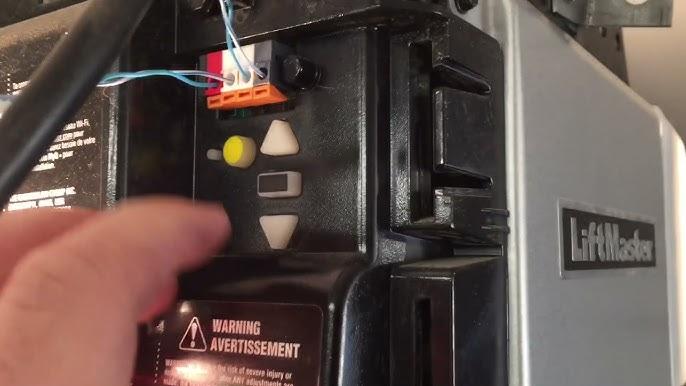
Understanding the Dilemma: Chamberlain Garage Door Starts To Close Then Reverses
The frustration of a garage door that begins to close and then reverses can disrupt your daily routine. Whether you’re leaving for work or returning home, a malfunctioning garage door can be a major inconvenience. Let’s explore the potential causes and solutions for this Chamberlain garage door issue.
Common Causes of Chamberlain Garage Door Reversal During Closing
- Misaligned Safety Sensors: Chamberlain garage doors are equipped with safety sensors that prevent closure if an obstruction is detected. Misalignment of these sensors can trigger the door to reverse.
- Dirty or Obstructed Sensor Path: Accumulated dirt, debris, or objects in the sensor’s path can disrupt the signal, causing the garage door to reverse. Regular cleaning and clearing of the sensor path are crucial.
- Issues with the Remote Control: Malfunctions in the remote control, such as low battery power or signal interference, can result in incomplete door closure. Ensure your remote is in good working condition.
- Force Setting Adjustment: Chamberlain garage door openers have force settings that determine the amount of force exerted during closing. If set too high, the door may interpret resistance and reverse. Adjustments may be necessary.
- Limit Switch Problems: The limit switch controls how far the garage door travels during each operation. If incorrectly set, it can cause the door to close only partially before reversing.
Troubleshooting Solutions for Chamberlain Garage Door Starts To Close Then Reverses
- Sensor Realignment: Check the alignment of the safety sensors. They should be facing each other without any obstructions. Adjust their positions if needed.
- Sensor Path Maintenance: Regularly clean the sensor path and ensure it is free from any debris or objects. A clear path enhances the sensors’ ability to function properly.
- Remote Control Examination: Inspect the remote control for any signs of damage or low battery. Replace batteries and reprogram the remote if necessary.
- Force Setting Adjustment: Consult your Chamberlain garage door opener manual to locate the force adjustment settings. Experiment with lower force settings to prevent unnecessary reversal.
- Limit Switch Calibration: Follow the manufacturer’s guidelines to calibrate the limit switch. Ensure that it is accurately set to allow the door to close fully without unnecessary reversal.
Conclusion
Dealing with a Chamberlain garage door that starts to close and then reverses can be frustrating, but with systematic troubleshooting, you can identify and address the underlying issues. Regular maintenance and timely intervention are crucial to keeping your garage door operating smoothly. By following the guidelines in this guide, you can restore the proper functionality of your Chamberlain garage door opener, ensuring convenience and security for your home. Remember, a well-maintained garage door not only adds to the overall aesthetics of your property but also contributes to the safety and efficiency of your daily life.



Leave a Reply