Introduction
If you’ve ever struggled with programming your garage door remote, you’re not alone. Many homeowners search for how the Craftsman 3 4 Hp garage door opener learn button works. Whether you’re setting up a new remote, reprogramming after battery changes, or fixing interference issues, understanding this button is the key to smooth operation.
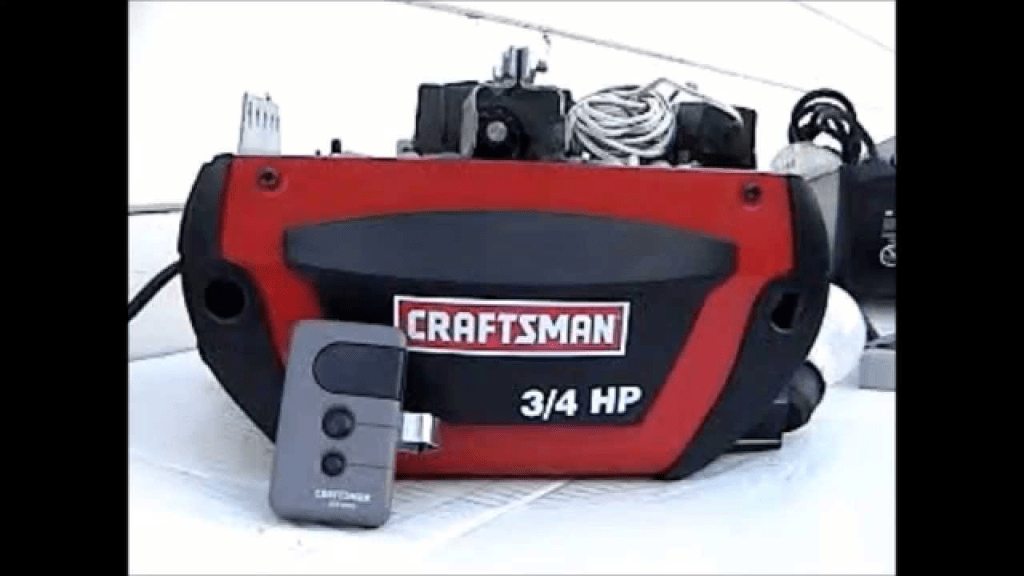
What Is the Learn Button?
The learn button is a small, often colored button located on the back or side of your Craftsman garage door opener motor unit. Its purpose is to sync the opener with your remote control or keypad.
Read too: The Complete Guide to Tighten Chain On Garage Door Opener for Smooth Operation
Common button colors and what they mean:
- Yellow: Works with Security+ 2.0 rolling code remotes.
- Purple: Compatible with remotes made after 2001.
- Red/Orange: Used on openers made before 2005.
- Green: Works with older models from the 1990s.
👉 Tip: The color of the learn button usually determines which type of remote or keypad will work with your opener.
How To Program a Remote Using the Learn Button
Follow these steps to program your remote with a Craftsman 3 4 Hp garage door opener:
- Locate the Learn Button – It’s typically under the light cover on the motor unit.
- Press and Release the Learn Button – A small LED light will illuminate for about 30 seconds.
- Press the Remote Button – Within those 30 seconds, press the button on the remote you want to program.
- Wait for the Light to Blink – The opener light will flash or you’ll hear a click, confirming programming success.
That’s it! Your remote should now control your garage door opener.
How To Erase and Reprogram Remotes
Sometimes you may want to reset your opener—for example, if you lose a remote or move into a new home.
- Hold the Learn Button – Press and hold for about 6–10 seconds until the LED turns off.
- Reprogram New Devices – Repeat the programming steps above with your new remotes or keypads.
Troubleshooting Common Issues
Remote Won’t Program
- Ensure you’re within 30 seconds of pressing the learn button.
- Replace remote batteries.
- Verify compatibility based on button color.
Door Opens but Doesn’t Close
- Check safety sensors near the floor—clean any dirt or obstruction.
- Make sure sensor lights are aligned properly.
Light Blinks but Door Doesn’t Move
- This could indicate a lock mode is enabled. Refer to your manual to disable it.
Pros and Cons of Using the Learn Button System
| Pros | Cons |
|---|---|
| Simple, step-by-step programming | Older remotes may not be compatible |
| Enhanced security with rolling codes | Requires reprogramming after reset |
| Easy to erase lost or stolen remotes | Button location may be hard to find |
Expert Insight
According to the International Door Association, remote programming with learn buttons has improved garage security by reducing risks of unauthorized entry through fixed-code systems.
External Reference
For background on how garage door openers work, see Garage door opener on Wikipedia.
FAQ: Craftsman 3 4 Hp Garage Door Opener Learn Button
1. Where is the learn button located?
It’s usually under the light lens cover on the back or side of the motor unit.
2. What does the color of the learn button mean?
It determines which type of remote or keypad is compatible with your opener.
3. Can I erase all remotes at once?
Yes. Hold the learn button for 6–10 seconds to erase all devices connected to the opener.
4. Why won’t my remote program?
Check compatibility, battery strength, and ensure you’re programming within the 30-second window.
5. Can I program multiple remotes?
Yes, you can program multiple remotes and keypads to one opener by repeating the steps.
Conclusion
Learning how to use the Craftsman 3 4 Hp garage door opener learn button makes managing your garage entry easy and secure. Whether you’re programming new remotes, erasing old ones, or troubleshooting issues, this simple feature helps you stay in control.
If this guide helped you, share it with neighbors or friends—it might save them a call to the repair technician!



Leave a Reply