Introduction
If your Craftsman garage door opener remote and keypad not working, it can be frustrating and inconvenient, especially when you rely on these devices daily. These issues are often caused by simple problems such as battery failure, misalignment, or lost synchronization. The good news is that most problems can be resolved at home with a few straightforward steps.
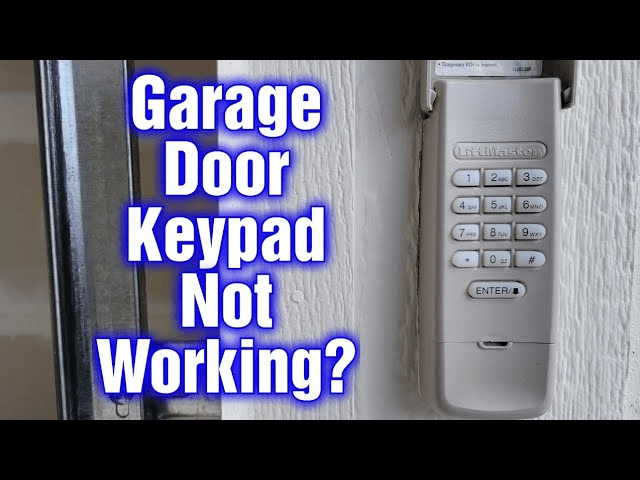
Why Are My Remote and Keypad Not Working?
There are several common reasons why your Craftsman garage door opener remote and keypad fail:
- Dead or Weak Batteries: The most frequent cause for both remote and keypad failures.
- Lost Synchronization: Power outages or accidental resets can desync remotes from the opener.
- Obstructed Sensors: Misaligned photo-eye sensors can prevent the door from responding.
- Interference: Nearby electronics or radio signals may interfere with signal transmission.
- Faulty Control Board: Less common but serious; can require professional replacement.
Read too: The Complete Guide to Tighten Chain On Garage Door Opener for Smooth Operation
Home Tech Expert Lisa Thompson notes, “In most cases, battery replacement or reprogramming solves remote and keypad issues without the need for a technician.”
Step-by-Step Troubleshooting Guide
Follow these steps to fix your Craftsman garage door opener remote and keypad not working:
1. Replace Batteries
- Remove batteries from the remote and keypad.
- Insert fresh alkaline batteries (AA or 9V depending on model).
- Test both devices for response.
2. Reprogram the Remote
- Locate the “Learn” button on your garage door opener motor unit.
- Press and release the button; an indicator light should blink.
- Press a button on your remote within 30 seconds.
- Test the remote to ensure it operates the door.
3. Reprogram the Keypad
- Enter the default code (from user manual) on the keypad.
- Press the “Enter” button and then the “Learn” button on the motor unit.
- Within 30 seconds, enter a new personal code.
- Test to confirm keypad functionality.
4. Inspect Sensors and Wiring
- Clean the photo-eye sensors with a soft, dry cloth.
- Ensure they are aligned and facing each other without obstruction.
- Check wiring for visible damage or loose connections.
5. Check for Interference
- Remove any devices near the garage opener that could emit radio signals.
- Ensure Wi-Fi routers or LED lights are not directly interfering with signals.
6. Test Manual Operation
- Pull the emergency release cord to disengage the motor.
- Lift and lower the door manually to ensure smooth movement.
- This step confirms that the door itself is not causing remote/keypad issues.
Preventive Maintenance Tips
- Replace batteries every 6–12 months to prevent unexpected failures.
- Clean sensors regularly to avoid misalignment issues.
- Avoid extreme temperatures that may affect battery life.
- Test remotes and keypad periodically to ensure they remain synced.
Comparison Table: Craftsman vs Other Brands
| Feature | Craftsman | Chamberlain | LiftMaster |
|---|---|---|---|
| Remote Programming | Easy | Moderate | Easy |
| Keypad Sync | Yes | Yes | Yes |
| Battery Life | 6–12 months | 6–12 months | 6–12 months |
| Warranty | 1 Year | 1 Year | 1 Year |
External Resource
For more technical information on garage door opener systems, refer to Wikipedia – Garage Door Opener.
FAQ
Q1: Why won’t my keypad work even with new batteries?
A: Likely causes include lost synchronization, sensor obstruction, or interference. Follow the reprogramming steps.
Q2: Can I program multiple remotes at once?
A: Yes, press the “Learn” button and program each remote within 30 seconds sequentially.
Q3: How do I reset a keypad code?
A: Use the “Learn” button on the motor unit, then enter a new personal code within 30 seconds.
Q4: Could interference from electronics cause this issue?
A: Yes, devices like LED lights, routers, or other wireless signals can occasionally block remote/keypad signals.
Q5: Is professional service necessary?
A: Only if the motor control board is faulty or devices fail after troubleshooting all steps.
Conclusion
Fixing a Craftsman garage door opener remote and keypad not working is often straightforward, involving battery replacement, reprogramming, and sensor checks. By following these steps and performing routine maintenance, you can ensure your garage door remains secure and fully operational.
Share this guide with friends or family to help them quickly resolve remote and keypad issues, saving time and avoiding costly repairs!



Leave a Reply