Introduction
It’s frustrating when your Craftsman garage door opener will not close with the remote. You press the button, hear the motor click — but nothing happens, or worse, the light just blinks. Whether you’re rushing to work or trying to close up for the night, a non-responsive garage door can be both inconvenient and unsafe.
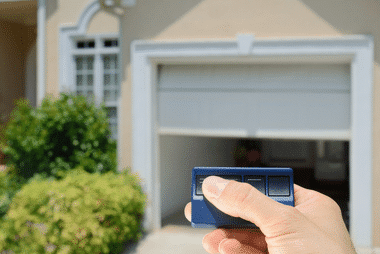
Don’t worry — this is a very common issue and, in most cases, one you can fix yourself without calling a technician. This guide will walk you through the top reasons your Craftsman garage door won’t close with the remote and show you how to troubleshoot and fix it step by step.
Common Causes Why Craftsman Garage Door Opener Will Not Close With Remote
When the garage door opener doesn’t respond to your remote, several components could be at fault. Let’s explore the most common reasons:
1. Misaligned or Blocked Safety Sensors
The photo-eye sensors near the floor on both sides of your garage door are designed to stop the door if something’s in the way.
Read too: Door and Garage Door Companies: Choosing the Right Partner for Your Needs
If these sensors are dirty, blocked, or misaligned, the opener will refuse to close the door — even when you press the remote.
How to fix:
- Check for objects blocking the sensors (toys, trash bins, tools).
- Clean the lenses with a soft, dry cloth.
- Make sure the indicator lights on both sensors are solid (not blinking).
- Adjust the sensors so they face each other directly.
If the door closes after this, you’ve solved the issue!
2. Dead or Weak Remote Batteries
It sounds simple, but low or dead remote batteries are one of the top reasons your Craftsman garage door opener doesn’t close.
Fix:
- Replace both batteries with fresh CR2032 or AA (depending on your model).
- Reprogram the remote if necessary by pressing the “Learn” button on the opener unit and then pressing the remote button once.
🧠 Pro Tip: Batteries generally last about 1–2 years, depending on usage and climate.
3. Remote Signal Interference
Sometimes, the problem isn’t the remote itself — it’s interference between the remote signal and the receiver on the opener.
Common causes include:
- LED light bulbs emitting radio interference
- Nearby Wi-Fi routers or security cameras
- Power surges affecting the receiver board
Solutions:
- Try using the remote closer to the opener.
- Replace nearby LED bulbs with garage-door-safe versions.
- If the problem persists, unplug other nearby devices temporarily to test.
4. The Wall Switch Works, but the Remote Doesn’t
If your wall control panel operates the garage door but the remote does not, the problem likely lies in programming or the receiver board.
Steps to reprogram:
- Locate the Learn button on your Craftsman opener (usually near the antenna wire).
- Press and hold the button until the LED turns on.
- Within 30 seconds, press your remote button once.
- When the LED flashes, your remote is successfully paired.
If reprogramming doesn’t work, your receiver module might need inspection or replacement.
5. Safety Reversal System Activated
Craftsman openers have a built-in safety reversal system that prevents the door from closing if it senses resistance.
Common triggers:
- Dirty tracks or misaligned rollers
- Obstructions on the door path
- Broken springs or loose cables
Fix:
- Disconnect the opener using the manual release cord.
- Try closing the door manually — if it feels heavy or stuck, the problem is mechanical.
- Call a professional if the springs or cables appear damaged.
6. Faulty Wiring or Logic Board
If the door won’t close even after checking the remote and sensors, the issue could be electrical — particularly with the logic board.
Signs of logic board failure:
- Remote works intermittently
- Lights blink rapidly but door doesn’t move
- No response after reset
Fix:
- Unplug the opener for 1 minute.
- Plug it back in and test.
- If the issue persists, replacing the board (typically $80–$150) may be required.
According to Wikipedia, modern openers rely heavily on integrated circuit boards that manage wireless signals, motor control, and safety sensors — making them a common failure point after years of use.
Step-by-Step Troubleshooting Guide
Follow this order to efficiently find the cause and fix your Craftsman opener problem:
| Step | Action | Purpose |
|---|---|---|
| 1 | Check battery in remote | Eliminate power issue |
| 2 | Clean and align safety sensors | Fix signal blockage |
| 3 | Try wall control | Confirm opener motor function |
| 4 | Reprogram remote | Reset signal link |
| 5 | Inspect tracks and springs | Identify mechanical resistance |
| 6 | Reset or replace logic board | Resolve electronic failures |
When to Call a Technician
If your Craftsman garage door opener still won’t close with the remote after these steps, professional service might be necessary.
Call a garage door technician if you notice:
- Sparks or burning smell near the motor housing
- Door reverses mid-close repeatedly
- Both sensors fail to light up even after replacing wires
A licensed professional can diagnose the circuit board or motor drive system using specialized tools.
💡 Estimated cost: Most service calls range between $120–$180, depending on your location and parts needed.
Maintenance Tips to Prevent Future Issues
Keep your Craftsman opener in top shape with regular maintenance:
| Task | Frequency | Benefit |
|---|---|---|
| Clean sensors | Monthly | Prevent false obstruction errors |
| Replace batteries | Yearly | Ensure consistent remote response |
| Lubricate tracks | Every 6 months | Smooth door operation |
| Test balance | Annually | Reduce motor strain |
| Check wiring | Annually | Prevent signal failure |
Routine maintenance not only prevents malfunctions but can extend your opener’s lifespan by several years.
Expert Insight
Garage door specialist James Corbin (15+ years of experience) notes:
“More than half of the time, a Craftsman opener that won’t close with a remote is due to sensor misalignment or interference. A simple 10-minute inspection usually fixes the problem.”
His advice? “Start with the basics before assuming it’s a motor or circuit failure.”
FAQ: Craftsman Garage Door Opener Will Not Close With Remote
1. Why won’t my Craftsman garage door close with the remote but works from the wall switch?
Your remote may be out of sync or the receiver board may not be picking up the signal. Try reprogramming your remote and replacing its batteries.
2. Can the safety sensors cause my remote to stop working?
Yes. If the infrared sensors are blocked or misaligned, the system won’t close the door even when the remote sends a signal.
3. How do I know if my logic board is bad?
If none of your remotes or wall buttons work and you’ve checked power and wiring, a faulty logic board is likely.
4. How can I reset my Craftsman garage door opener?
Unplug it for 60 seconds, then plug it back in. Press and hold the Learn button for 10 seconds to erase all programming, then reprogram your remotes.
5. Will LED bulbs interfere with my remote signal?
Yes. Some LED bulbs emit frequencies that disrupt the opener’s receiver. Use “garage door opener-safe” LED bulbs instead.
6. Is it safe to bypass the sensors temporarily?
Only for emergency use. Hold the wall switch down continuously to override the sensors — but never use this as a permanent fix.
Conclusion
If your Craftsman garage door opener will not close with remote, the solution is usually simple: clean and align the sensors, replace your remote batteries, and reprogram the remote.
With just a few minutes of troubleshooting, you can restore smooth and safe operation — saving both time and repair costs.
💡 Remember: Regular maintenance and awareness of sensor alignment go a long way in preventing future issues.



Leave a Reply