Have you ever experienced the frustration of your garage door opening on its own shortly after you’ve closed it? This unexpected behavior can be not only annoying but also concerning for the security of your home. In this guide, we’ll explore the possible reasons why your garage door automatically opens after closing and provide you with effective troubleshooting steps to resolve the issue.
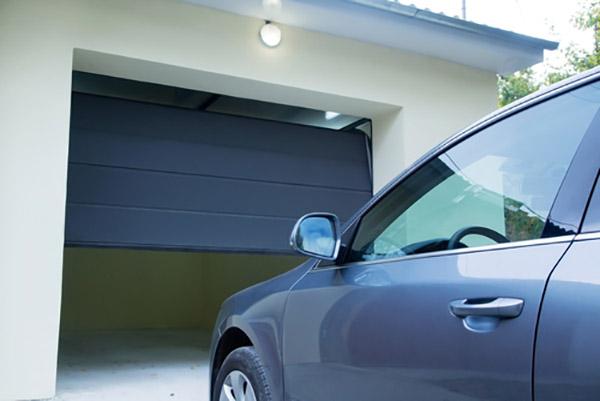
Understanding Garage Door Automatically Opens After Closing
When your garage door unexpectedly opens after you’ve just closed it, it can be a sign of underlying issues with the door’s mechanism or the opener system. This problem can pose security risks to your home and may indicate a malfunction that requires prompt attention.
Common Causes of Garage Door Automatically Opens After Closing
- Misaligned Safety Sensors: One of the most common reasons for a garage door to automatically open after closing is misaligned safety sensors. These sensors, located near the bottom of the garage door tracks, are designed to detect obstructions and prevent the door from closing if there’s an object in the way. If the sensors are misaligned or obstructed, they may falsely detect an obstacle and cause the door to reverse and open.
- Interference from Nearby Devices: Electronic devices such as remote controls, wireless routers, or even LED lights can sometimes interfere with the signal between the garage door opener and the remote control. This interference can result in sporadic operation, including the garage door opening on its own.
- Faulty Garage Door Opener: A malfunctioning garage door opener can also cause the door to open unexpectedly. Issues with the opener’s circuitry, remote control, or programming may lead to erratic behavior, including automatic opening after closing.
- Programming Errors: Incorrect programming of the garage door opener or remote control can cause the door to open unexpectedly. This can happen if the opener’s settings are inadvertently changed or if the remote control is programmed incorrectly.
Troubleshooting Steps for Automatic Opening Garage Doors
- Check Safety Sensor Alignment: Start by inspecting the alignment of the safety sensors at the bottom of the garage door tracks. Ensure that they are facing each other directly and that there are no obstructions blocking their line of sight. Clean the sensors with a soft, dry cloth to remove any dirt or debris.
- Test Remote Control: Verify that the remote control is functioning correctly by testing it from various distances and angles. Replace the batteries if they are old or depleted, and reprogram the remote according to the manufacturer’s instructions.
- Inspect Opener Settings: Review the settings and programming of the garage door opener to ensure that they are configured correctly. Check for any programming errors or unusual settings that may be causing the door to open unexpectedly.
- Address Interference Issues: If you suspect that interference from nearby devices is causing the problem, try moving the devices away from the garage door opener or using shielded cables to reduce interference. You can also try changing the frequency or code settings on the opener to minimize interference.
- Reset the Opener: If troubleshooting steps fail to resolve the issue, consider resetting the garage door opener to its factory default settings. Refer to the manufacturer’s instructions for specific reset procedures, as these can vary depending on the model of the opener.
Conclusion
Dealing with a garage door that opens automatically after closing can be frustrating and concerning, but typically, it’s a problem that you can resolve with troubleshooting and attention to detail. By understanding the common causes of this problem and following the steps outlined in this guide, you can identify and address the underlying issues affecting your garage door’s operation. Remember to prioritize safety during troubleshooting and consult a professional if you’re unsure how to proceed.
Read too: The Complete Guide to Tighten Chain On Garage Door Opener for Smooth Operation



Leave a Reply