Is your garage door remote suddenly refusing to cooperate? It can be frustrating when you’re unable to open or close your garage door with the remote control. In this guide, we’ll explore common reasons why your garage door remote stopped working and provide practical solutions to get it back up and running smoothly.
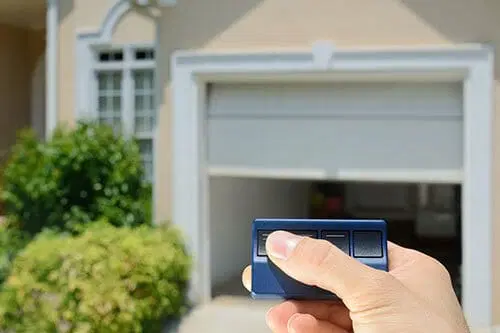
Understanding Why Your Garage Door Remote Stopped Working
Before diving into troubleshooting steps, it’s essential to understand why your garage door remote may have stopped working. Several factors could contribute to this issue, including:
- Battery issues: If the battery in your garage door remote is low or dead, it may no longer transmit signals to the opener.
- Interference: Radio frequency interference from nearby electronic devices or wireless signals can disrupt communication between the remote and the opener.
- Misaligned sensors: Misalignment or obstruction of the safety sensors located near the garage door tracks can prevent the remote from functioning correctly.
- Opener malfunction: Internal issues with the garage door opener itself, such as damaged circuitry or faulty components, can also cause remote control problems.
Troubleshooting Steps for a Non-Responsive Garage Door Remote
1. Check the Battery
Start by replacing the battery in your garage door remote with a fresh one. Even if the battery appears to have some charge left, it may not have enough power to transmit signals reliably.
Read too: Mastering the Art of How to Open a Garage Door Safely and Efficiently
2. Inspect for Interference
Look for potential sources of interference near your garage door opener, such as wireless routers, cordless phones, or large metal objects. Move any interfering devices away from the opener and remote to minimize signal disruption.
3. Align the Safety Sensors
Inspect the safety sensors located on either side of the garage door opening. Ensure that they are properly aligned and free from any obstructions, such as dirt, debris, or spider webs. Clean the sensor lenses with a soft cloth if necessary.
4. Reprogram the Remote
If the above steps don’t resolve the issue, try reprogramming the garage door remote to the opener. Refer to the manufacturer’s instructions for your specific model of opener to learn how to reprogram the remote.
5. Test Alternate Remotes
If you have multiple garage door remotes, test them to see if the problem is isolated to a single remote or affects all remotes. If only one remote is malfunctioning, it may need to be replaced.
6. Consult a Professional
If you’ve exhausted all troubleshooting options and your garage door remote still isn’t working, it may be time to seek professional assistance. A qualified technician can diagnose and repair any underlying issues with your garage door opener.
Conclusion
A malfunctioning garage door remote can disrupt your daily routine and compromise the security of your home. By following the troubleshooting steps outlined in this guide, you can identify the cause of the problem and take appropriate action to restore functionality to your garage door opener remote.
Leave a Reply