A garage door that only opens when you hold the button down can be frustrating and inconvenient. This issue is often related to safety sensor problems, wiring issues, or a malfunctioning garage door opener. If you’re experiencing this problem, don’t worry—there are several troubleshooting steps you can take to fix it. In this guide, we’ll walk you through the possible causes and solutions for when your garage door will not open unless I hold the button.
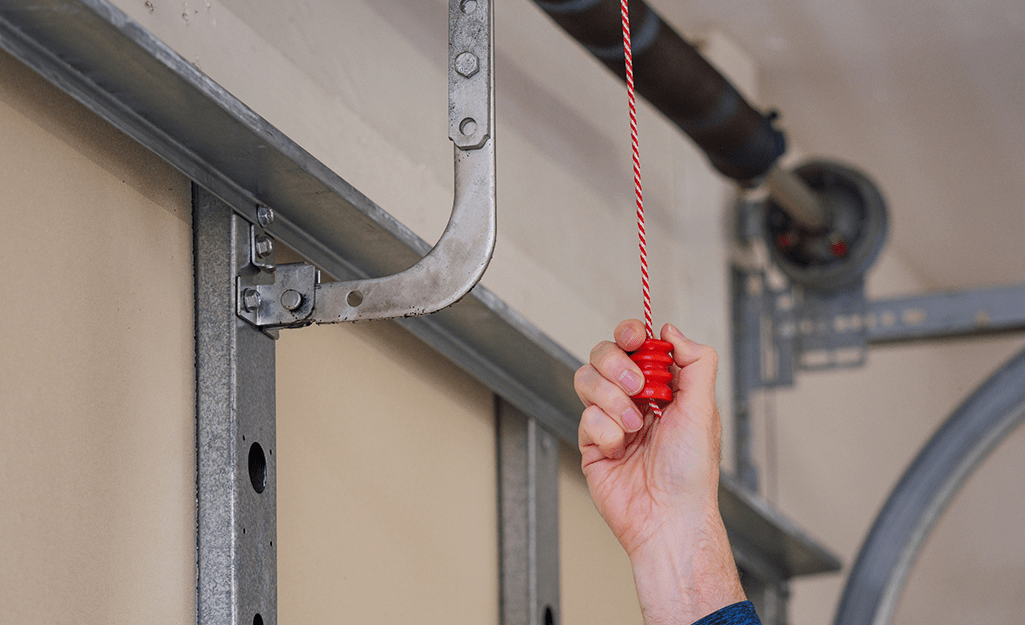
Why Your Garage Door Will Not Open Unless You Hold the Button
Your garage door system has several components working together. If one part malfunctions, it can disrupt the door’s operation. Below are some of the most common reasons why you need to hold down the button for the garage door to open.
Read too: Mastering the Art of Adjusting a Chamberlain Garage Door Opener for Smooth Operation and Safety
1. Misaligned or Blocked Safety Sensors
One of the most common reasons why a garage door will not open unless you hold the button is an issue with the safety sensors. These sensors are designed to prevent the door from closing on an object, pet, or person. However, when they malfunction, they can cause the door to stop responding properly.
How to Fix Safety Sensor Issues:
- Check for Obstructions: Make sure nothing is blocking the sensors, such as dirt, cobwebs, or debris.
- Clean the Sensor Lenses: Use a soft, dry cloth to wipe the lenses to ensure they can detect signals correctly.
- Check Sensor Alignment: The sensors should be facing each other with their LED lights steady. If one or both lights are blinking, adjust their position until they align properly.
- Inspect the Sensor Wires: Look for any loose or damaged wires connected to the sensors and tighten or replace them as needed.
2. Wiring Issues in the Garage Door Opener System
Faulty wiring can disrupt the signal between the wall button and the opener, leading to a situation where the garage door will not open unless I hold the button.
How to Fix Wiring Problems:
- Check the Wall Button Wires: Open the wall switch cover and inspect the wiring connections. If they are loose, reattach them securely.
- Inspect the Opener Wiring: Look at the garage door opener’s terminals and ensure all wires are connected correctly.
- Replace Damaged Wires: If you notice any frayed or broken wires, they may need to be replaced to restore proper functionality.
3. Issues With the Garage Door Opener Circuit Board
The circuit board inside the garage door opener acts as the system’s brain. If it’s malfunctioning, it may fail to process signals correctly, leading to the issue where your garage door will not open unless you hold the button.
How to Fix Circuit Board Issues:
- Reset the Opener: Unplug the garage door opener for a few minutes and then plug it back in. This can sometimes reset the circuit board.
- Look for Burn Marks: If you open the garage door opener and see burned spots on the circuit board, it may need to be replaced.
- Call a Professional: If the circuit board is damaged, it’s best to have a technician repair or replace it.
4. Problems With the Logic Board or Control Panel
A faulty logic board or control panel can interfere with the way the garage door responds to commands.
How to Troubleshoot the Logic Board and Control Panel:
- Test the Wall Button: If the wall button is old or worn out, it may not be sending a strong signal to the opener. Consider replacing it.
- Try a Remote or Keypad: If your garage door opens normally with a remote or keypad but requires you to hold the wall button, the control panel might be the issue.
5. Garage Door Opener Lock Mode Activation
Some garage door openers have a lock mode that disables remote functionality. If this mode is activated, you may only be able to open the garage door by holding the button.
How to Disable Lock Mode:
- Check your garage door opener manual for instructions on turning off lock mode.
- Hold the “lock” or “vacation mode” button for a few seconds to see if it deactivates.
6. Garage Door Spring or Track Problems
If your garage door has difficulty opening, there may be an issue with the springs or tracks. Broken springs can make the door too heavy for the opener to lift properly.
How to Identify Spring or Track Issues:
- Look for gaps in the torsion spring or visible damage.
- Listen for unusual noises when trying to open the door.
- If you suspect a broken spring, DO NOT attempt to repair it yourself—call a professional.
How to Prevent Future Issues With Your Garage Door
To ensure your garage door operates smoothly, follow these maintenance tips:
1. Inspect Safety Sensors Monthly
Regularly clean and align the sensors to avoid future issues.
2. Check for Loose or Frayed Wires
Inspect all wiring connections periodically and fix any loose connections.
3. Lubricate Moving Parts
Apply lubricant to rollers, tracks, and hinges to prevent stiffness and wear.
4. Test the Door Balance
Disconnect the opener and manually lift the door halfway. If it doesn’t stay in place, the springs may need adjustment.
5. Schedule Annual Professional Inspections
A garage door technician can identify problems early and prevent costly repairs.
When to Call a Professional
If you have tried all the troubleshooting steps and your garage door will not open unless I hold the button, it may be time to seek professional help. Contact a garage door specialist if you experience:
- Persistent wiring or electrical failures.
- A malfunctioning logic board or circuit board.
- A broken torsion spring or other mechanical issues.
A professional technician can accurately diagnose and fix the issue, ensuring your garage door works smoothly and safely.
Conclusion
When your garage door will not open unless you hold the button, it’s often caused by safety sensor misalignment, wiring problems, or issues with the garage door opener. By following the troubleshooting steps outlined above, you can identify and fix most common problems. However, if you suspect major electrical or mechanical failures, it’s best to call a professional technician for assistance.
Keeping your garage door well-maintained will help prevent these problems in the future, ensuring reliable operation whenever you need it.



Leave a Reply