If you’ve ever parked your car and noticed your garage light staying on longer than expected, you’re not alone. Many homeowners wonder: how long does a garage door opener light stay on and can you control it? Understanding this feature isn’t just about convenience—it also affects safety, energy efficiency, and comfort in your daily routine.
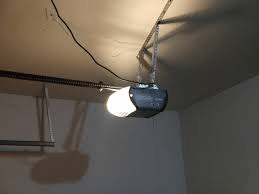
Let’s explore how the light timer works, what influences it, and how to adjust it to suit your needs.
How Long Does a Garage Door Opener Light Stay On?
Most garage door opener lights stay on for about 4½ to 5 minutes after the door operation ends. This duration gives you enough time to park, unload, and enter your home safely before the light turns off automatically.
Read too: The Complete Guide to Tighten Chain On Garage Door Opener for Smooth Operation
However, the exact time varies depending on the opener’s brand and model:
| Brand/Model | Default Light Timer | Adjustable? |
|---|---|---|
| LiftMaster | 4.5 minutes | Yes |
| Chamberlain | 4.5 minutes | Yes |
| Genie | 4 minutes | Yes |
| Craftsman | 4.5 minutes | Yes |
| Linear | 3 minutes | Yes |
Tip: Always check your opener’s user manual for exact timing and adjustment instructions.
Why Does the Garage Door Opener Light Stay On?
The light on your opener serves several purposes beyond illumination:
- Safety: It helps prevent trips and falls when entering or exiting the garage.
- Convenience: Provides light while you park or store items.
- Security: Acts as a visible deterrent for intruders when the door is in use.
In most modern models, the light automatically activates when the door is opened or when motion is detected nearby.
How to Adjust the Garage Door Opener Light Timer
If the light stays on too long (or turns off too soon), you can manually adjust the timer in just a few steps.
Here’s how for the most common opener types:
For LiftMaster or Chamberlain Models
- Press and hold the “Light” button on the control panel for about 10 seconds.
- The LED display will show the current light timer setting.
- Use the arrow keys to increase or decrease the time (usually adjustable between 1.5–4.5 minutes).
- Press “Set” to confirm.
For Genie Openers
- Locate the program button under the light cover.
- Press it until the light blinks.
- Use the remote to choose your preferred duration (usually 1–5 minutes).
- The setting saves automatically.
Note: Some newer models allow you to adjust settings through a smartphone app using Wi-Fi or Bluetooth connectivity.
Can You Keep the Light On Longer Manually?
Yes — if you need the light to stay on longer (for cleaning, repairs, or extended activity), you can override the timer.
Manual Light Control Options
- Wall Control Button: Press the “Light” button once to keep it on; press again to turn it off.
- Remote/App: In smart models, toggle the light directly from the remote or mobile app.
- Motion Sensor Mode: Some openers detect movement and reset the timer automatically each time motion is detected.
Troubleshooting: Why Won’t the Garage Door Opener Light Turn Off?
If your light stays on continuously, it may indicate an underlying issue. Here are the most common causes:
1. Stuck or Faulty Relay
A small electrical relay controls the light’s power. If it sticks, the light won’t shut off.
Fix: Consult a professional technician to inspect and replace the relay if needed.
2. Active Motion Sensor
If your model includes a motion detection feature, continuous activity (even pets or airflow) may keep the light on.
Fix: Adjust the sensor’s sensitivity or disable motion detection mode temporarily.
3. Misconfigured Timer
After a power outage or reset, your opener might revert to factory settings.
Fix: Reprogram your timer following your manufacturer’s guide.
4. Faulty Wall Control or Wiring
A stuck light button or damaged wire can send constant power to the bulb.
Fix: Check the control panel or wiring for visible damage and call a repair service if unsure.
Energy Efficiency: How Much Power Does It Use?
A standard garage door opener light uses a 60-watt incandescent or an 8–10 watt LED bulb.
Let’s compare the power usage:
| Light Type | Wattage | Monthly Cost (4.5 min x 6 uses/day) |
|---|---|---|
| Incandescent | 60W | ≈ $0.40/month |
| LED | 10W | ≈ $0.07/month |
Switching to LED bulbs not only saves energy but also reduces heat output and lasts up to 10x longer.
According to Wikipedia, LEDs are up to 80% more efficient than traditional lighting technologies.
Smart Garage Systems and Light Customization
Modern smart garage door openers offer full light control via mobile apps or voice assistants.
You can:
- Adjust the light timer in real-time.
- Schedule automatic lights for certain times.
- Integrate with smart home systems like Alexa or Google Home.
This gives you ultimate flexibility while saving energy and improving safety.
Common Questions (FAQ)
1. How long does a garage door opener light stay on after closing?
Typically, 4–5 minutes. It automatically turns off after that unless you’ve changed the setting or the motion sensor detects movement.
2. Can I change how long my garage light stays on?
Yes. Most openers allow you to adjust the timer between 1.5 and 10 minutes, depending on the model.
3. Why does my garage light stay on all the time?
Likely due to a stuck relay, motion detection, or wiring issue. Reset the system or contact a technician for inspection.
4. Can I replace the bulb in my garage opener?
Absolutely. Replace it with a garage-rated LED bulb (avoid CFLs or high-wattage bulbs). Check your model’s watt limit before installing.
5. Will unplugging the opener reset the light timer?
Yes. When power is restored, your opener may revert to its default light timer setting. Reprogram as needed.
6. Does the light help with security?
Yes — motion-activated lights act as a deterrent to intruders and improve visibility in security footage.
Conclusion
Understanding how long your garage door opener light stays on helps you save energy, improve safety, and customize your comfort. Whether you need a quick timer adjustment or full smart control, today’s garage systems make it easy to get the perfect setup.
If you found this guide helpful, share it on social media or send it to a friend who’s ever wondered the same thing — their garage will thank you!



Leave a Reply