A well-lit garage is essential for safety and convenience, especially when using your garage door at night. If the light in your Genie garage door opener has burned out, replacing it is a simple but necessary task. However, using the right bulb and following proper steps can prevent issues like flickering, early burnout, or even damage to the opener’s electronics.
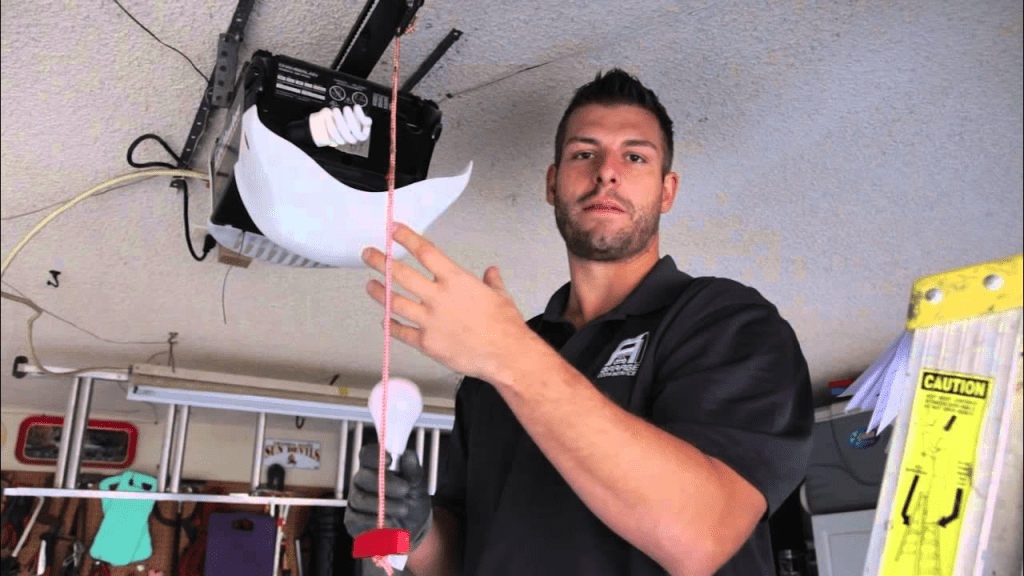
In this guide, we’ll walk you through how to change the light bulb in a Genie garage door opener, including choosing the best bulb, troubleshooting common problems, and safety tips.
Why Is the Light Bulb in Your Genie Garage Door Opener Important?
The light in your Genie garage door opener serves an essential function. It illuminates your garage when you enter or exit, making it safer to park your car and move around in the dark. If your light bulb isn’t working, it can be due to:
- A burned-out bulb
- A loose connection
- A bulb that is not compatible with the Genie opener
- An issue with the power supply
By replacing the bulb regularly and choosing the right one, you can ensure a well-lit and functional garage.
Read too: Door and Garage Door Companies: Choosing the Right Partner for Your Needs
What Kind of Light Bulb Should You Use in a Genie Garage Door Opener?
Not all light bulbs work well with garage door openers. Some bulbs may cause interference with the remote signal, while others might not handle the vibrations created when the garage door opens and closes. Here’s what to look for:
- LED Bulbs: Energy-efficient and long-lasting, but they must be Genie-approved LED bulbs to avoid interference.
- Incandescent Bulbs: Recommended by Genie, with a 60-watt maximum to prevent overheating.
- Shatter-Resistant Bulbs: Since garage doors cause vibrations, choosing a rough-service bulb ensures durability.
- CFL Bulbs (Compact Fluorescent Lamps): Not recommended, as they often don’t perform well in garage door openers.
Always check the Genie garage door opener manual for specific recommendations on light bulbs to use.
How To Change Light Bulb In Genie Garage Door Opener
Changing the light bulb in your Genie garage door opener is an easy process that takes just a few minutes. Follow these steps for a smooth and safe replacement.
1: Gather the Necessary Tools
Before you start, make sure you have:
- A new light bulb (preferably a Genie-recommended bulb)
- A ladder (if the opener is mounted high)
- A clean cloth or gloves (to avoid getting oil from your hands on the bulb)
2: Turn Off the Power
Even though you’re just replacing a bulb, it’s always a good idea to unplug the garage door opener or turn off the circuit breaker to avoid any electrical risks.
3: Locate the Light Cover
The light bulb in a Genie garage door opener is usually enclosed within a plastic lens cover to protect it from dust and damage.
- Some covers slide off, while others have clips or screws.
- If there are screws, use a screwdriver to carefully remove them.
4: Remove the Old Light Bulb
- If the bulb was recently on, let it cool before touching it.
- Turn the old bulb counterclockwise to unscrew it from the socket.
- If the bulb is stuck, try gently wiggling it while turning to loosen it.
5: Install the New Bulb
- Take your new Genie-approved LED or incandescent bulb and screw it in clockwise until it fits snugly.
- Avoid overtightening, as this can damage the socket.
6: Replace the Light Cover
- Secure the cover back in place by sliding it in or fastening the screws.
- Make sure it’s properly attached to protect the bulb.
7: Restore Power and Test the Light
- Plug the garage door opener back in or switch on the circuit breaker.
- Test the new bulb by opening and closing the garage door. If it doesn’t turn on, double-check that the bulb is securely installed.
Troubleshooting Common Issues After Replacing the Bulb
Sometimes, even after installing a new bulb, issues can arise. Here are some common problems and how to fix them:
1. Light Doesn’t Turn On
- Ensure the bulb is screwed in correctly.
- Try a different bulb to see if the first one is defective.
- Check if the garage opener is receiving power.
2. Light Flickers or Is Dim
- If you used an LED bulb, it might be incompatible with the opener. Try using an incandescent bulb instead.
- Ensure the bulb is tightened properly and making good contact with the socket.
3. Light Turns Off Too Quickly
- Genie garage door openers have an automatic timer that turns off the light after a set period.
- If the light turns off too fast, check your user manual to adjust the settings if possible.
4. No Power to the Garage Door Opener
- If the opener itself isn’t working after changing the bulb, check the power source.
- Make sure the circuit breaker wasn’t tripped.
How Often Should You Replace the Light Bulb in a Genie Garage Door Opener?
The lifespan of your Genie garage door opener light bulb depends on usage and the type of bulb:
- Incandescent bulbs last around 1,000 hours (about a year with regular use).
- LED bulbs can last over 15,000 hours, meaning you might not need to replace them for several years.
It’s a good idea to check the bulb periodically and replace it before it burns out to ensure you always have light in your garage.
Safety Tips for Changing a Garage Door Opener Light Bulb
- Always turn off power before handling the opener.
- Use a stable ladder to reach the opener safely.
- Avoid overtightening the bulb, as this can damage the socket.
- Choose vibration-resistant bulbs to ensure longevity.
Final Thoughts
Knowing how to change the light bulb in a Genie garage door opener is an essential skill that helps keep your garage well-lit and safe. By selecting the right bulb and following proper replacement steps, you can avoid flickering, remote interference, or premature burnout.
Regular maintenance, including checking the light cover for dust and ensuring the power source is stable, can help extend the life of your garage opener’s lighting system.
If you experience ongoing issues, consult the Genie garage door opener manual or seek professional assistance to ensure everything functions correctly.



Leave a Reply