If your remote suddenly stops responding, you’re not alone. Thousands of homeowners search for how to fix a Genie garage door opener remote every month because these remotes can fail for simple reasons—low battery, signal issues, or programming problems. This guide breaks everything down so you can fix it quickly, even if you’re not technical.
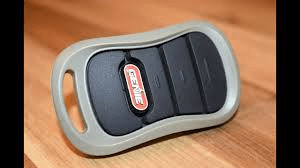
How To Fix a Genie Garage Door Opener Remote (Step-by-Step)
Genie remotes are reliable, but like any wireless device, they can malfunction. Below are proven troubleshooting steps that address the most common problems.
Read too: Door and Garage Door Companies: Choosing the Right Partner for Your Needs
1. Check the Battery (Most Common Cause)
Dead or weak batteries account for over 40% of garage remote failures according to repair technicians.
How To Check
- If the remote LED is dim or not lighting, the battery is low.
- Remove the back cover and inspect the battery (usually CR2032 or A23).
How To Fix
- Replace with a new, not reused, battery.
- Ensure positive and negative ends are aligned.
- Clean any corrosion using a cotton swab and rubbing alcohol.
Quick Tip:
A weak battery may power the LED but fail to generate enough RF signal to reach the opener.
2. Reprogram the Remote to the Opener
Sometimes the remote becomes “unpaired” after a power surge or opener reset.
How To Reprogram Your Genie Remote
- Press and release the Learn button on the opener.
- LED will blink or glow steady.
- Press the remote button you want to program.
- Hold for 2–3 seconds, then release.
- Opener light blinks = successfully programmed.
Where to Find the Learn Button
- Beneath the light lens
- Near the antenna wire
- On the right side of the motor unit
If you need extra confirmation on how remotes and radio signals work, refer to Wikipedia’s “Remote Control” page.
3. Confirm You’re Within Range
Genie remotes work best within 50–100 feet.
If you’re too far away or there’s interference, the opener won’t respond.
Common RF Interference Sources
- LED garage lights
- Wi-Fi routers
- Wireless security cameras
- Car Bluetooth systems
- Neighbor’s openers using similar frequencies
Fix:
Turn off nearby LED bulbs or move interfering devices away from your opener.
4. Check the Garage Door Lock (Vacation Lock) Function
Many Genie wall consoles have a lock/vacation switch.
If activated, remotes will not work.
How to Fix
- Locate the wall console.
- Look for a button labeled Lock or Vacation.
- Press and hold 2–5 seconds to toggle it OFF.
This single step fixes thousands of “broken” Genie remotes every year.
5. Inspect the Remote Button & Internal Contacts
Over time, the rubber button wears out or stops making clean contact.
How To Inspect
- Open the remote casing.
- Look for worn rubber pads or loose internal components.
How To Fix
- Clean contacts with compressed air.
- Use isopropyl alcohol to remove dirt.
- Add a tiny piece of aluminum foil under the rubber pad to restore contact pressure.
6. Check the Opener’s Antenna Wire
Genie openers use a hanging antenna wire to receive remote signals.
If the wire is:
- Damaged
- Bent
- Missing
- Tucked inside the opener
The remote range drops sharply.
How To Fix
- Inspect the antenna for damage.
- Make sure it hangs straight down (6–8 inches).
- Do not replace with a random wire—it must match RF frequency length.
7. Reset the Opener (If Necessary)
A system glitch can cause the opener to ignore remotes.
How To Perform a Reset
- Unplug the opener.
- Wait 30 seconds.
- Plug it back in.
Then reprogram your remote.
8. Replace the Remote (If Hardware Failure Is Confirmed)
If you’ve tried everything and the remote still fails, the internal board may be dead.
Signs of a Failing Remote
- LED doesn’t light even with new batteries
- Doesn’t stay programmed
- Works only sporadically
- Visible corrosion inside casing
Replacement Options
- Genie Genuine Remote (G3T, G1T, GICI)
- Universal garage door remote (must support 315/390 MHz Genie systems)
Troubleshooting Table (Quick Comparison)
| Problem | Most Likely Cause | Solution |
|---|---|---|
| Remote not responding | Dead battery | Replace with fresh battery |
| LED lights but door won’t move | Vacation Lock on | Disable lock mode |
| Remote suddenly stopped | Lost programming | Reprogram via Learn button |
| Very short range | Antenna issue or interference | Fix antenna, remove interference |
| Works only sometimes | Worn internal contacts | Clean or repair contact pads |
| Nothing works at all | Hardware failure | Replace remote |
Common Reasons a Genie Remote Stops Working (Explained)
Below are deeper explanations of common failure points.
A. Battery-Related Failures
Even a 10% drop in voltage can reduce RF output enough to fail.
Professionals recommend replacing batteries every 12–18 months.
B. Power Outages or Surges
A power interruption can wipe out remote memory on some Genie models.
After a surge, always:
- Reprogram the remote
- Check Learn button sensitivity
- Inspect wall control panel
C. Misaligned Safety Sensors
While not directly related to the remote, blocked sensors can prevent the door from closing.
Signs:
- Door opens but won’t close
- Sensor LEDs blinking
Fix:
- Clean lenses
- Realign sensors until both LEDs glow steady
D. Radio Frequency Interference
According to consumer electronic studies, RF interference affects 1 in 5 wireless garage systems in urban areas.
Fix:
- Swap garage LEDs for non-interfering types
- Relocate Wi-Fi routers
- Use shielded cables around cameras
How To Fix a Genie Garage Door Opener Remote Based on Symptoms
Below is a symptom-based approach to make troubleshooting simpler.
If the Remote LED Lights Up but the Door Doesn’t Move
Try:
- Reprogramming
- Checking Vacation Lock
- Inspecting antenna
- Resetting the opener
If the Remote LED Does NOT Light Up
The issue is likely:
- Battery
- Broken LED
- Internal board failure
Fix:
- Replace battery
- Test button contact
- Replace remote if necessary
If the Remote Works Only Inside the Garage
This means weak signal.
Fix:
- Straighten antenna
- Replace remote battery
- Remove interference sources
If Only One Remote Works but Others Don’t
This usually means:
- Unpaired remote
- Limit of stored remotes reached (some models allow only 7–9 remotes)
Fix:
- Clear memory (Hold Learn 10 sec)
- Reprogram all remotes
Step-by-Step: Full Reprogram + Reset Process
Use this complete procedure when you’re unsure what’s wrong.
1. Clear Old Codes
- Press and hold Learn button for 10 seconds.
- LED will blink and then turn off.
2. Reprogram Remote
- Press Learn once.
- LED will blink.
- Press the remote button for 2–3 seconds.
- Release.
- Light on opener blinks = success.
3. Test the Remote
- Stand 10–20 feet away
- Press again
If still not working, continue with interference or hardware diagnostics.
FAQ Section
1. Why is my Genie remote not working but the wall button works?
The issue is likely lost programming, low battery, or the wall console lock function being activated. Reset and reprogram the remote.
2. How do I reset my Genie remote?
You cannot reset the remote itself, but you can reset the opener’s memory:
- Hold the Learn button 10 seconds
- Reprogram the remote
3. How long does a Genie remote last?
Typically 5–8 years, depending on usage, environment, and battery care.
4. Do Genie remotes work with all Genie openers?
No. Compatibility depends on frequency (315 or 390 MHz).
Check model number before buying a replacement.
5. Why does my Genie remote only work sometimes?
This could be due to:
- Weak battery
- RF interference
- Faulty button contacts
- Opener antenna issues
6. Can cold weather affect my Genie remote?
Yes. Batteries lose up to 30% efficiency in freezing temperatures.
Replace with fresh alkaline batteries during winter.
Conclusion
Fixing a Genie garage door opener remote is usually quick once you identify the cause. Whether it’s a battery issue, interference, or lost programming, the steps in this guide will help you get your system working again fast. If this article helped you, feel free to share it on your social media so others can troubleshoot their Genie remotes easily.



Leave a Reply