If you’re tired of searching for a handheld remote every time you pull into your driveway, you’re not alone. Many homeowners search How To Link Genie Garage Door Opener To Car because linking the opener to the vehicle makes daily routines faster, safer, and more convenient. With modern rolling-code security and built-in vehicle transmitters, the process is simpler than most people expect.
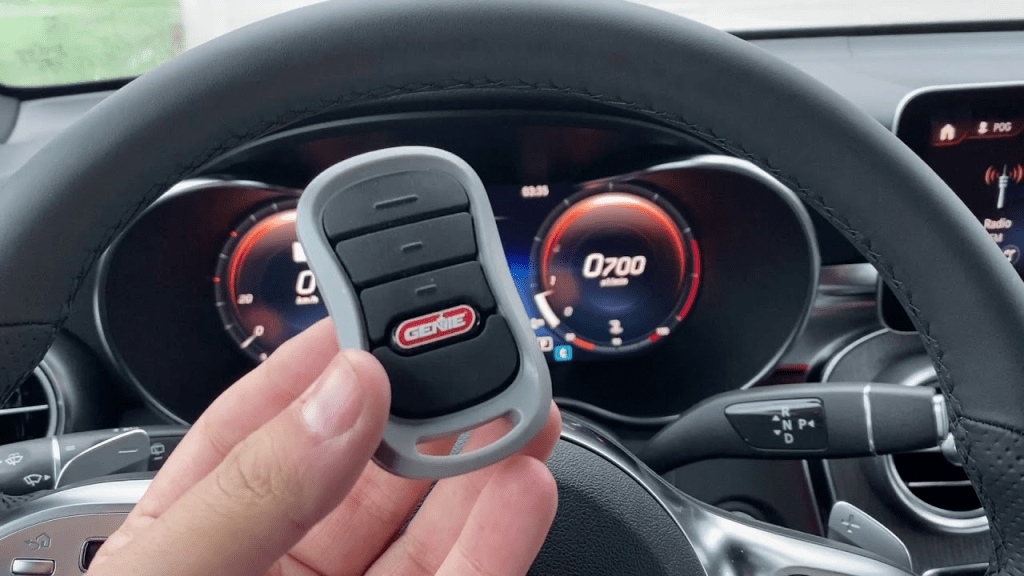
How To Link Genie Garage Door Opener To Car (At a Glance)
Most vehicles connect to a Genie garage door opener using HomeLink, the universal in-car transmitter found in many U.S. vehicles. The process generally follows four stages:
- Clear existing HomeLink codes in the car
- Pair HomeLink with a Genie remote signal
- Sync HomeLink with the Genie opener’s Learn button
- Test and secure the connection
Read too: Why Are My Garage Doors Opening By Themselves? Troubleshooting Guide
We’ll walk through each step carefully so you can complete it confidently—even if you’ve never done this before.
What You Need Before You Start
Preparation saves time and prevents frustration.
Basic Requirements
- A working Genie garage door opener
- A vehicle equipped with HomeLink buttons (usually on the visor, mirror, or overhead console)
- Access to the opener motor unit
- A few minutes of uninterrupted time
Most openers made by Genie use secure rolling-code technology, which requires a quick authorization step during programming.
How to Check If Your Car Has HomeLink
Not all vehicles include HomeLink, so it’s worth checking first.
Ways to Confirm
- Look for three small buttons on the visor or ceiling console
- Check the vehicle owner’s manual
- Look for the HomeLink logo on the buttons
If your car doesn’t have HomeLink, you can still use a Genie visor remote—but HomeLink offers the cleanest, built-in solution.
Step 1: Clear Existing HomeLink Codes (Very Important)
If HomeLink has been programmed before, you must erase old codes.
How to Reset HomeLink
- Turn the ignition to ON (engine off is fine)
- Press and hold the two outer HomeLink buttons
- Hold for 20–30 seconds
- Release when the indicator light begins flashing rapidly
⚠️ This clears all stored garage and gate codes from the vehicle.
Step 2: Program HomeLink to the Genie Remote Signal
This step teaches HomeLink the signal pattern.
Programming Instructions
- Hold your Genie remote 1–3 inches from the HomeLink buttons
- Press and hold the HomeLink button you want to use
- At the same time, press and hold the Genie remote button
- Watch the HomeLink indicator light
- When it changes from slow blinking to rapid blinking, release both buttons
At this stage, HomeLink has learned the remote—but the opener itself is not yet synced.
Step 3: Sync HomeLink With the Genie Opener (Critical Step)
Because Genie uses rolling-code security, this step authorizes the car.
Locate the Genie Learn Button
- Found on the opener motor head
- Often behind a light cover
- Usually red, purple, or black
- Near the hanging antenna wire
Sync Process
- Press and release the Learn button on the Genie opener
- You now have 30 seconds
- Return to your car
- Press and hold the programmed HomeLink button for 2 seconds, then release
- Repeat this press-and-hold 2–3 times
When the garage door moves, pairing is complete.
Step 4: Test the Connection
Testing ensures reliable operation.
What to Check
- Door opens fully
- Door closes smoothly
- No hesitation or partial movement
- No unexpected reversal
Run 2–3 full open/close cycles to confirm consistent performance.
What If You Don’t Have the Original Genie Remote?
In many cases, you can still link HomeLink directly to the opener.
Alternative Method
- Clear HomeLink codes
- Press the Genie Learn button
- Press the HomeLink button repeatedly until the door responds
This method works on many newer Genie models.
Common Problems and Easy Fixes
HomeLink Light Flashes but Door Won’t Move
Cause: Rolling-code sync not completed
Fix: Repeat Step 3 and press HomeLink multiple times within 30 seconds.
HomeLink Won’t Learn the Signal
Possible causes:
- Weak remote battery
- Remote too far from HomeLink
- Old codes not cleared
Fix: Replace the remote battery and retry from 1–3 inches away.
Door Works Sometimes, Not Always
Cause: Interference or antenna issues
Fix: Make sure the Genie antenna hangs freely and is not tucked inside the motor housing.
How Long Does It Take to Link a Genie Opener to a Car?
For most users, the entire process takes 5–10 minutes. First-time users may need a little longer if troubleshooting is required.
Security Tips After Programming
Modern Genie openers are very secure, but best practices still apply.
Recommended Safety Steps
- Reprogram HomeLink if you sell your car
- Clear HomeLink codes when moving homes
- Keep opener firmware updated on smart models
Rolling-code encryption prevents signal cloning, making HomeLink safer than older fixed-code remotes.
Can You Link Multiple Cars to One Genie Opener?
Yes.
What to Know
- Each vehicle must be programmed separately
- Most Genie openers support 5–7 remotes or HomeLink devices
Repeat the same steps for each additional car.
HomeLink vs Handheld Remote: Which Is Better?
Both work, but HomeLink offers several advantages.
HomeLink Benefits
- Built-in and always accessible
- No batteries to replace in the car
- Cleaner interior appearance
Handheld remotes are still useful as backups or for guests.
Smart Garage Door Option (Optional Upgrade)
Some Genie models support Wi-Fi apps that allow smartphone control. While convenient, HomeLink remains the fastest and most reliable in-vehicle option because it works even without internet access.
Safety and Industry Background
Garage door openers and in-car transmitters are designed under strict U.S. safety and security standards to prevent unauthorized access and accidental injury. For general background on garage door systems and operation principles, you can reference:
https://en.wikipedia.org/wiki/Garage_door
(This link is provided for educational context only.)
Step-by-Step Summary (Quick Checklist)
Use this checklist if you want a fast refresher:
- Confirm your car has HomeLink
- Clear existing HomeLink codes
- Teach HomeLink the Genie remote signal
- Press the Genie Learn button
- Press HomeLink 2–3 times to sync
- Test the door operation
Following this order prevents nearly all programming issues.
FAQ: How To Link Genie Garage Door Opener To Car
Frequently Asked Questions
Q1: How long does it take to link a Genie garage door opener to a car?
A: Usually 5–10 minutes if everything is working properly.
Q2: Do all Genie openers work with HomeLink?
A: Most modern Genie openers do, especially rolling-code models.
Q3: Why does my HomeLink button blink but not open the door?
A: The Learn button authorization step was missed or timed out.
Q4: Can I use HomeLink for more than one garage door?
A: Yes. Different HomeLink buttons can control different doors.
Q5: Is HomeLink secure compared to a standard remote?
A: Yes. It uses rolling-code encryption similar to modern remotes.
Conclusion: Enjoy True Hands-Free Garage Access
Learning How To Link Genie Garage Door Opener To Car gives you everyday convenience, improved security, and a smoother driving routine. By carefully following the HomeLink steps—especially the Learn button sync—you can complete the setup quickly and confidently.
If this guide helped you program your Genie opener successfully, share it on social media so other homeowners can enjoy hands-free garage access too.


Leave a Reply