If you’ve ever wondered how to make a copy of a garage door opener, you’re not alone. Whether you’ve moved into a new home, want to provide access to family members, or simply need a backup remote, duplicating a garage door opener can be incredibly useful. The good news? In most cases, you don’t need to call a technician or spend a fortune to get it done.
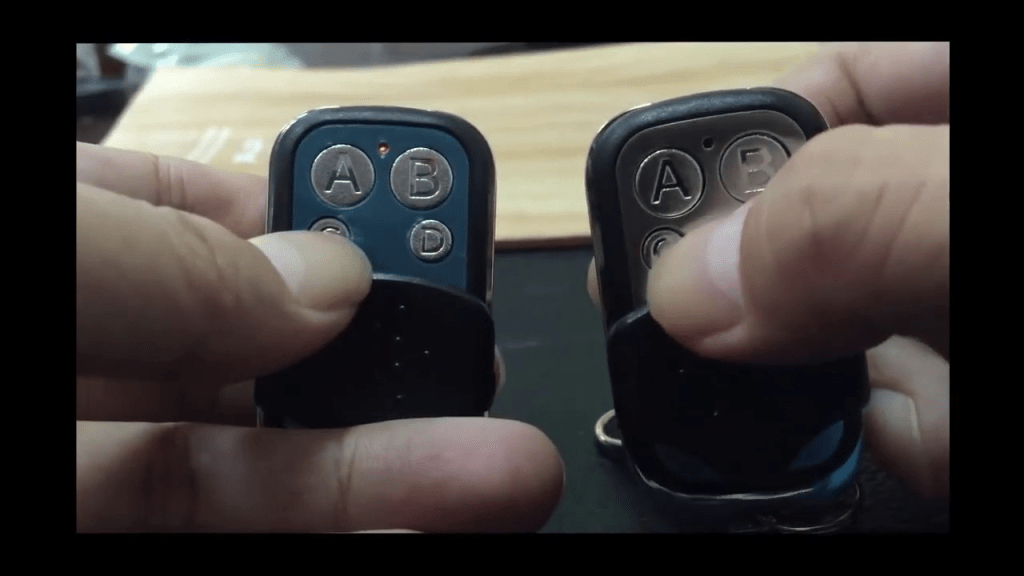
This comprehensive guide will walk you through everything you need to know — from understanding how garage door remotes work, to duplicating modern rolling code systems safely and effectively.
Read too: Door and Garage Door Companies: Choosing the Right Partner for Your Needs
Why You Might Need a Copy of a Garage Door Opener
There are several scenarios where duplicating your remote becomes necessary:
- You’ve lost or damaged your current garage door opener
- You’re giving access to a roommate, spouse, or family member
- You want a remote for each car in your household
- You own a rental property and want to give access to tenants
- You’re installing a universal remote for convenience
Regardless of the reason, knowing how to make a copy of a garage door opener can save you time and stress, and give you better control over your home security.
Understanding How Garage Door Openers Work
Before learning how to make a copy of a garage door opener, it’s helpful to understand how these devices work. Most garage door openers operate on radio frequency signals that communicate between a remote transmitter (the remote you carry) and a receiver located in the garage door motor.
There Are Two Main Types of Openers:
- Fixed Code Openers
- Use a static code
- Common in older models
- Easier to duplicate
- Rolling Code Openers (also known as Security+ or Intellicode)
- Generate a new code each time the remote is pressed
- Designed to improve security
- More complex to clone, but still possible with the right method
Knowing whether you have a rolling code or fixed code opener will help determine the right duplication approach.
Tools and Materials You May Need
To complete this task successfully, you might need:
- A compatible remote (universal or brand-specific)
- Access to the garage door opener motor unit (located on the ceiling of your garage)
- A step ladder
- User manuals for your current and new remote (if available)
- A pin or paperclip (used to press recessed buttons on some remotes)
How To Make A Copy Of A Garage Door Opener: Step-by-Step Process
Here’s a detailed guide on how to make a copy of a garage door opener using both fixed and rolling code systems.
Method 1: Cloning a Fixed Code Garage Door Opener
If you’re using an older garage door opener system (pre-1990s), chances are it uses a fixed code. You’ll often find a row of DIP switches inside the remote or opener unit. These can be matched manually to duplicate the remote.
Steps:
- Open the Remote: Use a screwdriver to access the battery compartment and locate the DIP switches.
- Note the DIP Switch Positions: Each switch will be either up or down. Write down the sequence.
- Open the New Remote: Locate the same set of DIP switches.
- Match the DIP Switches: Adjust the new remote’s switches to match the original.
- Test the Remote: Press the button near the opener to see if the door responds.
Tip: Fixed code systems are not as secure as rolling code systems, so consider upgrading if possible.
Method 2: Programming a Rolling Code Garage Door Opener
If your garage door system uses a rolling code (most modern systems do), you’ll need to program the new remote using the Learn button on the opener motor unit.
Steps:
- Locate the Learn Button: This is usually found on the back or side of the opener motor. It may be labeled “Learn” or “Program,” and may be behind a light cover.
- Press the Learn Button: Use a ladder to safely reach the opener, then press and release the Learn button. An indicator light should start blinking.
- Press the Button on the New Remote: Within 30 seconds of pressing the Learn button, press the button on your new remote that you want to program.
- Wait for Confirmation: The garage door opener lights may blink or you’ll hear a click sound indicating successful pairing.
- Test the New Remote: Press the remote button to ensure the door opens and closes.
Note: You may need to refer to the user manual for model-specific instructions.
Using Universal Remotes for Copying
If you’re looking for convenience, a universal garage door remote is a solid choice. Brands like Chamberlain, Genie, or LiftMaster offer universal remotes that work with multiple opener brands and models.
Benefits of Universal Remotes:
- Work with fixed and rolling code systems
- Allow programming multiple openers to a single remote
- Widely available online and in hardware stores
When purchasing, make sure the universal remote is compatible with your garage door brand and frequency (usually 300-390 MHz).
Common Issues When Copying a Garage Door Opener
While the process is generally straightforward, you may encounter the following issues:
- Incompatible Remote: Not all remotes work with every opener.
- Rolling Code Limitation: Some older openers may not accept new remotes due to memory limits.
- Remote Memory Full: Most openers store a limited number of remotes (often 5-7). You may need to delete old remotes to make room.
- Wrong Frequency: Remotes and openers must operate on the same radio frequency.
- Weak Battery: Make sure new remotes have fresh batteries before programming.
If you run into issues, consult your opener’s user manual or the manufacturer’s website.
Enhancing Security with Remote Duplication
When learning how to make a copy of a garage door opener, it’s important to think about security. Avoid giving remotes to people you don’t trust, and always delete old remotes when moving into a new home or changing tenants.
To delete old remotes:
- Hold down the Learn button on your garage door motor until the light stops blinking.
- This erases all programmed remotes, giving you a clean slate to reprogram only the ones you want.
Backup Solutions Beyond Remotes
If you’re worried about losing access to your garage again in the future, consider these backup access methods:
- Garage Door Keypad Entry: Mounts outside the garage and opens the door with a pin code.
- Smartphone Garage Door Controllers: Use apps to open and close your garage from anywhere.
- Built-in Vehicle Transmitters (Homelink): Program your car to open your garage without a remote.
These options offer added convenience and reduce the need to carry multiple remotes.
Final Thoughts on How To Make A Copy Of A Garage Door Opener
Now that you’ve learned how to make a copy of a garage door opener, you’re well-equipped to manage your home’s access system confidently. Whether you’re working with an older fixed code model or a more secure rolling code system, the process can be completed in just a few minutes with the right approach.
Always prioritize security when making duplicates, and consider upgrading to modern remotes or smart systems if you want even greater control and peace of mind.
Making a copy of your garage remote isn’t just a convenience—it’s a smart move for homeowners who value both accessibility and security.



Leave a Reply