If you’ve noticed the light on your Chamberlain garage door opener staying on longer than you’d like, you’re not alone. Many homeowners encounter this issue, which can be annoying and waste energy. In this comprehensive guide, we will walk you through the simple steps to turn off the light on your Chamberlain garage door opener and ensure that it operates according to your preferences. Whether you’re looking for a quick fix or a more permanent solution, this article provides helpful tips to resolve the issue efficiently.
Why Does the Light Stay On in the Chamberlain Garage Door Opener?
Before diving into the solution, it’s essential to understand why the light might stay on. Chamberlain garage door openers are designed with a light that automatically turns on when the opener is activated, such as when the door is raised or lowered. However, sometimes the light may stay on unnecessarily or longer than expected. The most common causes for this are:
- Settings Configuration: The default setting for the light may be programmed to stay on for a longer duration.
- Motion Sensors: Some Chamberlain models include motion sensors that keep the light on when it detects movement in the garage.
- Faulty Wiring or Timer: If there’s a wiring problem or a malfunction with the timer setting, the light may stay on.
Understanding these causes will help you pinpoint the issue and take the appropriate steps to turn off the light.
Read too: Mastering the Art of Adjusting a Chamberlain Garage Door Opener for Smooth Operation and Safety
How To Turn Off Light On Chamberlain Garage Door Opener: Simple Steps
If you’re looking for a straightforward way to turn off the light on your Chamberlain garage door opener, here are the steps to follow. The process may vary slightly depending on the model you have, but these general steps should help.
Step 1: Locate the Light Control Button
The first thing you’ll want to do is locate the light control button on your Chamberlain opener. Most models feature a light button on the motor unit itself, as well as on the wall control panel inside the garage.
On the Motor Unit:
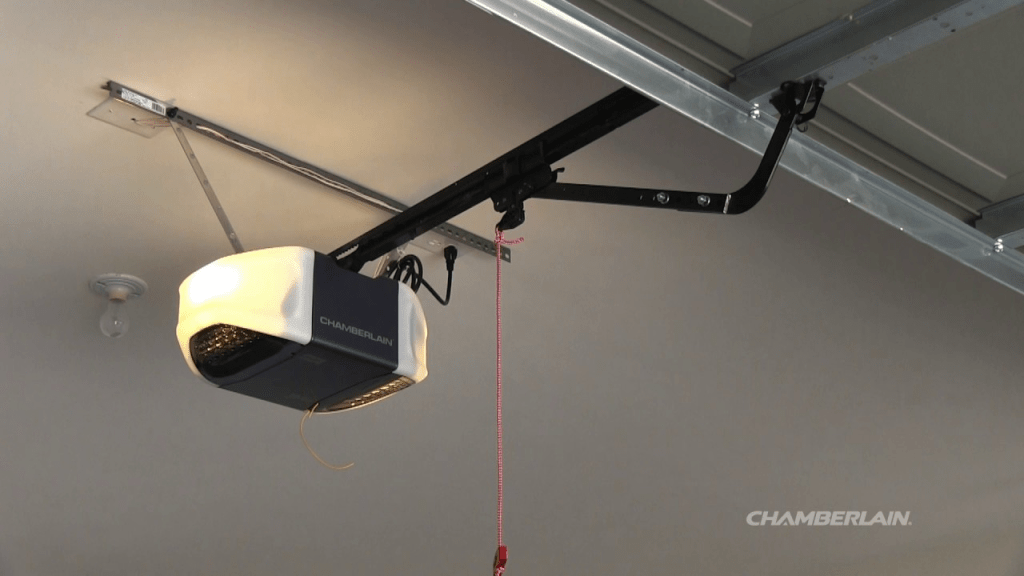
- Look for the light button on the main unit (the part that is mounted to the ceiling). It’s usually a small button located near the bottom of the opener.
On the Wall Control:
- If your model has a wall control panel, look for the light button there as well. Some models feature a separate button for turning the light off, while others may have an adjustable setting to control how long the light stays on after activation.
Step 2: Adjust the Light Timer Setting
Many Chamberlain garage door openers are designed with a light timer, which determines how long the light stays on after you activate the door. If your light stays on too long, adjusting the timer setting should solve the problem.
- Press and Hold the Light Button: On your opener’s wall control panel, press and hold the light button until the light turns off. This may take a few seconds.
- Adjust the Timer: If your Chamberlain opener has a programmable timer, you can adjust the setting so the light turns off sooner after activation. Typically, the light will stay on for about 4-5 minutes after the door is opened, but you can shorten this time.
Step 3: Disable the Motion Sensor
If your Chamberlain garage door opener is equipped with a motion sensor, the light may stay on as long as it detects movement in the garage. If this is the case, you can disable the sensor to prevent the light from staying on unnecessarily.
- Locate the Motion Sensor Button: On the motor unit or wall control panel, look for a button labeled “motion sensor” or something similar.
- Turn Off the Sensor: Press the button to disable the motion sensor. This will prevent the light from staying on when there’s movement in the garage, ensuring that it turns off more efficiently.
Step 4: Check for Malfunctions or Wiring Issues
If the light continues to stay on despite adjusting the settings and disabling the motion sensor, the issue could be related to a faulty wiring connection or a malfunctioning timer. In this case, here are a few troubleshooting tips:
- Unplug the Opener: Turn off the power to the garage door opener by unplugging it. Wait a few minutes and then plug it back in. This will help reset the system and may resolve any temporary malfunctions.
- Inspect the Wiring: If you have experience with electrical systems, you can inspect the wiring connections to ensure everything is correctly connected. Look for any loose or frayed wires that might be causing the light to malfunction.
If you’re unable to identify or fix the issue, you may need to contact a professional garage door technician to inspect and repair the system.
Chamberlain Garage Door Opener Features That Affect the Light
To further understand how to turn off the light on your Chamberlain garage door opener, it’s helpful to know the features that affect its operation. Here are some key features that could influence the light’s behavior:
1. Timer-to-Close Feature
Many modern Chamberlain openers come with a timer-to-close feature, which automatically closes the door after a set amount of time. If this feature is enabled, the light will often stay on longer to allow you to see while closing the door. You can adjust the timer settings on your opener to change how long the light stays on after closing.
2. MyQ Connectivity
Some newer Chamberlain models are equipped with MyQ technology, which allows you to control your garage door opener remotely using your smartphone. With MyQ, you can easily turn the light off or adjust its settings directly from the app. If your opener is connected to MyQ, simply open the app and navigate to the light control options.
3. LED Lights
Chamberlain garage door openers often use LED lights for efficiency and longer lifespan. These lights are designed to last for thousands of hours, but they may still need to be turned off manually if the settings are not adjusted properly.
Tips for Preventing Light Issues on Chamberlain Garage Door Openers
To prevent the light from staying on for longer than necessary, consider these helpful tips for maintaining your Chamberlain garage door opener:
- Regularly Check Settings: Regularly check the light settings to ensure they’re configured to your preferences. Make sure the light timer is set correctly.
- Keep Motion Sensors Clean: If your opener has a motion sensor, ensure that it’s clean and free of dust or debris. A dirty sensor may cause it to malfunction and leave the light on.
- Replace Light Bulbs: If the light bulb is old or malfunctioning, replace it with a new one. A faulty light bulb can sometimes cause issues with the light turning off.
- Perform Regular Maintenance: Perform regular maintenance on your garage door opener to ensure that all parts are functioning correctly. This includes checking the motor, sensors, and wiring for any signs of wear and tear.
Conclusion
Knowing how to turn off the light on your Chamberlain garage door opener is essential for ensuring your system operates efficiently and according to your preferences. By following the steps outlined in this guide, you can quickly adjust the light settings, disable the motion sensor, and resolve any issues that may cause the light to stay on longer than necessary. Remember, if you’re unable to resolve the problem on your own, don’t hesitate to seek professional help to fix any underlying issues with the opener.
By taking proactive measures to adjust the settings, you can enjoy a more efficient and energy-saving garage door opener system.



Leave a Reply