In the era of smart homes, a MyQ Garage Door Opener is a game-changer. However, if you find yourself grappling with the frustration of your MyQ Garage Door Opener not connecting to WiFi, worry not. This comprehensive guide will unravel the common issues and provide step-by-step solutions, ensuring seamless connectivity to enhance your smart home experience.
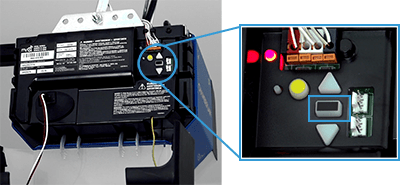
Understanding the MyQ Garage Door Opener
Before delving into the troubleshooting steps, it’s essential to grasp the basics of the MyQ Garage Door Opener. This innovative device allows you to control and monitor your garage door remotely through a smartphone app. The integration with WiFi is crucial for real-time communication and accessibility.
MyQ Garage Door Opener Not Connecting To WiFi: The Dilemma Unveiled
1. Check WiFi Signal Strength
The first hurdle in resolving connectivity issues is to assess the strength of your WiFi signal in the garage. Walls and other obstructions can weaken the signal, causing the MyQ Garage Door Opener to struggle with establishing a connection. Consider relocating your router or installing a WiFi range extender for improved coverage.
2. Verify Network Compatibility
Ensure that your WiFi network is compatible with the MyQ Garage Door Opener. It should operate on a standard 2.4GHz frequency, as some older models might not support 5GHz. Navigate to your router settings and adjust the frequency if needed.
3. Reboot and Reset
Sometimes, a simple reboot can work wonders. Turn off your MyQ Garage Door Opener, unplug it, and wait for a few minutes before plugging it back in. Simultaneously, restart your router. This basic step can often resolve temporary glitches and restore the connection.
4. Update Firmware
Check if your MyQ Garage Door Opener has the latest firmware updates. Manufacturers periodically release updates to enhance performance and address compatibility issues. Visit the official website or consult the user manual for guidance on updating the firmware.
5. Reconfigure WiFi Settings
Access the MyQ app on your smartphone and navigate to the settings menu. Locate the WiFi or Network section and re-enter your WiFi credentials. Ensure the information is accurate, and the MyQ Garage Door Opener is attempting to connect to the correct network.
6. Ensure Adequate Power Supply
Insufficient power can hinder the MyQ Garage Door Opener’s ability to connect to WiFi. Check the power source, replace batteries if necessary, and confirm that the device is receiving a stable power supply.
Seeking Professional Assistance
If the aforementioned steps fail to resolve the issue, it might be time to seek professional assistance. Contact the MyQ customer support team or consult with a qualified technician who can conduct a thorough assessment of your setup and identify any hardware-related issues.
Conclusion
A MyQ Garage Door Opener not connecting to WiFi can be a minor hiccup in the grand scheme of smart home convenience. By following the troubleshooting steps outlined in this guide, you can address common issues and enjoy uninterrupted control of your garage door. Embrace the synergy of technology and home automation, ensuring that your MyQ Garage Door Opener seamlessly integrates into your connected lifestyle.



Leave a Reply