Ever driven away from home and wondered, “Did I close the garage?” If so, you’re not alone. A Smart Garage Door Opener That Works With Google Home lets you check and control your garage from anywhere using your voice or smartphone.
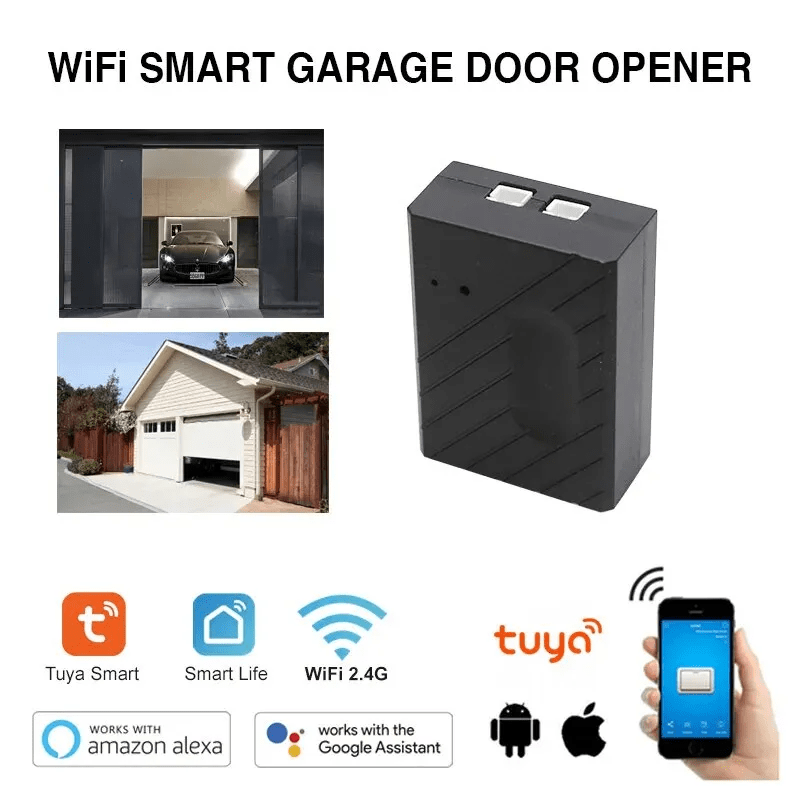
In this guide, we’ll help you choose the best model, understand compatibility, and set it up step by step—so you can upgrade your garage with confidence.
What Is a Smart Garage Door Opener That Works With Google Home?
A Smart Garage Door Opener That Works With Google Home connects your existing garage motor to your WiFi network, allowing you to control it through the Google Home app or via voice commands using Google Assistant.
Read too: The Complete Guide to Tighten Chain On Garage Door Opener for Smooth Operation
Google Home is part of the broader smart home ecosystem powered by Google. With voice integration, you can say:
- “Hey Google, close the garage door.”
- “Hey Google, is the garage door open?”
This functionality relies on internet connectivity and secure cloud communication.
How Does It Work?


4
A smart garage system typically includes:
- Controller Unit – Connects to your existing opener.
- Door Sensor – Detects open/closed position.
- WiFi Module – Connects to your home network.
- Mobile App – Controls settings and notifications.
Once connected, your device communicates with Google Assistant via the cloud. You can learn more about how garage systems operate in general on Wikipedia (garage door openers overview).
What Are the Best Smart Garage Door Openers Compatible With Google Home?

4
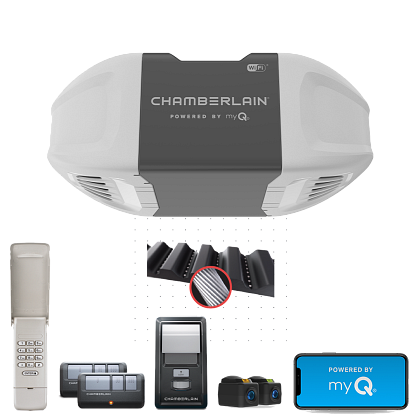
Here are top-rated options widely used in the U.S.:
1. Chamberlain MyQ
- Popular and reliable
- Requires subscription for voice control in some cases
- Strong brand reputation
2. Meross Smart Wi-Fi Garage Door Opener
- Affordable
- No monthly fees
- Direct Google Assistant support
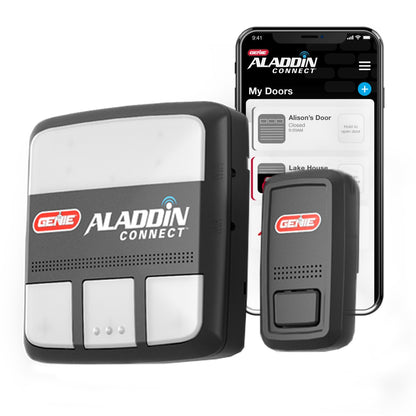
3. Genie Aladdin Connect
- Compatible with Genie openers
- Reliable sensor alerts
4. Nexx Garage NXG-200
- Works with Alexa & Google
- Simple retrofit installation
Comparison Table
| Feature | MyQ | Meross | Genie | Nexx |
|---|---|---|---|---|
| Google Home Support | Yes* | Yes | Yes | Yes |
| Monthly Fee | Sometimes | No | No | No |
| Easy Installation | Medium | Easy | Medium | Easy |
| Price Range | $$ | $ | $$ | $$ |
*Check current voice control subscription requirements.
Is It Safe to Control a Garage Door With Google Home?
Security is one of the top concerns for homeowners.
Safety Features to Look For
- Two-factor authentication
- Encrypted cloud communication
- Activity logs
- Auto-close timer
According to cybersecurity surveys, over 60% of smart home users prioritize security features when purchasing connected devices.
Important Note
Most systems require PIN verification for voice-activated opening, reducing the risk of unauthorized access.
How to Install a Smart Garage Door Opener (Step-by-Step)
Installing most retrofit systems takes 30–60 minutes.
Tools You May Need:
- Screwdriver
- Drill (if mounting required)
- Ladder
- Stable WiFi signal (2.4GHz band recommended)
Step 1: Check Compatibility
Confirm:
- Your opener model supports add-on smart controllers
- It has a wall button terminal connection
Step 2: Mount the Controller
Install near the motor unit, typically 3–6 feet away.
Secure with screws or adhesive mount.
Step 3: Install the Door Sensor
Attach sensor:
- 5–8 feet above ground
- On top panel of garage door
Ensure alignment for accurate open/close detection.
Step 4: Connect to WiFi
Use the manufacturer app:
- Connect to 2.4GHz WiFi
- Enter password
- Complete pairing
Signal strength should be at least 70% for stable operation.
Step 5: Link to Google Home
- Open Google Home app
- Tap “+ Add Device”
- Select “Works with Google”
- Search manufacturer name
- Sign in and authorize
Test voice commands after linking.
Benefits of Using Google Home for Garage Control
Convenience
- Remote access from anywhere
- Real-time alerts
- Family access management
Security
- Close door automatically at night
- Receive alerts if left open
Integration
You can combine routines, such as:
- “Goodnight” → Turn off lights + Close garage
- “Leaving home” → Arm security + Close garage
Pros vs Cons
Advantages
✔ Voice control convenience
✔ Remote monitoring
✔ Integration with other smart devices
✔ Increased property value appeal
Disadvantages
✖ Dependent on internet
✖ Potential subscription fees
✖ Requires secure WiFi setup
Common Mistakes to Avoid
- Ignoring WiFi signal strength
- Skipping firmware updates
- Not enabling 2-factor authentication
- Using weak passwords
These small oversights can reduce performance and security.
FAQ: Smart Garage Door Opener That Works With Google Home
1. Can Google Home open my garage door without a PIN?
Most systems require a PIN for opening via voice for safety reasons.
2. Does it work without internet?
No. Remote and voice features require internet access.
3. Can I control multiple garage doors?
Yes. Most apps allow multi-door management within one account.
4. Will it work with older garage openers?
Many retrofit models support units made after 1993 (with safety sensors installed).
5. Is installation DIY-friendly?
Yes. Most homeowners complete installation within 60 minutes.
6. What happens if WiFi goes down?
You can still operate the garage using the physical wall button or remote.
Final Thoughts
A Smart Garage Door Opener That Works With Google Home adds convenience, security, and peace of mind to your daily routine. With proper installation and secure setup, you can monitor and control your garage from anywhere.
Whether you choose MyQ, Meross, Genie, or Nexx, the key is compatibility and secure configuration.
If this guide helped you choose the right smart garage solution, share it with friends or post it on social media to help others upgrade their home automation confidently.



Leave a Reply