If you’re looking for how to erase codes on Chamberlain garage door opener, you’re likely dealing with a remote you lost, a security concern, or simply upgrading your access system. Don’t worry—resetting and clearing codes on a Chamberlain unit is straightforward, even for beginners. This guide explains the process step-by-step so you can secure your garage door quickly and confidently.
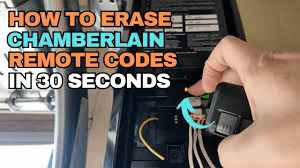
How To Erase Codes On Chamberlain Garage Door Opener (Step-by-Step Guide)
Resetting or erasing codes on a Chamberlain opener is essential when a remote is lost, someone moves out of your home, or you want to refresh your access settings. Below is the complete breakdown based on Chamberlain’s recommended procedures and common PAA (People Also Ask) questions.
Read too: Door and Garage Door Companies: Choosing the Right Partner for Your Needs
Why Would You Need to Erase Garage Door Opener Codes?
Before you erase anything, it’s important to understand why this step matters. A 2023 home-security survey by SafeWise reported that 1 in 5 break-ins occur through the garage, often due to unsecured or outdated access codes.
Common reasons to erase codes include:
- Losing a remote control
- Moving into a new house
- Removing access for old tenants or contractors
- Fixing syncing problems with a keypad or remote
- Enhancing overall home security
Resetting the codes ensures only trusted users have access.
How To Erase Codes On Chamberlain Garage Door Opener (Main Procedure)
Most Chamberlain openers use a Learn Button to store and erase wireless controls. The erase procedure typically takes under 10 seconds.
Step 1: Locate the Learn Button
The Learn Button is usually found:
- On the back or side of the motor unit
- Under the light cover (on older units)
Colors of the Learn Button may vary:
| Learn Button Color | Technology | Typical Model Range |
|---|---|---|
| Yellow | Security+ 2.0 | 2011–present |
| Purple | Security+ | 2006–2011 |
| Red/Orange | Security+ | 1997–2005 |
| Green | Billion Code | 1993–1997 |
The process is the same regardless of color.
Step 2: Press and Hold the Learn Button
Press and hold the Learn Button for 6 seconds.
- The LED next to it will turn off or blink.
- This indicates all remote control codes have been erased.
Important:
This will remove every paired remote and keypad, meaning you’ll need to reprogram the devices you want to keep.
Step 3: Reprogram Your Remote or Keypad (If Needed)
After erasing codes, your opener will no longer respond to previously connected devices.
To reprogram:
- Press the Learn Button once.
- LED will illuminate (ready to learn).
- Press the button on your remote control.
- Light on the opener blinks = success.
For keypads:
- Press the Learn Button.
- Enter a new 4-digit code on the keypad.
- Press Enter.
- Opener light will flash to confirm.
How To Erase Codes Only From the Keypad
Sometimes you want to erase only the keypad PIN without removing remote controls.
Here’s how:
- Press and hold *** and #** keys on your keypad until the keypad stops flashing.
- Enter your current PIN.
- Press and hold the 0 button until the opener light blinks.
This clears the keypad code but keeps remotes connected.
How To Know If Your Codes Have Been Erased Successfully
You can confirm the erase was successful by performing this quick test:
- Press your old remote →
If the garage door does NOT move, the code was erased. - Enter your keypad PIN →
No response also means code removal worked.
If any device still opens the garage, repeat the Learn Button procedure for at least 10 seconds.
Common Problems When Erasing Chamberlain Codes (and Solutions)
Below are issues commonly searched in “People Also Ask” and their solutions.
1. “Why won’t my Chamberlain opener erase codes?”
Possible causes:
- Learn Button is stuck → Clean dust or gently press until it clicks.
- You didn’t hold the button long enough → Hold for at least 6 seconds.
- Motor unit is locked up → Disconnect power for 10 seconds; retry.
- Keypad battery is dead → Replace 9V battery and test again.
2. “Do I need to reprogram all remotes after erasing?”
Yes.
Erasing codes wipes all memory, including remotes, keypads, and HomeLink (in vehicles). Re-pair only the devices you want to keep.
3. “Can I erase a single remote without clearing everything?”
Unfortunately, no.
Chamberlain openers do not support selective remote removal.
To prevent access:
- Erase all codes
- Reprogram trusted remotes only
4. “Will erasing codes reset my garage door limits?”
No.
Erasing codes does not affect travel limits or force settings.
It only removes wireless access devices.
5. “How long does it take to erase Chamberlain codes?”
Less than 10 seconds.
Reprogramming each remote takes about 5 seconds.
Safety Tips Before Erasing Garage Door Opener Codes
Security professionals recommend the following:
✔ Replace remote batteries
Low batteries can interrupt pairing and cause connection issues.
✔ Stand on a stable ladder
Motor units are mounted high—use a ladder with rubber feet for safety.
✔ Disconnect power if working near wiring
Although the Learn Button is safe to press, unplug the opener if you need to inspect wires.
✔ Keep remotes out of children’s reach
FCC reports show thousands of accidental garage-door openings annually due to remote misuse.
Chamberlain Models Covered in This Guide
This tutorial works for:
- Chamberlain Security+ and Security+ 2.0 openers
- Chamberlain LiftMaster-compatible openers
- Chamberlain myQ-enabled openers
- Wall-mount Chamberlain models (RJO series)
- Chamberlain chain-drive, belt-drive, and smart openers
Always check your manual, or refer to the authoritative reference on the Chamberlain entry at Wikipedia (home automation systems) for general system concepts.
Troubleshooting Table: Quick Reference
| Problem | Likely Cause | Solution |
|---|---|---|
| LED doesn’t turn off when erasing | Button pressed too short | Hold for 6–10 seconds |
| Remote still works after erase | Memory not cleared fully | Repeat erase, then power-cycle unit |
| Keypad won’t reprogram | Low battery | Replace 9V keypad battery |
| HomeLink not working | Vehicle system not synced | Reprogram HomeLink from scratch |
| New remote not pairing | Wrong frequency | Use Chamberlain-compatible model only |
FAQ (Frequently Asked Questions)
Q1: Is erasing the codes the same as resetting my Chamberlain opener?
A: No. Erasing codes clears wireless devices, while resetting involves restoring factory settings. Resetting may require unplugging the unit or adjusting settings.
Q2: Will erasing codes affect my garage door tracks or sensors?
A: Not at all. Erasing wireless codes does not change physical hardware or safety sensors.
Q3: How often should I reset or erase Chamberlain codes?
A: Experts recommend erasing codes when:
- Moving into a new home
- Losing a remote
- Every 1–2 years as a security routine
Q4: Can burglars hack older Chamberlain openers?
A: Older pre-1997 models are more vulnerable. Newer Chamberlain Security+ 2.0 models use rolling-code encryption, making hacking extremely difficult.
Q5: Do I need a professional to erase codes?
A: No. 95% of homeowners can do it themselves. Only complicated wiring issues require expert help.
Q6: Will erasing codes disconnect my myQ app?
A: No. The myQ app connection is separate from remote control codes. Only wireless remote devices are affected.
Conclusion
Resetting or clearing your Chamberlain garage door opener codes is a simple and powerful way to enhance home security. By following the steps above, you can confidently manage who has access to your garage and ensure your system remains safe.
If this guide helped you, feel free to share it on your social media so others can secure their homes too!



Leave a Reply