Introduction
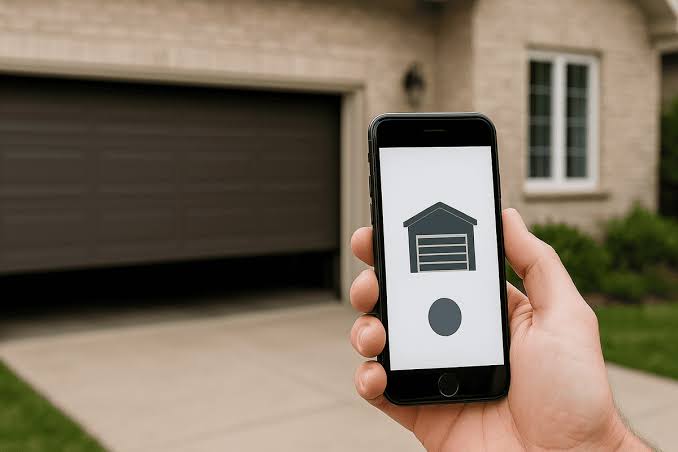
Have you ever pulled into your driveway in the pouring rain, desperately wondering, “Is there an app to open my garage door?” You are not alone. Millions of US homeowners are upgrading to smart solutions to make their daily routines easier, safer, and more convenient. The good news is that yes, there absolutely is an app for that, and setting it up is simpler than you might think.
Is There An App To Open My Garage Door? How It Works
The short answer is yes. Modern technology allows you to control your garage door directly from your smartphone, whether you are sitting on your couch or vacationing halfway across the country.
Smart garage door systems work by bridging your existing garage door opener with your home’s WiFi network. A small, smart hub (or a built-in smart module in newer openers) communicates with the motor unit. When you tap “Open” or “Close” in the app, the command travels from your phone to the cloud, down to your home router, and finally to the smart hub, which triggers the door to move.
According to recent smart home industry data, over 35% of US households now utilize some form of smart home automation, with garage door controllers ranking among the top three most popular entry-level devices due to their high utility and relatively low cost.
Top Smart Garage Door Apps in 2026
Not all apps are created equal. Depending on your existing hardware, you will need a compatible application. Here are the most reliable options available today:
- myQ (by Chamberlain/LiftMaster)
The industry standard. If your opener was made in the last 15 years, it is likely myQ-compatible. It offers seamless integration with Amazon Key for in-garage deliveries. - Tailwind Garage
A fantastic alternative that uses geofencing. The app detects when your phone arrives home and can automatically open the door without you even touching your screen. - Meross Smart Garage Door Opener
A highly rated, budget-friendly option that works independently of your opener’s brand. It integrates smoothly with Apple HomeKit, Google Assistant, and Alexa.
Quick Comparison Table
| App / Brand | Best For | HomeKit Compatible? | Subscription Required? |
|---|---|---|---|
| myQ | Chamberlain/LiftMaster owners | No (without 3rd party) | No (Premium optional) |
| Tailwind | Hands-free, geofencing automation | Yes | No |
| Meross | Budget-conscious, multi-ecosystem users | Yes | No |
Step-by-Step Guide: How to Connect Your Garage to an App
Setting up a smart garage controller is a straightforward DIY project. Follow these concrete steps to get started:
- Step 1: Check Compatibility
Locate the “Learn” button on your garage door opener motor (usually on the back panel). If it is yellow, purple, orange, or red, it is likely compatible with most smart hubs. Note: Green “Learn” buttons (common in older Security+ 1.0 models) are generally not compatible. - Step 2: Purchase a Compatible Smart Hub
Buy a reputable device like the myQ Smart Garage Hub or Meross MSG100. Ensure it is new and sealed. - Step 3: Mount the Smart Hub
Use the provided 3M adhesive tape or included screws to mount the hub on the ceiling. Crucial detail: It must be placed within 6 feet of the opener motor and within 30 feet of your home’s WiFi router for a stable connection. - Step 4: Power the Device
Plug the hub into a standard 120V electrical outlet. Do not use an extension cord, as this can cause voltage drops and connectivity issues. - Step 5: Connect to WiFi
Download the respective app on your iOS or Android device. Create an account and follow the in-app prompts. Important: You must connect the hub to a 2.4 GHz WiFi network. Most smart home hubs do not support 5 GHz networks due to poorer wall penetration. - Step 6: Test the System
Open and close the garage door 3 consecutive times using the app. Verify that the door sensor accurately reports “Open” and “Closed” statuses in real-time.
Pros and Cons of Using a Garage Door App
Before upgrading, it is wise to weigh the advantages and potential drawbacks.
✅ The Pros
- Remote Peace of Mind: Never wonder, “Did I close the garage?” again. Check and close it from anywhere.
- Secure Deliveries: Grant one-time access to delivery drivers, keeping packages safe from porch pirates.
- Activity Logs: Receive instant push notifications whenever the door is opened or closed, enhancing home security.
❌ The Cons
- WiFi Dependency: If your home internet goes down, remote app control will be temporarily unavailable (though physical remotes still work).
- Learning Curve: Older adults or non-tech-savvy users might need a few days to get comfortable with the interface.
- Potential Fees: Some brands lock advanced features (like video camera integration or extended history logs) behind a monthly subscription.
Is It Safe to Open My Garage Door With an App?
Security is a valid concern when connecting physical home access points to the internet. Fortunately, modern smart garage technology is highly secure when configured correctly.
Reputable smart garage openers utilize rolling code technology. This means the access code changes every single time the remote or app is used, making it virtually impossible for hackers to intercept and replay the signal to gain entry.
Furthermore, cybersecurity experts strongly recommend enabling Two-Factor Authentication (2FA) on your smart home accounts. As a leading smart home security analyst notes:
“Security should never be an afterthought. Always enable two-factor authentication and use strong, unique passwords for your smart home apps to add an impenetrable layer of protection against unauthorized access.”
By following basic digital hygiene practices, your smart garage is significantly safer than older, fixed-code remote systems.
Frequently Asked Questions (FAQ)
Q1: Can I open my garage door with my phone if I don’t have WiFi?
Answer: You cannot use the remote app features without an internet connection. However, some apps offer Bluetooth-based local control, allowing you to open the door if you are standing right next to it, even if the WiFi is down.
Q2: Will a garage door app work with my old opener?
Answer: In most cases, yes. As long as your opener was manufactured after 1993 (mandated by US safety standards to have safety sensors) and has a compatible “Learn” button color, a universal smart hub like Meross or myQ can retrofit it.
Q3: Are smart garage door openers hackable?
Answer: While no internet-connected device is 100% immune to threats, major brands use bank-level encryption and rolling codes. The risk is minimized drastically if you enable 2FA and keep your app updated.
Q4: How much does a smart garage door controller cost?
Answer: A standalone smart garage hub typically costs between $30 and $40. If you need to replace the entire garage door opener motor with a built-in smart model, expect to pay between $300 and $500, plus professional installation fees.
Q5: Can I give temporary access to delivery drivers via an app?
Answer: Yes. Apps like myQ integrate with Amazon Key and other delivery services, allowing you to grant secure, one-time, monitored access for package drop-offs directly inside your garage.
Conclusion
So, is there an app to open my garage door? Absolutely. Upgrading to a smart garage door system is one of the most practical, high-impact smart home investments you can make. It eliminates the anxiety of an open door, secures your deliveries, and adds a layer of modern convenience to your daily life. With straightforward setup steps and robust security features like rolling codes, there has never been a better time to make the switch.
Found this guide helpful? Share it with your friends and family on Facebook, X (Twitter), or Pinterest to help them upgrade their smart home security today!



Leave a Reply