If your remote stopped working or you’ve just bought a new one, you’re probably searching How To Pair Remote With Genie Garage Door Opener quickly and correctly. The good news? Most Genie openers can be programmed in under five minutes using the built-in Learn or Program button.
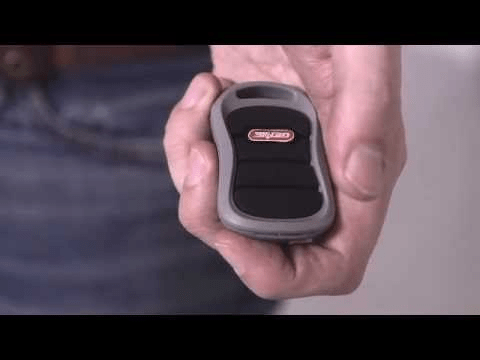
This guide walks you through the exact steps, explains Genie Intellicode security, and helps you troubleshoot common pairing problems—so you can get back to smooth, reliable garage access.
Read too: Mastering the Art of Adjusting a Chamberlain Garage Door Opener for Smooth Operation and Safety
How To Pair Remote With Genie Garage Door Opener (Step-by-Step)
Before starting How To Pair Remote With Genie Garage Door Opener, confirm your opener model and remote compatibility. Most Genie openers manufactured after 1995 use Intellicode rolling code technology, which enhances security.


4
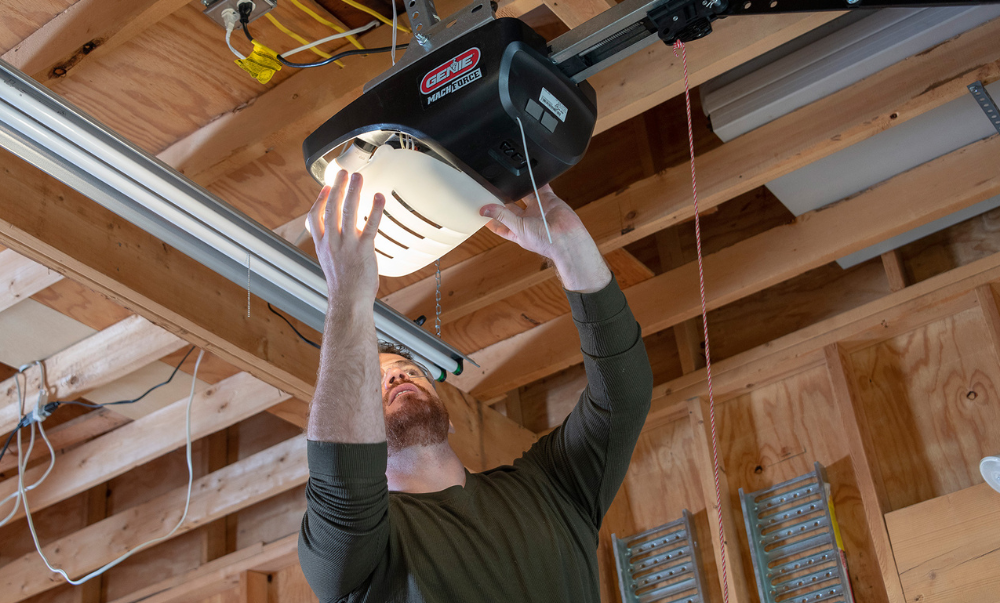
Step 1: Locate the Program or Learn Button
- Use a stable ladder.
- Look on the motor housing near the antenna wire.
- Find the button labeled “Program,” “Learn Code,” or similar.
- LED indicator will be nearby.
Common button colors include red, purple, or black depending on model.
Step 2: Enter Programming Mode
- Press and hold the Program button for 2–3 seconds.
- Release when the LED light begins blinking.
- The opener is now in pairing mode.
You typically have about 30 seconds to complete programming.
Step 3: Program the Remote
- Press and hold the desired button on your Genie remote.
- Hold until the opener LED blinks or turns solid.
- Release the remote button.
- Press the remote button once more to test.
If the garage door moves, pairing is complete.
How Genie Intellicode Works
Genie’s Intellicode system changes the access code every time you press the remote. This prevents unauthorized access by eliminating fixed codes.
For technical background on rolling code systems, see:
https://en.wikipedia.org/wiki/Rolling_code
Intellicode generates billions of possible code combinations, increasing garage security significantly compared to older dip-switch systems.
Pairing Older Genie Openers (Dip Switch Models)

4
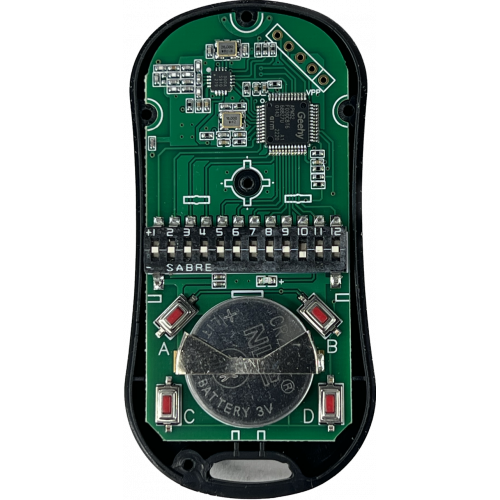
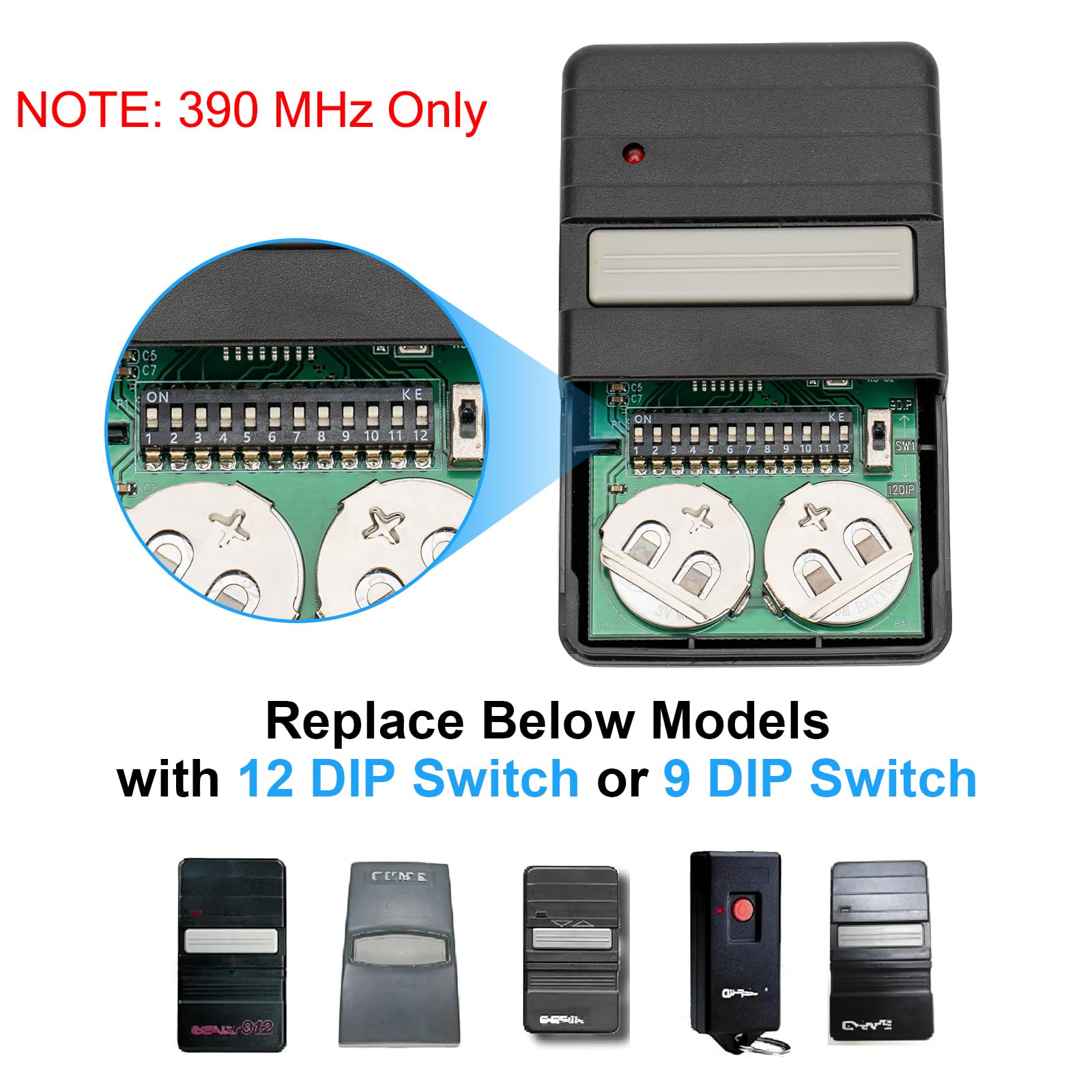
If your Genie opener was made before 1995, it may use dip switches.
Dip Switch Programming Steps
- Open remote battery compartment.
- Locate small toggle switches.
- Match switch positions inside opener motor unit.
- Close remote and test.
Dip switch systems are less secure than Intellicode systems.
How Many Remotes Can You Pair?
Most Genie openers support:
- Up to 7 remote devices
- Multiple keypads
- Vehicle HomeLink integration
To erase all remotes:
- Press and hold Program button for 10 seconds.
- LED will turn off.
- All remotes are erased.
Reprogram each remote individually afterward.
Why Is My Genie Remote Not Pairing?
Here are the most common causes:
1. Dead Battery
Replace with CR2032 or manufacturer-recommended battery.
2. Remote Incompatibility
Ensure remote matches opener frequency (315 MHz or 390 MHz).
3. Memory Full
Clear opener memory and retry.
4. Interference
Certain LED light bulbs interfere with signal reception. Use garage-compatible bulbs.
5. Timing Issue
Make sure programming occurs within 30-second window.
Industry repair data indicates over 60% of pairing issues are battery-related or caused by incorrect timing.
Genie Remote Compatibility Guide
| Opener Type | Technology | Compatible Remotes |
|---|---|---|
| Intellicode I | Rolling Code | G1T-BX |
| Intellicode II | Rolling Code | G3T-BX |
| Series II | Intellicode | G3T-R |
| Dip Switch | Fixed Code | Model-specific |
Matching the correct remote model ensures smooth pairing.
Can You Program Genie Remote From Wall Console?
Yes, on some models.
Steps
- Press and hold Program button on wall console.
- Press remote button.
- Wait for LED confirmation.
- Test door movement.
Refer to your owner’s manual for model-specific instructions.
Safety Tips During Programming
Garage doors typically weigh between 150–300 pounds.
Always:
- Keep children and pets away.
- Ensure door path is clear.
- Use stable ladder.
- Avoid adjusting force settings during programming.
Test safety reversal monthly using a 2×4 board under the door.
How Long Does Programming Take?
- Basic pairing: 2–5 minutes
- Clearing memory + reprogramming: 10 minutes
No advanced tools required.
FAQ – How To Pair Remote With Genie Garage Door Opener
1. Why won’t my Genie remote sync?
Most often due to weak battery or incorrect timing during programming mode.
2. How do I reset my Genie opener?
Hold Program button for 10 seconds to erase memory.
3. Can I use a universal remote?
Yes, if compatible with Genie Intellicode frequency.
4. Do I need to reprogram after a power outage?
Usually no. Memory is stored internally.
5. How far should I stand during programming?
Within 10–20 feet of the opener.
6. Can multiple remotes control one door?
Yes. Each remote must be programmed individually.
Conclusion
Now you know exactly How To Pair Remote With Genie Garage Door Opener—from Intellicode programming to troubleshooting common pairing issues.
Proper pairing ensures:
- Secure rolling code protection
- Reliable daily access
- Smooth remote operation
- Peace of mind
Most pairing issues can be resolved in minutes when following the correct steps. If this guide helped you sync your Genie remote successfully, consider sharing it with others who may need quick garage troubleshooting assistance.



Leave a Reply