If your garage door suddenly stops responding to the remote or only works intermittently, interference may be the culprit. Many homeowners wonder what can cause interference with a garage door opener, especially when the system previously worked perfectly.
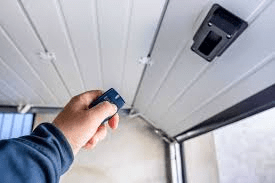
Garage door openers rely on wireless signals to communicate with remotes and keypads. When those signals are disrupted, the opener may fail to receive commands. This guide explains the most common causes of interference and how to fix them step by step.
What Can Cause Interference With A Garage Door Opener?
Understanding what can cause interference with a garage door opener starts with knowing how these systems work.
Most modern garage door openers use radio frequency (RF) signals, typically around 300–400 MHz, to communicate with remote transmitters.
When another device emits a similar frequency or creates electrical noise, the opener may struggle to detect the signal.
Read too: Door and Garage Door Companies: Choosing the Right Partner for Your Needs
Garage door openers are part of a broader category of radio-controlled systems used in home automation. You can learn more about how radio communication works here:
https://en.wikipedia.org/wiki/Radio_frequency
Even minor signal disruptions can cause noticeable problems.
Signs of Garage Door Opener Interference
Before identifying the source of interference, it helps to recognize the symptoms.
Common Warning Signs
- Remote only works when very close to the door
- Door opens randomly without pressing the remote
- Delayed response from the opener
- Wall control works but remote does not
These issues usually indicate a radio signal disruption rather than a mechanical failure.
1. Nearby Wireless Devices
Many household electronics operate on similar radio frequencies.
These devices may accidentally interfere with the garage door opener signal.
Common Wireless Interference Sources
- Wi-Fi routers
- baby monitors
- wireless cameras
- cordless phones
- Bluetooth devices
If a new wireless device was recently installed near the garage, it may be affecting the opener’s signal.
2. LED Light Bulbs
One surprising cause of opener interference is LED lighting.
Certain low-quality LED bulbs generate electromagnetic noise that disrupts radio signals.
Signs LED Bulbs Are the Problem
- opener stops working after installing new LED lights
- remote only works when lights are off
- signal range becomes shorter
Replacing the bulbs with garage-door-compatible LEDs often solves the problem.
3. Faulty Electrical Wiring
Electrical wiring problems can create signal noise.
This interference can come from:
- damaged wiring
- poor grounding
- overloaded circuits
Electrical interference may affect the opener’s receiver and prevent it from recognizing remote signals.
4. Nearby Radio Transmitters
External radio transmitters can also interfere with garage door signals.
Possible sources include:
- nearby radio towers
- airport communication systems
- amateur radio equipment
Although rare, these strong signals can overpower the garage door remote frequency.
5. Metal Obstructions
Large metal objects can weaken or block wireless signals.
Examples of Signal Obstructions
- metal garage doors
- metal shelving
- vehicles parked close to the opener
- aluminum siding
Metal reflects radio waves, reducing the signal strength reaching the opener.
6. Low Remote Batteries
Sometimes interference is mistaken for a simple battery issue.
Weak batteries reduce the remote’s signal strength, making it more vulnerable to interference.
Symptoms of Low Batteries
- shorter remote range
- inconsistent operation
- LED indicator dimming
Replacing the battery is often the easiest fix.
7. Damaged Antenna on the Opener
The garage door opener includes an antenna that receives remote signals.
If this antenna becomes:
- bent
- cut
- disconnected
the opener may struggle to detect the remote signal.
Ensure the antenna wire is fully extended and pointing downward.
8. Power Surges and Electrical Noise
Power surges can damage the opener’s receiver or create electrical noise.
Common causes include:
- lightning strikes
- unstable electrical grids
- faulty surge protection
Installing a surge protector can help prevent these issues.
Common Interference Sources at a Glance
| Source | Likelihood | Solution |
|---|---|---|
| LED bulbs | High | Replace with compatible bulbs |
| Wireless devices | Moderate | Relocate devices |
| Low batteries | High | Replace battery |
| Metal objects | Moderate | Adjust opener antenna |
| Radio transmitters | Rare | Change opener frequency |
This quick overview helps homeowners identify the most likely cause.
Step-by-Step: How to Diagnose Garage Door Interference
If you suspect interference, follow this troubleshooting process.
Step 1: Test the Remote Range
Stand different distances from the garage door.
If the remote only works within 3–5 feet, interference is likely.
Step 2: Turn Off Nearby Electronics
Temporarily switch off nearby devices such as:
- LED lights
- routers
- security cameras
Test the remote again.
If the door works normally, you’ve found the interfering device.
Step 3: Replace Remote Batteries
Install a fresh battery and test the system again.
This eliminates one of the most common problems.
Step 4: Inspect the Antenna
Check that the antenna wire is:
- intact
- hanging straight down
- not tangled with other wires
A damaged antenna can drastically reduce signal reception.
Step 5: Reprogram the Remote
Reset and reprogram the remote if necessary.
Steps typically include:
- Press the Learn button on the opener.
- Wait for the indicator light.
- Press the remote button.
This refreshes the communication signal.
Preventing Future Garage Door Signal Interference
Preventive steps can keep your garage door opener working reliably.
Best Practices
- Use quality LED bulbs designed for garage openers
- Keep wireless routers away from the opener motor
- Install surge protectors for electronics
- Maintain proper antenna positioning
Regular maintenance ensures consistent signal performance.
Advantages vs Disadvantages of Wireless Garage Door Systems
Advantages
- convenient remote operation
- easy installation
- compatible with smart home systems
Disadvantages
- susceptible to signal interference
- requires batteries
- may experience wireless disruptions
Despite these limitations, wireless openers remain the most practical solution for residential garages.
Modern Solutions to Garage Door Interference
Newer garage door openers include advanced technologies that reduce interference.
Modern Improvements
- rolling code technology
- encrypted wireless signals
- smart phone connectivity
- improved antenna receivers
These features improve security and reliability.
FAQ – What Can Cause Interference With A Garage Door Opener
Q1: Why does my garage door remote suddenly stop working?
The most common causes are interference from LED lights, wireless devices, or weak batteries.
Q2: Can LED lights really interfere with garage door openers?
Yes. Some LED bulbs emit electromagnetic interference that disrupts radio signals.
Q3: How can I improve garage door remote range?
Check the antenna, replace batteries, and remove nearby electronic interference sources.
Q4: Can Wi-Fi routers interfere with garage door openers?
Yes. Some routers operate on similar frequencies and may cause signal disruption if placed too close.
Q5: Why does the wall button work but the remote doesn’t?
This usually indicates wireless interference or remote battery issues, since the wall button uses a wired connection.
Q6: When should I replace the garage door opener?
If interference continues after troubleshooting, the receiver inside the opener may be damaged and require replacement.
Conclusion
Understanding what can cause interference with a garage door opener helps homeowners quickly diagnose and solve frustrating signal problems. Common sources include LED bulbs, wireless devices, metal obstructions, weak batteries, and electrical interference.
Fortunately, most interference issues can be resolved with simple fixes like replacing batteries, repositioning devices, or adjusting the opener’s antenna.
By maintaining your garage door system and minimizing nearby electronic interference, you can ensure reliable operation for years to come.
If you found this guide helpful, share it on social media so other homeowners can learn how to fix garage door opener interference quickly and easily.



Leave a Reply