Are you struggling to program your Linear garage door opener? Don’t worry; you’re not alone. Programming a garage door opener might seem daunting at first, but with the right guidance, you can easily set it up and enjoy seamless operation. In this comprehensive guide, we’ll walk you through the process of programming your Linear garage door opener step by step, ensuring that you can do it with confidence.
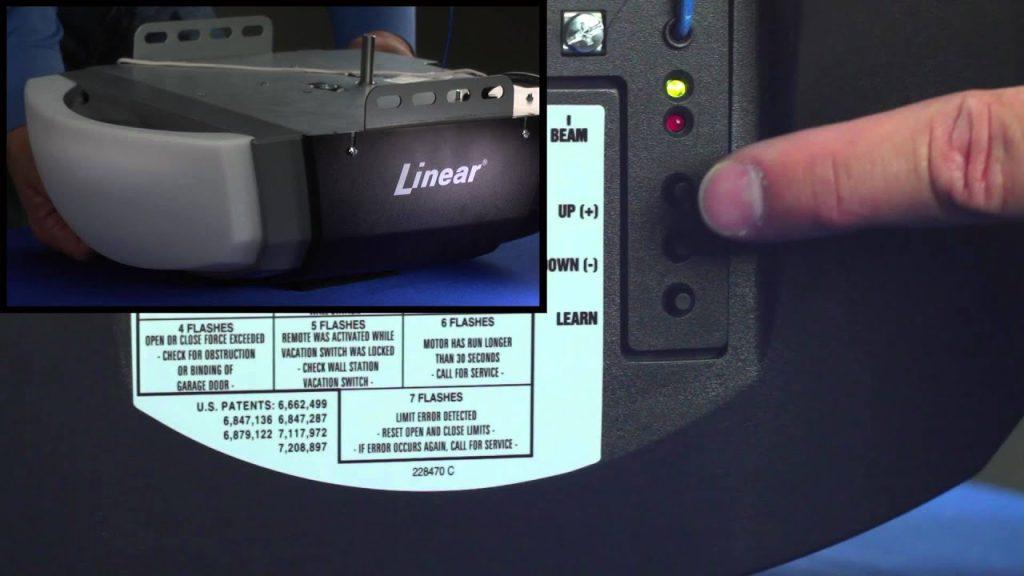
Programming Linear Garage Door Opener: Step-by-Step Guide
Follow these simple steps to program your Linear garage door opener:
Step 1: Locate the Learn Button on Your Garage Door Opener
The first step is to locate the “Learn” button on your Linear garage door opener. This button is typically found on the motor unit and is often labeled as such or indicated by an LED light.
Read too: No Power to Genie Garage Door Opener – Resolving the Issue with Ease: Troubleshooting Guide
Step 2: Press the Learn Button
Press and release the “Learn” button on your Linear garage door opener. You’ll usually have about 30 seconds to complete the next steps after pressing the button.
Step 3: Enter Programming Mode
To enter programming mode, press and hold down the button on your Linear remote control that you want to program to the garage door opener. Hold the button down until you see the indicator light on the opener flash.
Step 4: Test the Remote
Once the indicator light on your Linear garage door opener flashes, release the button on the remote. Then, test the remote by pressing the button again to see if it operates the garage door opener.
Step 5: Repeat if Necessary
If the remote doesn’t work on the first try, repeat the process from step 2. Sometimes, it may take a couple of attempts to successfully program the remote to the garage door opener.
Step 6: Finalize Programming
After successfully programming your Linear garage door opener, test all functions of the remote to ensure they work correctly. If everything operates as expected, your programming is complete.
Conclusion
Programming your Linear garage door openers doesn’t have to be a daunting task. By following the steps outlined in this guide, you can easily program your remote and enjoy convenient access to your garage. Remember to consult your specific opener’s manual for any unique instructions or troubleshooting tips.
Leave a Reply