Picture this scenario: you’re in a hurry to leave your home, and you press the button to open your garage door, only to realize that your Chamberlain garage door opener seems to be locked out. It’s a frustrating and perplexing situation that can leave you feeling stuck. But fear not, because in this article, we will explore the common reasons behind a Chamberlain garage door opener being locked out and provide you with step-by-step solutions to regain control of your garage access.
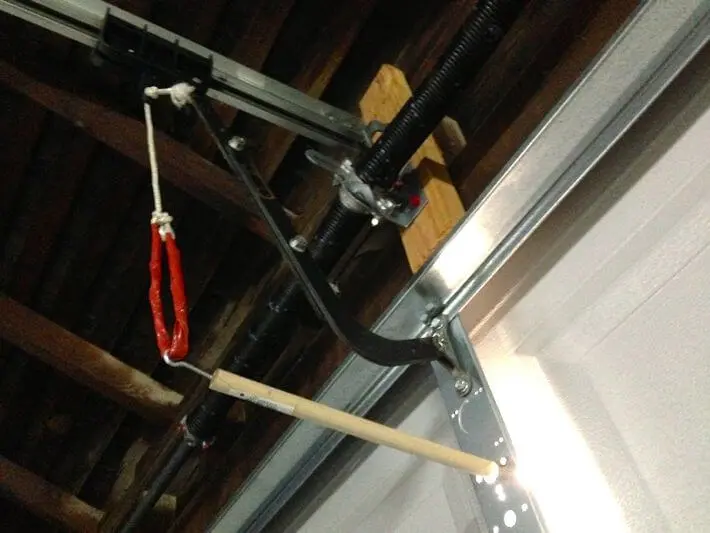
Understanding Your Chamberlain Garage Door Opener
Before we dive into troubleshooting, it’s essential to have a basic understanding of how a Chamberlain garage door opener works. These openers typically consist of a motor unit, a drive system (such as a belt, chain, or screw), and a control mechanism (remote, wall-mounted keypad, or smartphone app). When you press the button to open or close your garage door, the motor engages, and the drive system moves the door accordingly.
Common Reasons for a Locked Out Chamberlain Garage Door Opener
- Remote Control Issues: One of the most common reasons for a locked-out Chamberlain garage door opener is remote control problems. This could be due to a dead battery in the remote, a damaged remote, or a loss of programming between the remote and the opener.
- Keypad and Code Errors: If you use a keypad to operate your Chamberlain garage door opener, entering the wrong access code or experiencing a keypad malfunction can result in a locked-out situation.
- Safety Sensor Obstruction: Chamberlain garage door openers come equipped with safety sensors that actively detect obstructions in the door’s path. If these sensors become blocked or misaligned, the opener may actively lock out to prevent accidents.
- Power Interruptions: Power surges or outages can disrupt the normal operation of your garage door opener. In some cases, the opener may lock out as a safety measure.
Troubleshooting Steps
With common causes identified, let’s troubleshoot and regain garage access.
Step 1: Check the Remote Control
Begin by inspecting your remote control. Replace the batteries if they are dead or weak. If the remote becomes damaged or remains unresponsive, consider actively replacing it. To ensure proper programming, consult your Chamberlain opener’s manual for instructions on syncing the remote with the opener.
Step 2: Verify Keypad Entry
If you use a keypad, carefully enter your access code. Ensure you enter the correct code, and if it doesn’t work, consult your manual for instructions on reprogramming the keypad.
Step 3: Inspect Safety Sensors
Examine the safety sensors located near the bottom of your garage door tracks. Make sure they are clean and aligned properly. If misaligned or obstructed by debris, adjust the sensors until both indicator lights are solid.
Step 4: Power Cycle the Opener
To address a power interruption, disconnect and reconnect your Chamberlain garage door opener for a few minutes. This can sometimes reset the system and resolve locked-out issues.
Conclusion
If your Chamberlain garage door opener is locked, follow these troubleshooting steps to quickly resolve remote, keypad, sensor, or power issues. For persistent problems or uncertainty, contact Chamberlain’s customer support or a professional technician for safe assistance.



Leave a Reply