Hey Google, Open My Garage Door. In today’s fast-paced world, convenience is key. With the advent of smart home technology, tasks that once required manual effort can now be automated with a simple voice command. One such task is opening your garage door. In this article, we’ll explore how you can use the power of voice commands with Google Assistant to open your garage door effortlessly, making coming and going from your home a breeze.
Understanding
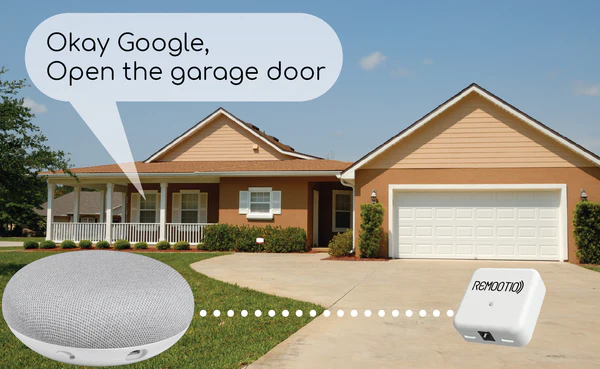
With the integration of smart garage door openers and Google Assistant, you can now control your garage door using voice commands. By simply saying, “Hey Google, open my garage door,” you can activate your smart garage door opener and access your garage without the need for keys or remotes. This functionality offers convenience, security, and peace of mind to homeowners.
How Hey Google, Open My Garage Door Works
The process of using Google Assistant to open your garage door is straightforward. First, ensure that your garage door opener is compatible with Google Assistant and that it’s properly configured and connected to your home Wi-Fi network. Then, link your garage door opener to your Google Assistant account using the manufacturer’s app or through the Google Home app.
Once you link your garage door opener to Google Assistant, you can simply say, “Hey Google, open my garage door,” and Google Assistant will actively send the command to your garage door opener, instructing it to open the door. Similarly, you can use voice commands to close the garage door or check its status.
Benefits of Using Hey Google, Open My Garage Door
- Convenience: With voice-controlled access to your garage, you can open the door hands-free, whether you’re arriving home with groceries or leaving in a hurry.
- Security: Smart garage door openers often come with advanced security features, such as real-time alerts and remote monitoring, providing added protection for your home and belongings.
- Integration: Google Assistant seamlessly integrates with other smart home devices, allowing you to create custom routines and control multiple aspects of your home with a single voice command.
- Accessibility: Voice-controlled garage door openers are especially beneficial for individuals with mobility issues or disabilities, offering a convenient and accessible way to enter and exit the home.
Setting Up Hey Google, Open My Garage Door
To set up voice control for your garage door with Google Assistant, follow these steps:
- Check Compatibility: Ensure that your garage door opener is compatible with Google Assistant and that it’s properly installed and functioning.
- Link Accounts: Use the manufacturer’s app or the Google Home app to link your garage door opener to your Google Assistant account.
- Test Commands: Once linked, test the voice commands to ensure that Google Assistant can successfully open and close your garage door.
- Customize Settings: Adjust any settings or preferences in the Google Home app to customize the user experience to your liking.
Read too: How to Perform a Chamberlain Garage Door Opener Code Change? Mastering Security
Conclusion
With Hey Google, Open My Garage Doors, you can enjoy the convenience and security of voice-controlled access to your home. By integrating your smart garage door opener with Google Assistant, you can streamline your daily routine and make coming and going from your home effortless. Invest in smart home technology today and experience the benefits of hands-free convenience.



Leave a Reply