Introduction
A Chamberlain garage door opener remote provides a convenient way to open and close your garage door with just a click of a button. However, there may come a time when you need to reset your Chamberlain garage door opener remote—whether it’s due to a malfunction, a new installation, or security concerns.
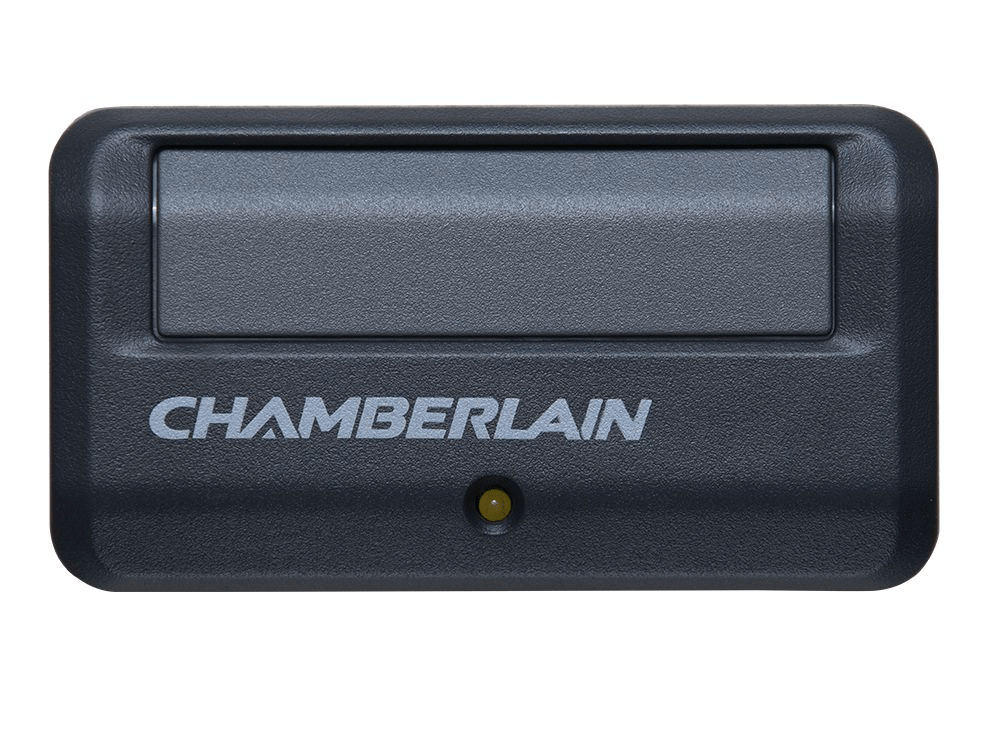
If you’re wondering, “How do I reset my Chamberlain garage door opener remote?”, this guide will walk you through the step-by-step process to reset and reprogram your remote. We’ll also cover troubleshooting tips if your remote is not working properly.
Read too: Mastering Quantum Garage Door Opener Programming: A Comprehensive Guide
Why You May Need to Reset Your Chamberlain Garage Door Opener Remote
There are several reasons why you might need to reset your Chamberlain garage door opener remote:
- Lost or Stolen Remote – If someone else has access to your remote, resetting it will prevent unauthorized entry.
- Malfunctioning Remote – Sometimes, remotes stop working due to signal interference or internal issues.
- Replacing an Old Remote – If you’ve purchased a new Chamberlain remote, you’ll need to reset and reprogram it.
- Garage Door Opener Reset – If you’ve reset the entire Chamberlain garage door opener, you’ll need to reprogram the remote.
- Security Concerns – Resetting the remote helps keep your garage secure by erasing previous settings.
No matter the reason, resetting your Chamberlain garage door opener remote is simple and can be done in just a few minutes.
How Do I Reset My Chamberlain Garage Door Opener Remote?
If you’re asking yourself, “How do I reset my Chamberlain garage door opener remote?”, follow these simple steps to erase the old programming and set up your remote again.
Step 1: Locate the “Learn” Button on Your Garage Door Opener
To reset your Chamberlain garage door opener remote, you first need to access the “Learn” button on the garage door opener motor unit.
- The “Learn” button is typically found on the back or side of the motor unit.
- Depending on the model, the button may be yellow, red, orange, or purple.
- If you’re unsure, check your Chamberlain user manual for exact placement.
Step 2: Erase All Remote Controls from the Opener’s Memory
Before reprogramming your remote, you should erase all existing codes from the opener’s memory to ensure old remotes no longer work.
- Press and hold the “Learn” button on the garage door opener for about 6-10 seconds.
- The LED light will turn off, indicating that all remotes and keypads have been erased.
- If you have multiple remotes, all will be deleted, and you’ll need to reprogram them after the reset.
Step 3: Reset and Reprogram Your Chamberlain Remote
After erasing the previous settings, follow these steps to reprogram your Chamberlain garage door opener remote:
- Press and release the “Learn” button on the Chamberlain garage door opener (the LED light will turn on).
- Within 30 seconds, press and hold the button on the remote you want to program.
- The opener light will blink or you’ll hear a clicking sound, indicating a successful pairing.
- Release the remote button and test if it opens and closes the garage door.
If you have multiple remotes, repeat these steps for each remote.
Step 4: Test the Remote
- Press the remote button to see if the garage door responds.
- If the door opens and closes smoothly, your Chamberlain garage door opener remote has been successfully reset and reprogrammed.
Troubleshooting: What If My Chamberlain Remote Reset Doesn’t Work?
If you’ve followed the steps above but your Chamberlain garage door opener remote isn’t working, try these troubleshooting tips:
1. Check the Remote Battery
- If the remote is unresponsive, replace the battery with a new one.
- Most Chamberlain remotes use a CR2032 or 9V battery.
2. Ensure the Remote is Within Range
- If the remote is too far from the garage door opener, the signal may not be strong enough.
- Try standing closer to the opener when reprogramming.
3. Confirm the Learn Button Timing
- After pressing the “Learn” button, you have only 30 seconds to program the remote.
- If you wait too long, the programming mode will time out, and you’ll need to restart the process.
4. Reprogram the Remote Again
- If the first attempt fails, repeat the reset and reprogramming process carefully.
- Sometimes, interference or a missed step can cause programming failures.
5. Check for Interference
- Wireless devices, LED lights, or Wi-Fi routers may interfere with the remote’s signal.
- Try reprogramming the remote while temporarily turning off nearby electronics.
6. Verify the Garage Door Opener is Functioning
- If the garage door isn’t responding to any remotes, the issue may be with the opener itself.
- Check for flashing error lights on the opener and consult the user manual for solutions.
7. Consider Resetting the Entire Opener
- If multiple remotes are not working, you may need to reset the entire garage door opener and reprogram all devices.
Maintaining Your Chamberlain Garage Door Opener Remote
To keep your Chamberlain garage door opener remote working properly, follow these maintenance tips:
1. Replace the Battery Annually
- Even if the remote is still working, replacing the battery once a year prevents sudden failures.
2. Keep the Remote Clean
- Dust and dirt can interfere with button response.
- Wipe the remote with a dry or slightly damp cloth regularly.
3. Avoid Dropping the Remote
- Physical damage can affect the internal circuit board and cause the remote to malfunction.
4. Store a Spare Remote
- Keeping an extra Chamberlain remote ensures you won’t be locked out if your main remote stops working.
5. Update Security Codes Periodically
- Resetting and updating your remote’s programming periodically improves garage security.
Final Thoughts: How Do I Reset My Chamberlain Garage Door Opener Remote?
Resetting your Chamberlain garage door opener remote is a quick and easy process that enhances security and restores functionality. Whether you’re resetting due to a malfunction, new installation, or lost remote, following these steps will get your remote working again in no time.
By using the methods outlined in this guide, you can successfully reset and reprogram your Chamberlain garage door opener remote. Regular maintenance and troubleshooting will also help ensure smooth operation.
Now that you know the answer to “How do I reset my Chamberlain garage door opener remote?”, you can confidently reset your remote whenever needed!



Leave a Reply