Struggling with a Genie garage door opener that seems unresponsive or keeps triggering accidentally? You’re not alone. Many homeowners need to clear memory on Genie garage door opener to remove old remotes, reset settings, or troubleshoot common issues. Don’t worry — this guide walks you through the process step by step, making it simple even for beginners.
Why Clearing Memory on Your Genie Garage Door Opener Is Important
Over time, your Genie garage door opener can store multiple remotes and keypads. While convenient, this can create security risks or cause conflicts between devices. According to a Wikipedia article on garage door openers, regularly resetting the memory ensures your system remains secure and operates efficiently.
Read too: The Complete Guide to Tighten Chain On Garage Door Opener for Smooth Operation
Benefits of clearing memory include:
- Enhanced security: Removes unauthorized remotes.
- Troubleshooting: Fixes unresponsive or erratic behavior.
- Fresh start: Allows reprogramming of only active devices.
Step-by-Step Guide: How To Clear Memory On Genie Garage Door Opener
Follow these steps carefully to reset your Genie garage door opener memory.
Step 1: Locate the Learn Button
The Learn button is usually on the back or side of the motor unit. It’s often a small, colored button. Some models may require you to remove a light cover to access it.
Step 2: Press and Hold the Learn Button
- Press and hold the Learn button for about 6–10 seconds until the LED light turns off.
- This indicates that the memory has been cleared.
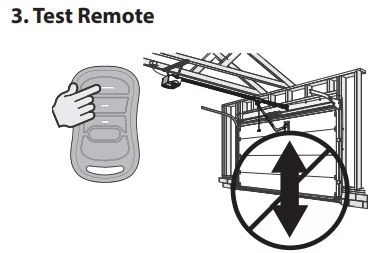
Step 3: Test Your Remotes
- After resetting, try using any previously programmed remote.
- None should work, confirming the memory is fully cleared.
Step 4: Reprogram Your Devices
- Press the Learn button again briefly and then press your remote button to pair it.
- Repeat for all devices you wish to use.
Tip: Keep a list of remotes and keypads you plan to reprogram to avoid confusion.
Common Questions About Genie Garage Door Memory Reset
Can I Clear Memory Without Losing Settings?
No, clearing memory erases all stored devices, so you’ll need to reprogram any remotes or keypads.
How Long Does It Take to Reset Memory?
The physical reset takes under a minute, but reprogramming all devices may take 5–10 minutes depending on the number of remotes.
Is It Safe To Clear Memory Frequently?
Yes. Clearing memory is a safe process recommended for security updates or troubleshooting, as long as you reprogram your active devices.
What If My Genie Opener Doesn’t Have a Learn Button?
Some older models may have a different method, such as using dip switches. Refer to your Genie model manual for exact instructions.
Tips for Maintaining Your Genie Garage Door Opener
To ensure smooth operation after resetting memory:
- Regularly inspect remotes for battery life.
- Keep motor unit clean and free from dust.
- Update your keypad codes periodically for security.
- Test safety sensors every few months.
Pro Tip: Use a small table like this to track your devices:
| Device | Last Programmed | Notes |
|---|---|---|
| Remote 1 | Dec 2025 | Main family car |
| Remote 2 | Dec 2025 | Backup car |
| Keypad | Dec 2025 | Front gate access |
FAQ Section
Q1: How do I remove a single remote without clearing all memory?
Unfortunately, most Genie models do not allow selective deletion. Clearing memory is the only way to remove unwanted devices.
Q2: Can I clear memory on all Genie models the same way?
While the basic process is similar, check your model’s manual as button locations and LED indicators may differ.
Q3: Will clearing memory affect Wi-Fi-enabled openers?
No, Wi-Fi settings remain intact, but you will need to reprogram any remotes paired with the opener.
Q4: My LED doesn’t turn off — what should I do?
Ensure you’re holding the Learn button long enough. If the LED still doesn’t respond, consult your Genie model’s troubleshooting guide.
Q5: Can I reset memory during a power outage?
It’s not recommended. Always perform memory reset when the unit has stable power to prevent errors.
Conclusion
Clearing memory on your Genie garage door opener is a quick, effective way to boost security and solve remote conflicts. With the steps above, even beginners can perform a safe reset in minutes. Keep your devices organized, reprogram only the ones you trust, and enjoy a smoother garage door experience.
If this guide helped you, share it with friends and family who might struggle with their garage door openers — a secure garage is a happy home!



Leave a Reply