Is your garage door locked, leaving you stranded outside? Don’t panic! With the right knowledge and tools, you can open a locked garage door safely and regain access to your valuable belongings. In this guide, we’ll walk you through the steps to unlock your garage door quickly and efficiently.
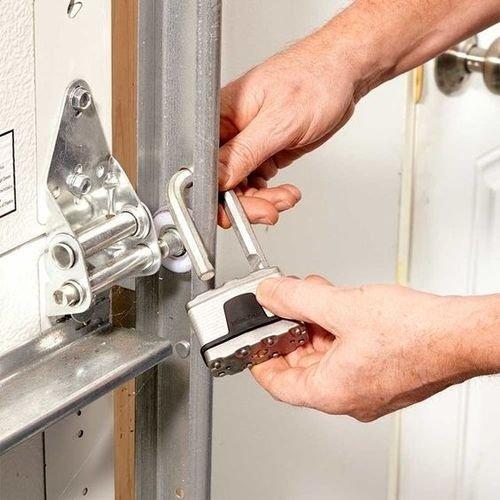
How To Open Locked Garage Door: Step-by-Step Guide
Step 1: Identify the Type of Lock
Before attempting to unlock your garage door, it’s essential to understand the type of lock you’re dealing with. Garage doors typically use either a manual t-handle lock or an automatic electronic lock. The unlocking method may vary depending on the type of lock installed.
Step 2: Use a Bypass Tool
If your garage door features a manual t-handle lock, you can use a bypass tool to release the locking mechanism from the inside. Insert the bypass tool into the gap between the door and the frame, maneuver it until it engages with the lock, and then apply pressure to release the lock.
Read too: The Complete Guide to Tighten Chain On Garage Door Opener for Smooth Operation
Step 3: Reset the Electronic Keypad
For garage doors equipped with electronic keypads, try resetting the code to gain access. Refer to the manufacturer’s instructions for your specific keypad model to learn how to reset the code. Once reset, enter the new code to unlock the door.
Step 4: Use a Spare Key or Override Code
If you have a spare key or override code for your garage door lock, use it to unlock the door manually. Keep spare keys in a secure location outside the garage, such as a key lockbox, to ensure you have access in case of emergencies.
Step 5: Seek Professional Assistance
If you’re unable to unlock your garage door using the methods mentioned above, it may be time to seek professional assistance. Contact a licensed locksmith or garage door technician to assess the situation and safely unlock the door without causing damage.
Tips for Preventing Future Lockouts
- Keep spare keys in a secure location outside the garage, such as a key lockbox or with a trusted neighbor.
- Regularly inspect and maintain your garage door locks to ensure they are functioning correctly.
- Consider upgrading to a smart garage door opener with advanced security features, such as remote access and real-time alerts.
Conclusion
Facing a locked garage door can be frustrating, but with the right approach, you can regain access quickly and safely. By following the steps outlined in this guide and taking preventive measures, you can minimize the risk of future lockouts and ensure that your garage remains secure at all times.



Leave a Reply