If you’ve installed a smart opener and now want seamless access from your vehicle, you’re probably searching How To Pair MyQ Garage Door Opener To Car quickly and correctly. While MyQ adds smartphone control, pairing it with your car’s built-in system (like HomeLink) gives you fast, button-based access without using your phone.
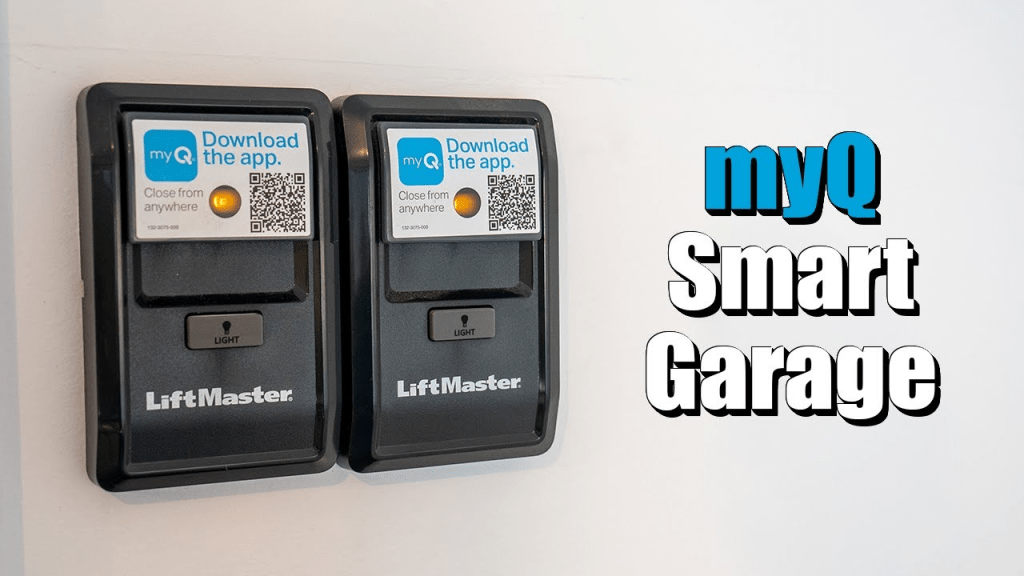
The process is straightforward—but timing and compatibility matter. This complete guide walks you through every step, including troubleshooting tips and security best practices.
Read too: Mastering the Art of Adjusting a Chamberlain Garage Door Opener for Smooth Operation and Safety
How To Pair MyQ Garage Door Opener To Car (Full Setup Guide)
Before starting How To Pair MyQ Garage Door Opener To Car, it’s important to understand one key detail:
MyQ itself does not pair directly to your car.
Instead, your vehicle pairs with the garage door opener using built-in systems like:
- HomeLink
- Car2U
- Integrated vehicle remote systems
MyQ simply enables Wi-Fi and smartphone control in addition to remote syncing.


4
Most MyQ openers are manufactured by Chamberlain or LiftMaster and use rolling code security.
For background on rolling code technology, see:
https://en.wikipedia.org/wiki/Rolling_code
Step 1: Confirm Compatibility
Before pairing, verify:
- Your car has HomeLink or Car2U.
- Your MyQ opener has a “Learn” button (yellow, purple, red, or green).
- The opener was manufactured after 1996 (most MyQ units qualify).
If unsure, check your vehicle owner’s manual.
Step 2: Clear Previous Vehicle Programming
If your car was previously programmed:
- Turn ignition to ON.
- Press and hold the two outer HomeLink buttons.
- Hold for 10–20 seconds.
- Release when LED flashes rapidly.
This resets stored garage codes.
Step 3: Program the Car Using the Original Remote
- Sit inside your vehicle.
- Hold the original garage remote 1–3 inches from the HomeLink buttons.
- Press and hold both the remote button and chosen HomeLink button.
- Continue holding for 10–30 seconds.
- Wait for HomeLink indicator to change from slow blink to rapid blink.
Once rapid blinking occurs, initial pairing is successful.
Step 4: Complete Rolling Code Synchronization
Most MyQ garage door openers use rolling code encryption.
How To Sync Rolling Code
- Go to the garage motor unit.
- Press and release the Learn button.
- You now have 30 seconds.
- Return to your car.
- Press and hold programmed HomeLink button for 2 seconds.
- Release.
- Repeat 2–3 times until door activates.
When the garage door moves, pairing is complete.
How Long Does Pairing Take?
- Initial setup: 3–5 minutes
- Rolling code sync: 2–5 minutes
- Troubleshooting: up to 15 minutes
Most pairing failures happen due to timing errors.
What If You Don’t Have the Original Remote?
In some cases, you can pair without it:
- Press Learn button on MyQ opener.
- Immediately press and hold HomeLink button.
- Wait for light blink confirmation.
However, some vehicles require the handheld remote for the first learning phase.
Troubleshooting: Why Won’t MyQ Pair With My Car?
Here are the most common causes:
1. Weak Remote Battery
Replace with CR2032 battery if applicable.
2. Memory Full in Opener
Hold Learn button for 6–10 seconds to clear memory, then reprogram.
3. LED Light Interference
Certain LED bulbs emit radio interference. Replace with garage-rated bulbs.
4. Incompatible Frequency
MyQ systems typically use 310, 315, or 390 MHz.
5. Incorrect Button Timing
The 30-second Learn window is critical.
Industry service data suggests over 65% of failed pairings are caused by timing errors during rolling code synchronization.
MyQ App vs Car Pairing: What’s the Difference?
| Feature | MyQ App | Car HomeLink |
|---|---|---|
| Smartphone control | Yes | No |
| Button convenience | No | Yes |
| Remote access | Yes | No |
| Internet required | Yes | No |
| Rolling code security | Yes | Yes |
Best practice: Use both for maximum flexibility.
Security Considerations
Modern MyQ systems use encrypted rolling codes.
Benefits include:
- Code changes after every use
- Reduced hacking risk
- Protection against signal duplication
Garage doors weigh 150–300 pounds. Always keep children and pets clear during testing.
Can Multiple Cars Pair to One MyQ Opener?
Yes. Most MyQ-compatible openers allow:
- 5–10 remotes
- Multiple vehicles
- Keypads
- Smartphone accounts
If memory fills up, the oldest device may be overwritten.
How To Reprogram After Power Outage
Most MyQ openers retain pairing memory.
If pairing stops working:
- Test with handheld remote.
- Replace batteries.
- Repeat rolling code sync.
Advanced Tip: Pairing MyQ With Built-In Car Infotainment Systems
Some newer vehicles integrate garage control within infotainment systems rather than visor buttons.
Steps are similar:
- Access garage door settings in vehicle screen.
- Select “Add new opener.”
- Follow on-screen prompts.
- Complete Learn button sync at opener.
Consult vehicle manual for model-specific details.
FAQ – How To Pair MyQ Garage Door Opener To Car
1. Does MyQ connect directly to my car?
No. The car connects to the garage opener, not directly to MyQ Wi-Fi.
2. Why is my HomeLink button blinking but not opening the door?
You likely need to complete the rolling code Learn button step.
3. Do I need internet to pair MyQ to my car?
No. Pairing is radio-based and does not require Wi-Fi.
4. Can I pair multiple doors to different buttons?
Yes. Each HomeLink button can control a separate garage door.
5. What if my car doesn’t have HomeLink?
You’ll need to use a handheld remote or install an aftermarket mirror system.
6. Is pairing secure?
Yes. Rolling code encryption changes the access code with every use.
Conclusion
Now you fully understand How To Pair MyQ Garage Door Opener To Car—from initial HomeLink programming to rolling code synchronization.
By completing the process correctly, you gain:
- Seamless in-car access
- Secure rolling code protection
- Backup smartphone control
- Cleaner vehicle interior
Most setups take less than 10 minutes when done carefully. If this guide helped you sync your MyQ garage door opener, consider sharing it with others who might be setting up their smart garage system.



Leave a Reply