Are you puzzled by the absence of a learn button on your garage door? Delve into this comprehensive guide to understand “What To Do When There’s No Learn Button On Garage Door Opener.” Uncover solutions and insights to navigate this common yet perplexing issue.
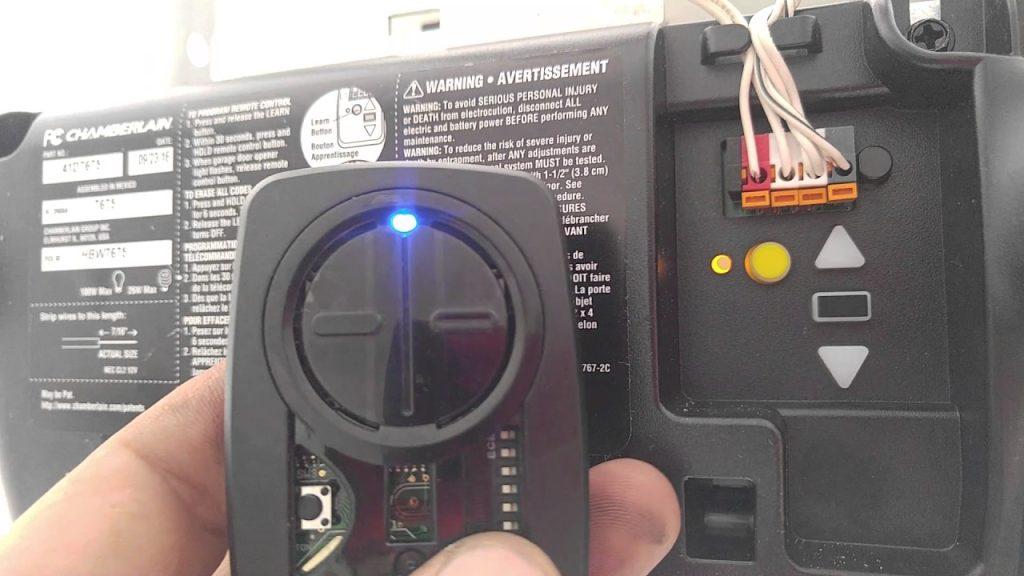
Unraveling the Mystery: The Challenge of a Missing Learn Button
Encountering a garage door without a learn button can be disorienting, especially when attempting to program new remotes or devices. Before exploring solutions, let’s uncover why some garage door openers lack this seemingly essential component.
Reasons Behind No Learn Button On Garage Door
- Older Opener Models: Some older garage door openers were not equipped with the learn button feature, as remote programming technology evolved over time.
- Basic Opener Designs: Certain basic or entry-level garage door openers may not include a learn button as a cost-saving measure.
- Alternative Programming Methods: In lieu of a physical learn button, some openers utilize alternative programming methods, such as a series of button presses or a keypad sequence.
Read too: Why Does My Garage Door Open Halfway and How to Fix It: Unveiling the Mystery
Navigating Solutions – Understanding “No Learn Button On Garage Door Opener
Now, let’s delve into practical solutions and alternative methods for programming your garage door without a learn button. Follow these steps to successfully set up new remotes or devices.
Exploring Alternative Programming Methods
- Button Sequence Programming:
- Identify a specific button on your garage door opener console.
- Press and release this button a predetermined number of times, as outlined in your opener’s manual.
- Once completed, the opener should enter programming mode.
- Keypad Programming:
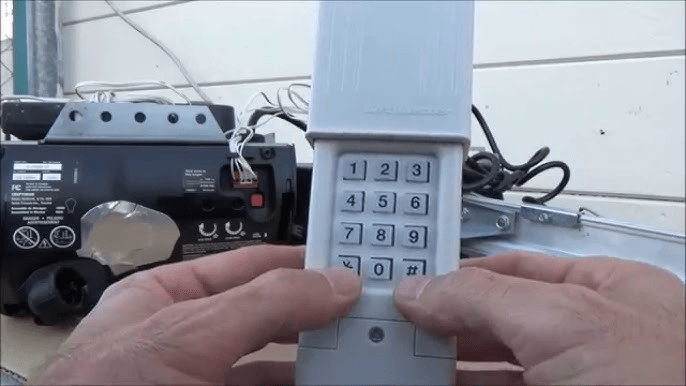
- If your garage door opener has a keypad, follow the manufacturer’s instructions for programming new remotes through the keypad.
- This may involve entering a specific code or series of actions to sync the new remote.
- Manual Code Input:
- Some garage door openers allow for manual code input through a combination of button presses or switches on the opener itself.
- Refer to your opener’s manual for instructions on manually inputting codes.
Considerations for Older Models
- Compatibility Issues:
- Verify the compatibility of your garage door opener with the remote or device you are trying to program.
- Older models may have limitations on the types of remotes they can support.
- Upgrading Options:
- If programming challenges persist, consider upgrading your garage door opener to a more modern model that includes a learn button for easier remote programming.
Professional Assistance and Upgrades
- Consult the Manufacturer:
- Contact the manufacturer of your garage door opener for specific guidance on programming methods and compatibility.
- Seek Professional Installation:
- If programming remains challenging, consider hiring a professional garage door technician to assess your system and provide expert assistance.
Conclusion: Mastering Remote Programming Without a Learn Button
In conclusion, dealing with a “No Learn Button On Garage Door Opener” scenario requires a nuanced approach. By understanding the reasons behind the absence of a learn button and exploring alternative programming methods, you can successfully program new remotes and devices.
Share this comprehensive guide with others facing similar challenges. Remember, whether it’s mastering alternative programming or exploring upgrade options, there’s a solution to ensure your garage door opener meets your remote programming needs.
Bid farewell to the mystery of the missing learn button and welcome a seamless and well-programmed garage door!
Leave a Reply