Are you experiencing mysterious problems with your garage door opener that seem to come and go like a phantom? Don’t worry; you’re not alone. Phantom garage door opener issues can be frustrating, but with the right troubleshooting techniques, you can quickly identify and resolve them. In this comprehensive guide, we’ll explore common phantom garage door opener problems and provide expert tips and tricks for troubleshooting them effectively.
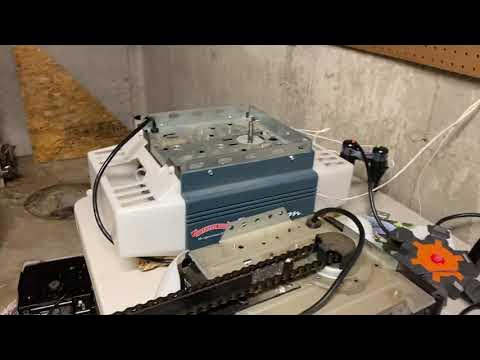
Understanding Phantom Garage Door Opener Issues
Phantom garage door opener problems refer to mysterious or intermittent issues that occur without any apparent cause. These issues can include:
- Random Opening and Closing: Your garage door may open or close on its own, seemingly without any input from you.
- Intermittent Operation: Your garage door opener may work fine one moment but then fail to respond or operate erratically the next.
- Unexplained Noises: You may hear strange sounds coming from your garage door opener, such as clicking, buzzing, or grinding noises, even when it’s not in use.
Phantom Garage Door Opener Troubleshooting Techniques
1. Check Power Source
Ensure that your garage door opener is securely plugged into a working power outlet. If the outlet is controlled by a switch, make sure the switch is turned on.
2. Inspect Remote Batteries
Replace the batteries in your garage door opener remote control, as weak or depleted batteries can cause intermittent operation.
3. Test Wall Switch
Verify that the wall switch for your garage door opener is functioning correctly. If the switch is faulty, it may cause intermittent operation or unexplained garage door movement.
4. Adjust Sensitivity Settings
Check the sensitivity settings on your garage door opener. If set too high, the opener may interpret minor obstructions as obstacles, leading to erratic operation.
5. Lubricate Moving Parts
Apply lubricant to the moving parts of your garage door opener, including rollers, tracks, and hinges, to ensure smooth and quiet operation.
6. Inspect Safety Sensors
Ensure that the safety sensors located near the bottom of your garage door tracks are aligned properly and free from obstructions. Misaligned or blocked sensors can cause the door to reverse unexpectedly.
Read too: Mastering the Art of How to Open a Garage Door Safely and Efficiently
Conclusion
Phantom garage door opener issues can be frustrating, but by following these troubleshooting techniques, you can quickly diagnose and resolve them. By checking the power source, inspecting remote batteries, testing the wall switch, adjusting sensitivity settings, lubricating moving parts, and inspecting safety sensors, you can ensure smooth and reliable operation of your garage door opener.



Leave a Reply