If you’re trying to Program Genie Universal Remote To Craftsman Garage Door Opener, you’re probably dealing with a missing remote, a new vehicle, or a replacement clicker that won’t sync. It can be frustrating when your garage door won’t respond — especially when you need quick access to your home.
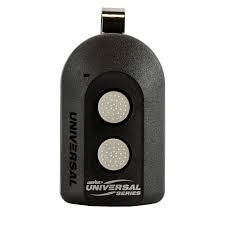
The good news? Programming a Genie universal remote to a Craftsman opener is usually simple and takes less than 10 minutes. In this comprehensive guide, you’ll learn exactly how to do it step-by-step, plus troubleshooting tips to make sure it works the first time.
Read too: Door and Garage Door Companies: Choosing the Right Partner for Your Needs
What You Need Before You Program Genie Universal Remote To Craftsman Garage Door Opener
Before starting, gather the following:
- Genie universal remote (model such as G3T-R, GM3T-R, GICT390)
- Access to your Craftsman garage door opener motor unit
- Step ladder (if the opener is mounted high)
- Fresh batteries (AAA or CR2032 depending on remote model)
Why Compatibility Matters
Most Craftsman openers manufactured after 1993 use rolling code technology. This is a security system that changes the access code each time you use it. Learn more about rolling code systems on Wikipedia.
Genie universal remotes are designed to work with:
- Craftsman openers with Learn button
- 315 MHz or 390 MHz frequency systems
- Security+ and Security+ 2.0 systems
How Do I Identify My Craftsman Opener’s Learn Button Color?
This is one of the most common questions homeowners ask.
Step 1: Locate the Motor Unit
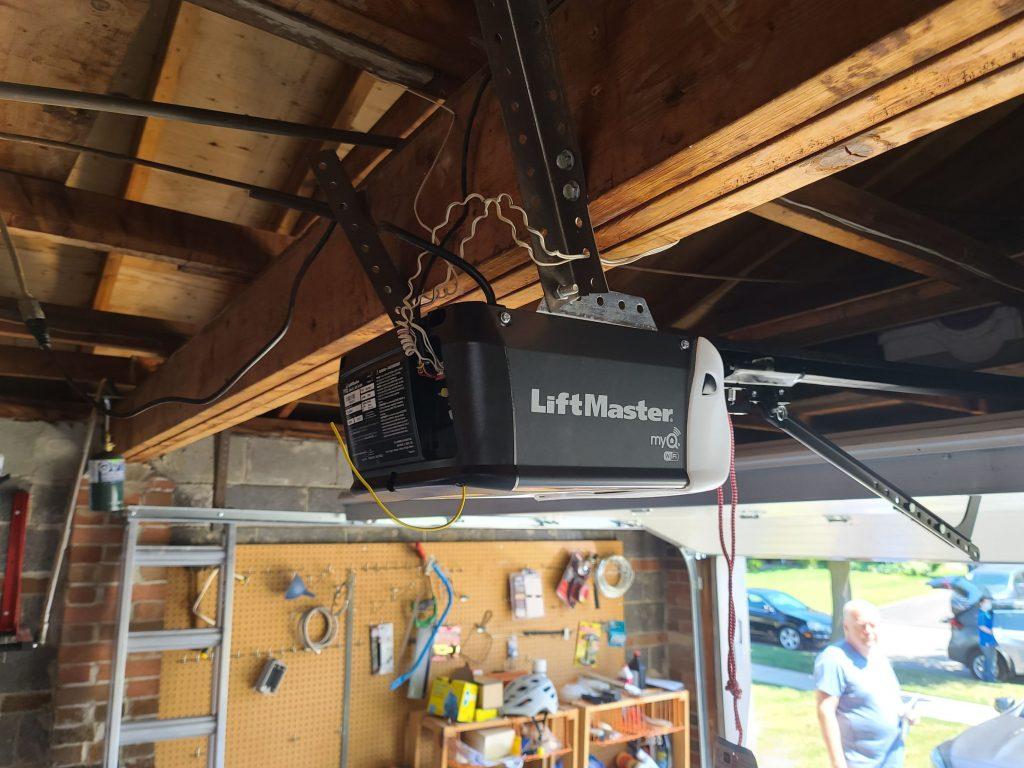
Climb a ladder and find the main opener unit mounted on your garage ceiling.
Step 2: Remove the Light Cover
Look behind the light lens cover near the antenna wire.
Step 3: Check the Learn Button Color
The color tells you the frequency and generation:
| Learn Button Color | Frequency | Year Range | Notes |
|---|---|---|---|
| Yellow | 315 MHz | 2011–Present | Security+ 2.0 |
| Purple | 315 MHz | 2005–2014 | Security+ |
| Red/Orange | 390 MHz | 1997–2005 | Older models |
| Green | 390 MHz | 1993–1996 | Early rolling code |
Important: Genie universal remotes are compatible with most of these systems.
Step-by-Step: Program Genie Universal Remote To Craftsman Garage Door Opener
Follow these exact steps carefully.
Step 1: Reset the Genie Remote (Optional but Recommended)
- Press and hold both buttons on the Genie remote.
- Hold for about 10 seconds.
- Release when the LED light begins flashing.
This ensures no old codes interfere.
Step 2: Set the Remote to the Correct Brand Mode
- Press and hold the remote button you want to program.
- While holding, press and release the second button.
- Watch the LED — it will flash slowly, then rapidly.
- Release both buttons.
Your Genie remote is now in programming mode.
Step 3: Press the Learn Button on the Craftsman Opener
- Press the Learn button once.
- A small LED next to it will light up.
- You now have 30 seconds to complete the next step.
Step 4: Sync the Remote
- Press the chosen button on the Genie remote.
- Hold for 2 seconds.
- Release.
- Press again.
The garage door light should blink or the motor should click — this confirms pairing.
Step 5: Test the Remote
Stand about 5–10 feet away and press the programmed button.
If successful, the garage door will open or close smoothly.
Why Isn’t My Genie Remote Working?
If programming failed, here are common causes and fixes.
1. Weak Battery
Replace with fresh batteries. Voltage drops can interfere with signal strength.
2. Wrong Frequency Setting
Ensure your Genie remote supports your opener’s MHz rating.
3. Interference Issues
LED lights and nearby Wi-Fi routers can interfere with signals.
Tip: Try programming with garage lights off.
4. Memory Is Full
Some Craftsman openers store only 5–7 remotes.
To clear memory:
- Press and hold the Learn button.
- Hold for 6–10 seconds.
- Release when LED turns off.
This erases all paired remotes.
Can I Program Without the Learn Button?
Short answer: No.
Modern Craftsman openers require access to the Learn button for initial pairing. If your motor unit is inaccessible, you may need professional assistance.
Genie Universal Remote vs Original Craftsman Remote
| Feature | Genie Universal Remote | Original Craftsman Remote |
|---|---|---|
| Compatibility | Works with multiple brands | Single brand |
| Cost | Lower | Higher |
| Setup | Requires manual programming | Pre-set |
| Flexibility | High | Limited |
Bottom Line: Genie universal remotes offer better value and flexibility for homeowners.
How Long Does Programming Take?
On average:
- Setup time: 5–10 minutes
- Difficulty level: Beginner-friendly
- Tools required: Ladder + batteries
According to home improvement experts, over 85% of remote pairing issues are solved by properly resetting both devices before programming.
Safety Tips When Programming
- Never stand under a moving garage door.
- Keep children away during testing.
- Ensure the door path is clear.
- Use a stable ladder.
Garage doors weigh between 130–400 pounds, depending on material, so always prioritize safety.
Frequently Asked Questions (FAQ)
FAQ: Program Genie Universal Remote To Craftsman Garage Door Opener
Q1: Will a Genie remote work with all Craftsman models?
Most Craftsman openers made after 1993 are compatible. However, very old dip-switch models may not work.
Q2: How many remotes can a Craftsman opener store?
Typically between 5 and 7 remotes. Check your owner’s manual for exact capacity.
Q3: Do I need to clear old remotes before programming?
Not always. Only if memory is full or you’re experiencing pairing issues.
Q4: Can I program multiple doors?
Yes. Genie universal remotes usually support 2–3 buttons, allowing control of multiple garage doors.
Q5: Why does the door move but stop halfway?
This is usually unrelated to remote programming. It may indicate sensor misalignment or force setting issues.
Expert Insight: Why Rolling Code Technology Matters
Rolling code technology enhances security by changing the access code after each use. This prevents code grabbing devices from duplicating your garage signal.
According to security professionals, rolling code systems significantly reduce unauthorized entry risks compared to fixed-code remotes.
Troubleshooting Checklist (Quick Reference)
If it doesn’t work:
- ✔ Replace batteries
- ✔ Confirm Learn button color
- ✔ Reset remote
- ✔ Clear opener memory
- ✔ Reduce signal interference
- ✔ Try programming within 3 feet of motor
Conclusion
Learning how to Program Genie Universal Remote To Craftsman Garage Door Opener can save you time, money, and unnecessary service calls. With just a few simple steps, most homeowners can complete the setup in under 10 minutes.
By following this detailed guide, identifying your Learn button color, and carefully syncing the remote, you’ll restore convenient garage access quickly and safely.
If you found this guide helpful, consider sharing it on social media to help other homeowners solve the same problem.


Leave a Reply