If you’ve ever pulled into your driveway and pressed the garage door opener only to see the garage door light blinking and not opening, you’re not alone. This common issue can be frustrating, especially if you’re in a rush or caught in bad weather. But don’t worry — in many cases, it’s not a serious problem, and you might be able to fix it yourself without calling a technician.
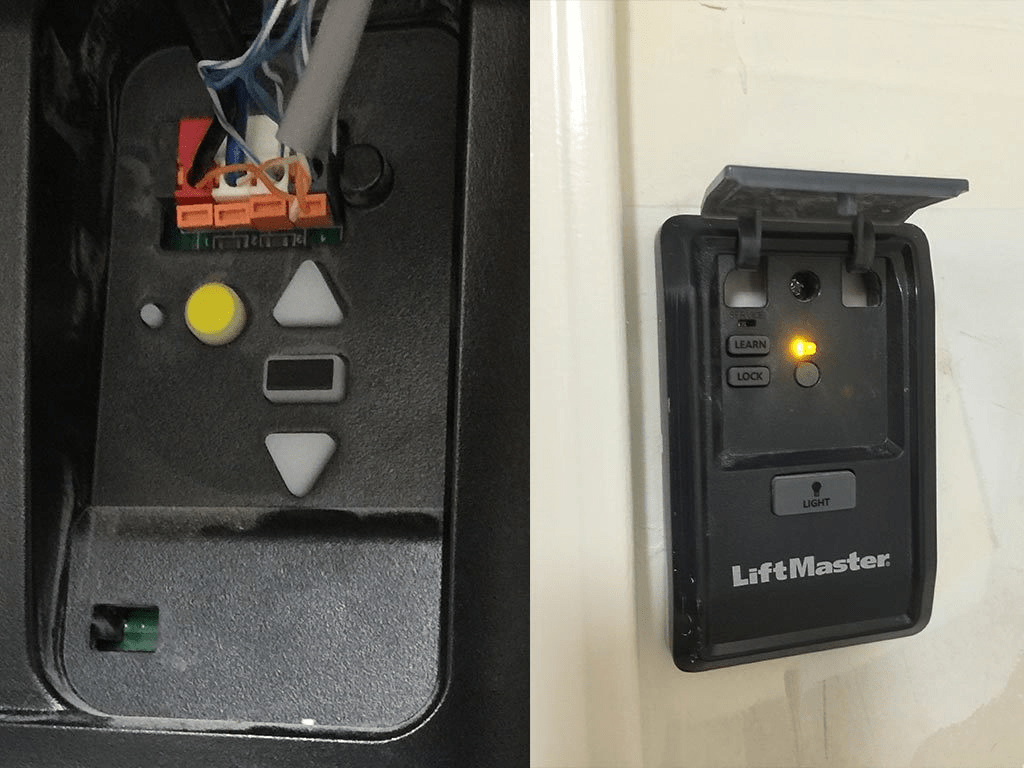
This article will explore the common reasons your garage door light is blinking but the door won’t open, how to troubleshoot the problem, and when it’s time to seek professional help.
Read too: Mastering the Art of How to Open a Garage Door Safely and Efficiently
Understanding the Problem: Why Is Garage Door Light Blinking And Not Opening?
Most modern garage door openers are equipped with built-in safety features. One of the most noticeable signals something is wrong is a blinking light on the motor unit or the wall control panel. This blinking is usually accompanied by the door refusing to open or close.
The blinking light acts as a visual indicator that your system has detected an issue. It’s your garage opener’s way of saying, “Hey, something’s not right.” But what exactly could that be?
Let’s dive into the details.
Why Is Garage Door Light Blinking And Not Opening? Key Causes Explained
There are several reasons why this might be happening. The blinking light typically falls into these categories:
1. Sensor Misalignment or Obstruction
The most common reason for a blinking garage door light with no door movement is a problem with the safety sensors. These sensors are located near the base of the door tracks on each side and are designed to prevent the door from closing on objects, pets, or people.
Signs of Sensor Problems:
- Blinking light on the sensor or opener
- One sensor light is off or flickering
- Door won’t open or close using remote or wall switch
What to do:
- Check for obstructions like dirt, spider webs, or trash blocking the sensor lens.
- Make sure both sensors are facing each other directly.
- Clean the sensor lenses with a soft cloth.
- Ensure the wires leading to the sensors are connected and not damaged.
2. Broken or Loose Sensor Wiring
Wiring issues can also be the culprit behind the blinking lights. If the wiring between the opener and the safety sensors becomes loose, disconnected, or damaged, the system will trigger a warning and prevent operation.
Inspect for:
- Frayed or pinched wires
- Loose connections at the terminals
- Damage caused by rodents or tools
Fixing this may require reconnecting the wires or replacing a damaged section. Always unplug the opener before working on the wiring for safety.
3. Manual Lock Is Engaged
Some garage doors come with a manual slide lock. If this is engaged, the opener will try to lift the door but will be stopped by the lock. This can result in the motor trying briefly, then stopping, and the light blinking to indicate an obstruction or failed cycle.
Check:
- The garage door tracks for any manual lock or bar that may be slid into place.
- That you didn’t accidentally engage a wall-mounted lock.
4. Disengaged Emergency Release Cord
Your garage door opener includes a red cord — the emergency release cord. If this cord has been pulled, it disconnects the trolley from the opener’s carriage. When this happens, your opener will turn on, the light may blink, but the door won’t move.
Solution:
- Pull the red cord toward the door to re-engage the trolley.
- Try opening or closing the door again with the wall switch or remote.
5. Power Supply Issues or Surge Damage
Another reason for your garage door opener not working, despite lights blinking, is power fluctuation or surge damage. A recent lightning storm or power outage could have partially disabled your opener’s logic board.
What to check:
- Outlet functionality — try plugging in another device.
- GFCI breakers — reset if tripped.
- Surge protectors — if used, confirm they are functioning properly.
If all else fails, the logic board may need replacement.
6. Motor or Gear Failure
If the motor or internal gears of your opener are worn out, the opener may blink to indicate that it can’t move the door, even though the command was received.
Clues:
- Clicking sounds or humming, but no movement
- Smell of burnt plastic
- Door moves a few inches and stops
This often requires professional repair or a full opener replacement.
How to Reset Your Garage Door Opener After Fixing the Issue
Once you’ve resolved the issue — whether by realigning sensors or re-engaging the emergency cord — you may need to reset the opener system:
- Unplug the opener for 30 seconds.
- Plug it back in and try operating the door.
- If your system has a reset button, press and hold according to the user manual.
Preventing Future Garage Door Light Blinking Issues
Now that you’ve answered the question “Why is garage door light blinking and not opening?”, here are some maintenance tips to avoid this in the future:
- Clean sensors regularly to prevent obstructions.
- Inspect wiring every few months.
- Check for rust or wear on the tracks and trolley system.
- Avoid pulling the emergency release unnecessarily.
- Use surge protectors to safeguard the opener from electrical damage.
When to Call a Professional
While many of these fixes are DIY-friendly, some situations call for a trained garage door technician:
- Internal motor or gear failure
- Complete opener replacement
- Repeated logic board failures
- Persistent blinking after troubleshooting
Don’t hesitate to call an expert if your safety or the functionality of your garage door is compromised.
Summary: What to Do When Your Garage Door Light Blinks and the Door Doesn’t Open
| Possible Issue | Solution |
|---|---|
| Sensor blocked or misaligned | Clean and realign sensors |
| Sensor wiring damaged | Repair or replace wires |
| Emergency release pulled | Re-engage carriage |
| Manual lock engaged | Disengage lock |
| Power surge or logic board failure | Reset or replace opener |
| Gear or motor problem | Contact a technician |
Final Thoughts on Why Is Garage Door Light Blinking And Not Opening
The blinking garage door light is more than just a nuisance — it’s a built-in warning system that helps protect your property and safety. By understanding what it means when the garage door light blinks and the door doesn’t open, you can take quick action to resolve the problem and keep your system running smoothly.
Whether it’s a dirty sensor, disengaged trolley, or a simple reset needed, the answer to “Why is garage door light blinking and not opening?” often lies in careful inspection and regular maintenance.



Leave a Reply