When your garage door refuses to close and the light on your opener keeps flashing, it can be frustrating and confusing—especially if you need to leave quickly. Many homeowners look for how to fix blinking light on garage door opener because this issue almost always points to a simple problem: sensor alignment, wiring, or safety system errors. This guide breaks everything down in an easy, step-by-step format so you can fix it safely and quickly.
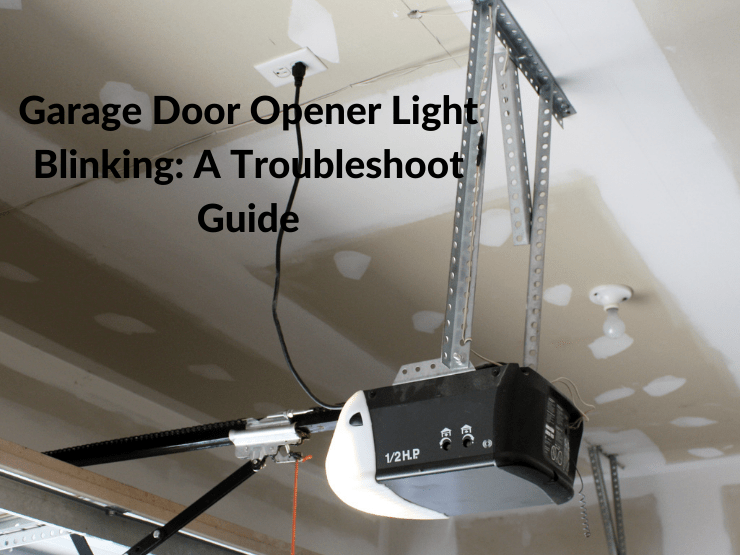
How To Fix Blinking Light on Garage Door Opener
Garage door openers blink their lights to signal that something is wrong. The blinking is not random—it’s a diagnostic warning. Most modern openers use flashing patterns to identify problems with safety sensors, wiring, force settings, or obstructions.
Read too: Door and Garage Door Companies: Choosing the Right Partner for Your Needs
Below are the most common reasons your opener blinks—and how to fix them.
1. Check the Safety Sensors (Most Common Fix)
This is the #1 reason homeowners search for how to fix blinking light on garage door opener. Since 1993, openers have required safety sensors—also known as “photo eyes”—to prevent injuries.
Symptoms
- Light blinks and door won’t close
- One sensor LED is off or flickering
- Door closes only when holding wall button
How To Fix
- Locate the two sensors on each side of the garage door track (4–6 inches above the floor).
- Check if both LEDs are lit:
- Green = receiving signal
- Amber = sending signal
- Gently adjust the sensors until both LEDs are solid.
- Tighten screws to prevent vibration misalignment.
- Clean lenses using a microfiber cloth.
- Check for direct sunlight interference—use a sun shield if needed.
Quick Tip:
A misalignment as small as 1/8 inch can stop the door from closing.
2. Remove Obstructions From the Doorway
Garage door openers blink when the safety beam is blocked.
Possible Obstructions
- Trash bins
- Car bumpers
- Tools
- Leaves or snow piles
- Pets passing through
How To Fix
- Clear the entire entry path.
- Check for cobwebs or debris near sensors.
- Make sure the beam path is clean and unobstructed.
3. Inspect the Sensor Wiring (Loose or Damaged)
If one sensor LED is off, the wiring may be the issue.
Signs of Wiring Problems
- Sensors work intermittently
- Opener blinks rapidly (5+ flashes)
- Door reverses immediately after closing
How To Inspect
- Follow the thin wires from each sensor back to the opener.
- Look for:
- Cuts
- Staples piercing insulation
- Corrosion
- Loose terminal screws
How To Fix
- Re-strip damaged wire ends (½ inch).
- Reconnect securely to terminals:
- White wire → white terminal
- White/black wire → gray terminal
- Replace severely damaged wiring with 22-gauge low-voltage wire.
4. Check the Garage Door Tracks and Rollers
Sometimes, the opener blinks because the door is binding or under excessive force.
Symptoms
- Door goes down slightly then reverses
- Light blinks multiple times
- Door feels heavy when lifted manually
How To Fix
- Inspect tracks for dents or bends.
- Remove any debris from the channels.
- Lubricate rollers with silicone-based spray.
- Replace cracked rollers.
- Ensure door moves smoothly by hand (should lift with 8–12 lbs of force).
5. Inspect the Trolley and Emergency Release
If the door is disconnected from the opener, the light may blink.
What To Check
- Red emergency release rope
- Trolley not attached to carriage
- Opener motor running but door not moving
How To Fix
- Pull the red cord down then toward the opener to re-engage.
- Run a cycle to reconnect the trolley.
6. Check the Force and Travel Limits
Incorrect force settings make the opener think the door hit an obstruction.
Symptoms
- Door closes halfway then reverses
- Opener blinks 10+ times
- Door slams shut or strains loudly
How To Fix (LiftMaster Example)
- Turn “Down Travel” adjustment ¼ turn clockwise.
- Test the door.
- If needed, reduce force by ¼ turn counterclockwise.
Important:
Only adjust in small increments to avoid safety issues.
7. Replace Faulty Safety Sensors
If sensors are over 10–15 years old, they may simply be worn out.
Signs They Need Replacement
- LEDs flicker even with perfect alignment
- Door only works in bright or cold weather
- Wiring and alignment already checked
Replacement cost: $25–$50 per pair.
8. Check the Opener’s Logic Board
If the logic board is malfunctioning, it may send false error signals.
Symptoms
- Blinking pattern doesn’t match manual
- Opener works randomly
- Sensors confirmed working, wiring perfect
Fix
- Try unplugging opener for 60 seconds
- If problem continues, logic board may need replacement ($60–$120)
Note:
This is the least common cause, but it does happen in older units.
Blinking Light Codes by Brand (Quick Reference Table)
| Brand | Blink Pattern | Meaning |
|---|---|---|
| LiftMaster | 10 flashes | Sensor misalignment |
| LiftMaster | 5 flashes | Sensor wiring issue |
| Chamberlain | Rapid blink | Door obstruction |
| Genie | Red LED blink | Sensor blocked or faulty |
| Craftsman | 1–2–1 pattern | Travel limit issue |
Tip: Always check your specific model manual for exact blink codes.
How To Fix Blinking Light on Garage Door Opener Based on Symptoms
This approach helps you diagnose the problem faster.
If the Light Blinks and the Door Won’t Close
- Realign sensors
- Clean lenses
- Remove obstructions
- Check wiring
If Blinking Happens Only in Sunlight
- Install a sun shield
- Replace sensors with newer “sunlight-immune” versions
If Light Blinks After Power Outage
- Sensors may need recalibration
- Reset opener by unplugging for 30 seconds
If Light Blinks and the Door Reverses
- Check for track friction
- Lubricate rollers
- Adjust down-force settings
Mini Infographic: Sensor Issues vs. Mechanical Issues
Sensor Problems (Most Common)
- Misalignment
- Obstruction
- Wiring damage
- Sun interference
- Faulty LED
Mechanical Problems
- Bent tracks
- Worn rollers
- Door too heavy
- Broken springs
- Trolley misalignment
Step-by-Step Full Troubleshooting Process
Follow this process if you’re not sure where to start.
1. Check Sensor LEDs
- Both should be solid
- If one is off → realign
2. Clean Lenses
- Remove dust, oil, or spider webs
3. Remove Obstructions
- Clear path completely
4. Inspect Wiring
- Tight, undamaged connections
5. Test Door Balance
- Pull red cord
- Lift door manually
- Should feel light and smooth
6. Reset the Opener
- Unplug 30–60 seconds
- Reconnect power
7. Adjust Travel Limits
- Small increments only
8. Replace Sensors if Needed
- Only if all above steps fail
By following these, 90% of blinking-light issues can be fixed without a technician.
External Link (Authoritative Source)
For general knowledge on optical sensors and how they work, refer to Wikipedia’s page on photoelectric sensors.
FAQ Section
1. Why is my garage door opener blinking and not closing?
Because the safety sensors are misaligned, blocked, or faulty. The opener is warning you that it cannot confirm the doorway is safe.
2. How do I know if my safety sensors are bad?
If one LED is off or flickering—even after alignment and wiring checks—the sensor may be failing.
3. Can I bypass garage door sensors temporarily?
No, bypassing is unsafe and not recommended. Modern openers will not operate without functioning sensors due to federal safety regulations.
4. Why does my opener blink only in the afternoon?
Direct sunlight is hitting the receiving sensor and disrupting the infrared beam. Install a shade or reposition the sensor slightly.
5. How much does it cost to fix blinking light issues?
Most fixes cost $0–$50 unless wiring or the logic board needs replacement.
6. Can cold weather cause blinking sensor lights?
Yes. Moisture, frost, or thermal contraction can misalign sensors.
Conclusion
Fixing a blinking light on a garage door opener is usually simple once you know the cause. In most cases, the issue comes down to sensor alignment, wiring, or obstructions. By following the step-by-step instructions in this guide, you can restore your garage door’s functionality quickly and safely. If this article helped you, feel free to share it on your social media so others can fix their garage blinking-light issues confidently.



Leave a Reply