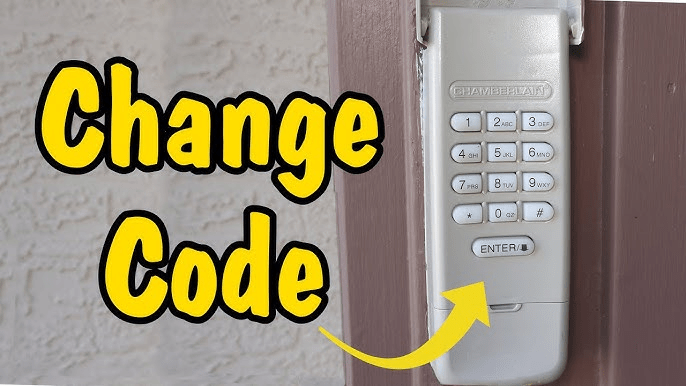
If you’re concerned about garage security or recently shared your Chamberlain garage door opener code, changing it is crucial. Many homeowners don’t know how to change passcode on Chamberlain garage door opener safely without affecting other devices. This guide will walk you through the process clearly, step by step, so you can secure your home confidently.
Why Changing Your Chamberlain Passcode Matters
Changing your garage door passcode is more than just convenience — it’s about security and peace of mind. Here’s why it’s important:
- Prevent unauthorized access if someone knows your old code.
- Enhance security after moving into a new home.
- Maintain control over who can operate your garage.
Read too: How To Replace Garage Door Roller Like a Pro? Step-by-Step Guide
According to a 2022 report by the Electronic Security Association, nearly 35% of break-ins involve unsecured entry points like garages. Ensuring your Chamberlain opener has a secure passcode reduces this risk significantly.
How To Change Passcode On Chamberlain Garage Door Opener: Step-by-Step
Follow these steps to update your Chamberlain passcode effectively:
1. Gather Required Materials
- Chamberlain garage door opener keypad
- Ladder (if keypad is wall-mounted)
- Your current passcode
2. Locate the “Learn” Button
- The Learn button is usually on the back or side of the garage door motor unit.
- It may be behind a light cover or panel.
3. Clear the Old Passcode
- Press and hold the Learn button for 6–10 seconds until the indicator light turns off.
- This clears all previous passcodes stored in the opener.
4. Program the New Passcode
- On the keypad, enter your new 4–8 digit passcode.
- Press and hold the Enter button until the garage light blinks or you hear a click — indicating success.
5. Test Your New Passcode
- Enter the new code on your keypad and ensure the garage door responds.
- If the door doesn’t operate, repeat steps 3–4 carefully.
Pro Tip: Avoid simple codes like 1234 or 0000. Use a combination that’s easy to remember but hard to guess.
Troubleshooting Common Issues
| Issue | Solution |
|---|---|
| Keypad not responding | Check battery or replace with fresh 9V battery |
| Door doesn’t operate after code change | Ensure you held Enter until the indicator light blinked |
| Forgotten old passcode | Use Learn button reset to clear and start over |
| Multiple devices not syncing | Reprogram each device after resetting the opener |
For additional details about garage door openers, you can refer to Wikipedia: Garage Door Opener.
People Also Ask
How do I reset my Chamberlain garage door passcode?
Press the Learn button on the motor unit for 6–10 seconds to clear all codes, then program a new passcode on the keypad.
Can I change the passcode without removing the keypad?
Yes, most keypads allow you to enter a new code directly once the opener has been cleared using the Learn button.
How often should I change my garage door passcode?
It’s recommended to update it every 6–12 months or after sharing the code with guests or service personnel.
What if the keypad battery dies during programming?
Replace the battery immediately. Programming will fail if the keypad loses power mid-process.
Is it safe to share my Chamberlain passcode with family?
Yes, but only with trusted individuals. For extra security, consider changing the code periodically.
Benefits of Updating Your Passcode
- Enhanced Security: Reduces the risk of unauthorized entry.
- Peace of Mind: You control access at all times.
- Device Management: Prevents old devices or previous tenants from operating the door.
Sharing this guide with friends or family can help them secure their homes just as effectively.



Leave a Reply