If your garage door remote suddenly stops working, the problem is often simpler than you think. Many homeowners search for How To Open A Chamberlain Garage Door Opener Remote when they need to replace a battery, reset buttons, or troubleshoot signal issues. This guide explains the process clearly and safely, even if you’ve never opened a garage remote before.
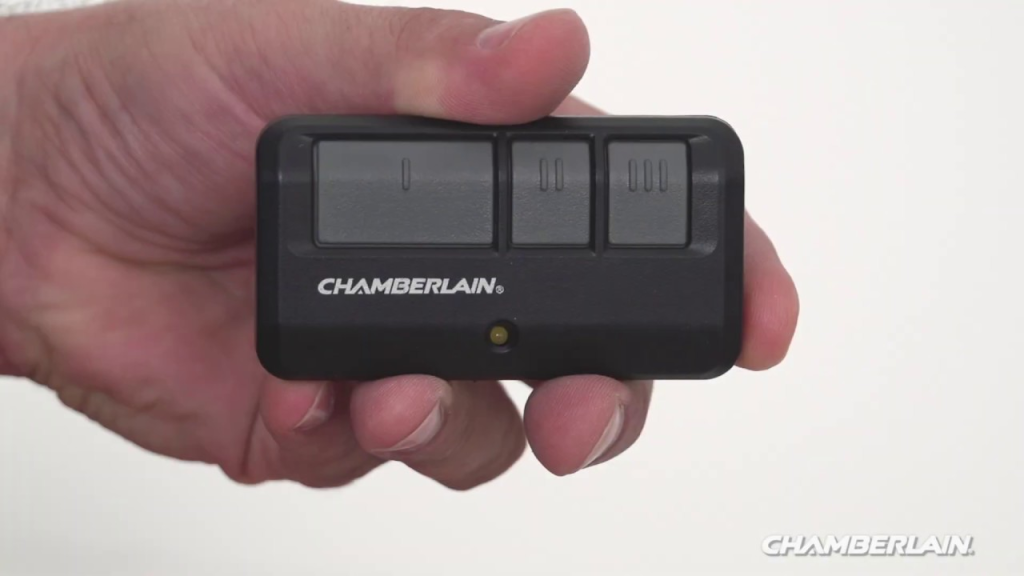
Why You Might Need to Open a Chamberlain Garage Door Opener Remote
Opening your remote is usually required for routine maintenance, not repairs. In most cases, the remote itself is designed to be user-serviceable.
Read too: How To Replace Garage Door Roller Like a Pro? Step-by-Step Guide
Common reasons include:
- Replacing a dead battery
- Cleaning internal contacts
- Checking stuck or unresponsive buttons
- Reprogramming after a reset
According to consumer electronics reliability studies, over 70% of remote failures are battery-related, making this one of the easiest fixes you can do at home.
Understanding Chamberlain Garage Door Opener Remotes
Chamberlain is one of the most widely used garage door opener brands in the United States. Their remotes are designed for simple access while still being secure enough for daily use.
Most Chamberlain remotes fall into these categories:
- Single-button remotes
- Multi-button remotes
- Keychain-size remotes
- Universal-style remotes
Despite design differences, the way you open them is usually very similar.
Is It Safe to Open a Garage Door Opener Remote?
Yes. Opening a Chamberlain remote is safe and low-risk as long as you:
- Use minimal force
- Avoid metal prying tools when possible
- Work on a flat, well-lit surface
You will not affect the garage door motor or opener programming simply by opening the remote case.
How To Open A Chamberlain Garage Door Opener Remote (Step-by-Step)
Step 1: Identify Your Remote Type
Before opening, examine the back and sides of the remote.
Look for:
- A visible screw
- A sliding battery cover
- A small notch or seam
Most Chamberlain remotes open using one of three methods below.
Step 2: Open the Remote with a Screw (If Present)
Some older or multi-button models include a small Phillips screw.
- Use a small Phillips screwdriver
- Turn counterclockwise until loose
- Place the screw somewhere safe
- Gently separate the front and back halves
💡 Do not overtighten when reassembling.
Step 3: Open a Snap-Together Remote Case
Many modern remotes use a snap-fit design.
- Locate the seam around the remote
- Insert a plastic pry tool or fingernail
- Apply gentle pressure until it pops open
- Work slowly around the edges
⚠️ Avoid using knives or metal tools—they can crack the casing.
Step 4: Slide Open the Battery Compartment (If Applicable)
Compact keychain remotes often use a sliding cover.
- Push the back panel in the direction of the arrow
- The battery compartment will slide open
- No prying required
This is the easiest and safest design to open.
Replacing the Battery Correctly
Once open, you’ll see a small coin-style battery.
Common battery types:
- CR2032
- CR2016
- CR2025
Always:
- Match the exact battery number
- Insert with the correct polarity (+ / –)
A fresh battery typically lasts 1–2 years, depending on usage and temperature conditions (ideal storage: 22–28°C).
Cleaning the Remote (Optional but Recommended)
If buttons feel sticky or inconsistent:
- Remove the battery
- Use a dry microfiber cloth
- Lightly clean contacts (no water)
- Let it air-dry for 5–10 minutes
This can restore responsiveness without replacement.
How to Close the Chamberlain Remote Properly
After battery replacement or inspection:
- Align the front and back covers
- Press gently around edges until sealed
- Reinsert screw (if applicable)
- Test the button before using daily
A proper seal ensures durability and signal reliability.
Do You Need to Reprogram the Remote After Opening It?
Usually, no.
Opening the remote or replacing the battery does not erase programming. However, reprogramming may be required if:
- The battery was removed for an extended time
- The opener memory was reset
- You’re pairing it to a new opener
For background information on how garage door openers and remotes communicate, you can reference the general explanation on Wikipedia.org about garage door openers.
Common Mistakes to Avoid
❌ Forcing the case open
❌ Using sharp metal tools
❌ Mixing old and new batteries
❌ Touching contacts with wet hands
These mistakes can shorten the remote’s lifespan.
Pros vs Cons of Opening the Remote Yourself
| Pros | Cons |
|---|---|
| Saves money | Risk of cosmetic damage |
| Immediate fix | Requires careful handling |
| No special skills | Small parts can be lost |
| Prevents downtime | Not a fix for electronics failure |
When Opening the Remote Won’t Fix the Problem
If the remote still doesn’t work after:
- Battery replacement
- Cleaning
- Visual inspection
The issue may be:
- Internal circuit damage
- Signal interference
- Opener receiver malfunction
In such cases, replacement is usually more cost-effective than repair.
FAQ: How To Open A Chamberlain Garage Door Opener Remote
❓ Can opening the remote damage it?
Not if opened gently and correctly. Chamberlain remotes are designed for battery access.
❓ What battery does a Chamberlain remote use?
Most use CR2032 or CR2016 coin batteries. Always check inside the remote.
❓ Do I need tools to open it?
Some models require a small screwdriver; others open by hand.
❓ Will opening the remote reset the code?
No. Battery replacement does not erase pairing in most models.
❓ How often should I replace the battery?
Every 12–24 months, or when range noticeably decreases.
Conclusion
Knowing How To Open A Chamberlain Garage Door Opener Remote helps you solve one of the most common garage door issues quickly and safely. With minimal tools and careful handling, you can replace the battery, restore performance, and avoid unnecessary replacements.
If this guide helped you, share it on social media so other homeowners can fix their garage remotes with confidence 🔧📱



Leave a Reply