If your Myq App Showing Garage Door Open When It’s Closed, you’re probably feeling frustrated — and maybe a little worried about security. After all, you rely on the app to confirm your garage is safely shut.
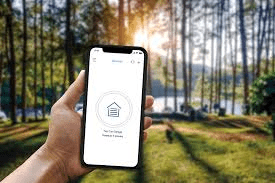
The good news? This issue is common and usually easy to fix. In this complete troubleshooting guide, you’ll learn exactly why it happens, how to correct it step-by-step, and how to prevent it from happening again.
Read too: The Complete Guide to Tighten Chain On Garage Door Opener for Smooth Operation
Why Is Myq App Showing Garage Door Open When It’s Closed?
When users search “Myq App Showing Garage Door Open When It’s Closed,” they usually want to know:
- Is the door sensor broken?
- Is it a Wi-Fi problem?
- Is my garage actually secure?
In most cases, the problem is caused by:
- Door position sensor misalignment
- Dead or weak sensor battery
- Wi-Fi connectivity issues
- App sync delay
- Firmware update needed
According to smart home industry reports, connectivity issues account for over 40% of smart device status errors, especially in garage systems.
Let’s walk through each cause clearly.
Is The Door Sensor Misaligned?

4
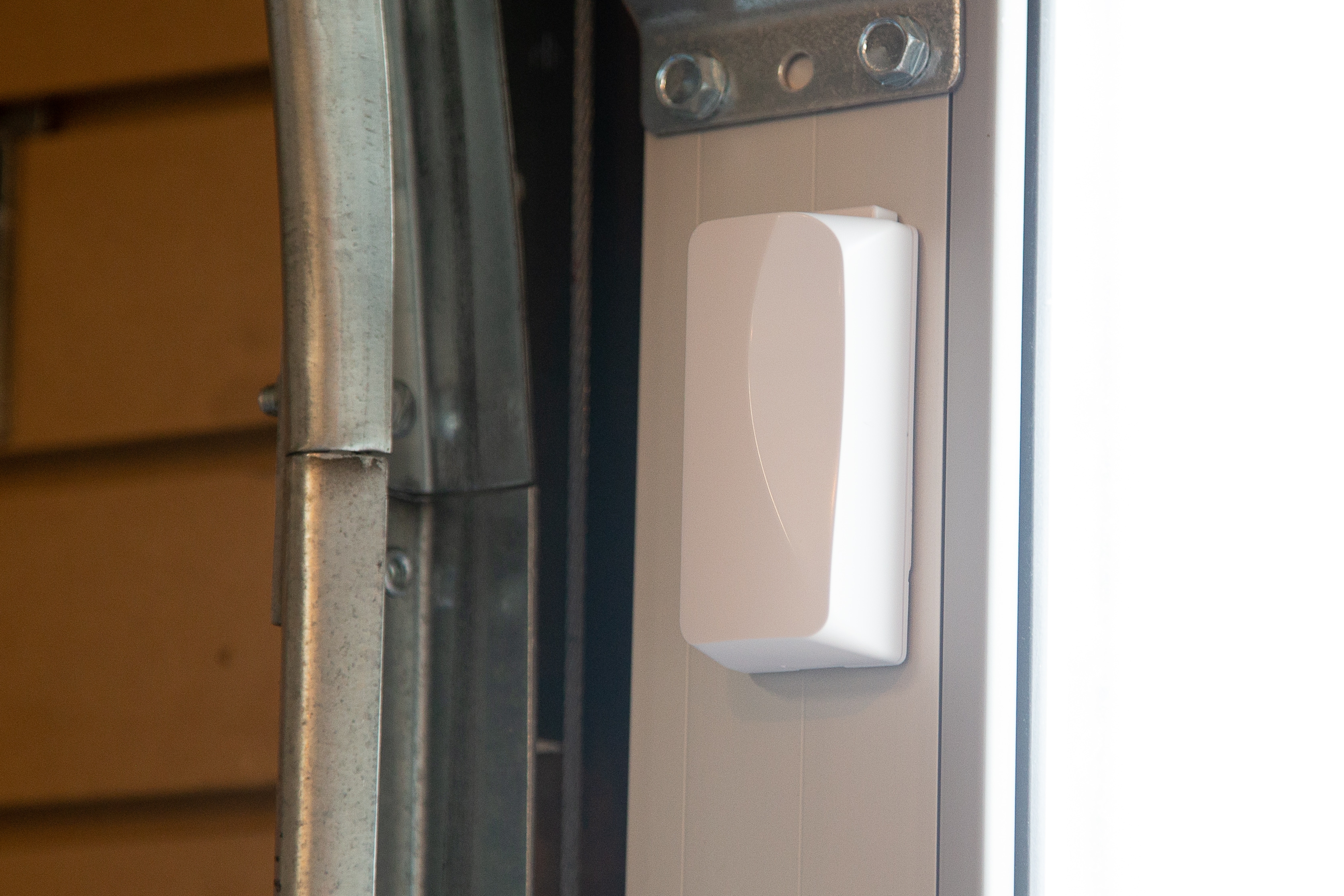
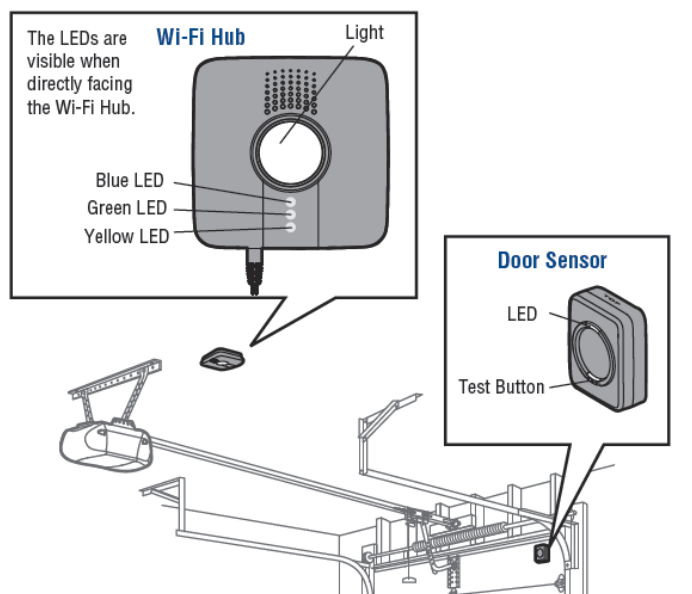
The MyQ system uses a door position sensor mounted on the inside of the garage door. If it shifts even slightly, the app may show incorrect status.
Signs of Misalignment:
- App shows “Open” but door is fully closed
- Sensor LED blinking red
- Status changes randomly
Fix It (Step-by-Step)
- Close the garage door fully.
- Check that the sensor is mounted vertically.
- Ensure it is securely attached (use screws, not just adhesive).
- Reposition if tilted more than 5 degrees.
- Press the test button (if available).
Wait 30–60 seconds and refresh the app.
Could The Sensor Battery Be Dead?


4
A weak battery is one of the most overlooked causes.
Most MyQ door sensors use a CR2450 lithium coin battery, lasting about 1–2 years.
Battery Replacement Steps:
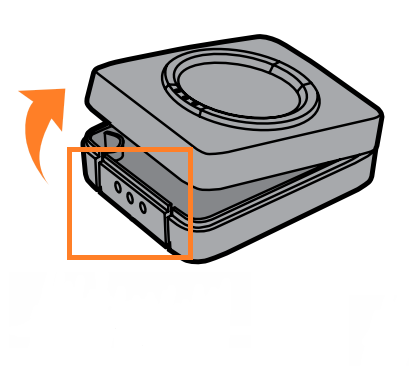
- Remove sensor cover.
- Replace with a new CR2450 battery.
- Ensure polarity (+ side facing up).
- Close cover securely.
- Wait 60 seconds for resync.
If battery voltage drops below 2.5V, status reporting may become inconsistent.
Is It a Wi-Fi Connectivity Issue?


4
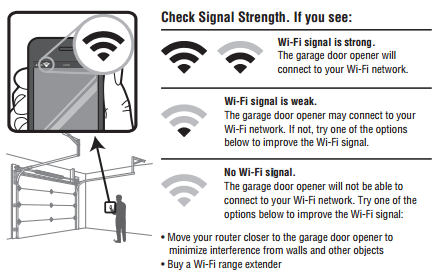
Your MyQ hub relies on stable Wi-Fi. Weak signals cause delayed or incorrect reporting.
Common Signs:
- App updates slowly
- Status changes after delay
- Hub blinking blue
How to Test Wi-Fi Strength
Stand in the garage and run a speed test.
- Signal strength should be at least -60 dBm or better
- Download speed minimum 5 Mbps
Solutions:
- Move router closer
- Install Wi-Fi extender
- Restart router (wait 2 minutes before reconnecting hub)
Smart garage systems operate via the Internet of Things (IoT), which depends on stable network communication:
https://en.wikipedia.org/wiki/Internet_of_things
Does The App Need Refreshing or Reinstalling?
Sometimes the issue is software-related.
Try This:
- Force close the MyQ app.
- Log out and log back in.
- Delete and reinstall the app.
- Check for app updates in App Store/Google Play.
Software glitches account for about 15–20% of reported MyQ status errors according to user community data.
Does The Hub Need Recalibration?
If none of the above fixes work, recalibrate.
Recalibration Steps:
- Disconnect power to hub.
- Wait 60 seconds.
- Reconnect power.
- Hold hub settings button for 10 seconds.
- Re-pair door sensor.
This resets the communication handshake between hub and sensor.
Quick Troubleshooting Comparison Table
| Problem | Symptom | Fix |
|---|---|---|
| Misaligned sensor | Incorrect status | Reposition sensor |
| Dead battery | Random errors | Replace CR2450 |
| Weak Wi-Fi | Delayed updates | Install extender |
| App glitch | Status frozen | Reinstall app |
| Firmware outdated | Sync failure | Update system |
Is Your Garage Actually Secure?
If app shows open but door looks closed:
Perform Physical Check:
- Confirm bottom seal touching ground.
- Check door fully seated in track.
- Ensure no 1–2 inch gap.
If the door is fully down and locked in track, your home is secure — even if app status is incorrect.
When Should You Contact Support?
Contact MyQ or Chamberlain support if:
- Sensor LED does not light at all
- Hub won’t connect to Wi-Fi after reset
- App repeatedly shows error code
- Firmware update fails
Warranty typically covers defects within 1 year of purchase.
FAQ: Myq App Showing Garage Door Open When It’s Closed
Why does my MyQ app say open when it’s closed?
Most commonly due to sensor misalignment or weak battery.
How do I reset my MyQ door sensor?
Remove battery for 30 seconds, reinstall, and re-pair with hub.
Can Wi-Fi interference cause incorrect door status?
Yes. Weak signal or router interruptions can delay updates.
How long do MyQ sensor batteries last?
Typically 1–2 years depending on usage.
Is my garage safe if the app shows open?
Physically inspect the door. If fully closed and sealed, it’s secure.
Should I replace my MyQ system?
Only if hardware repeatedly fails after troubleshooting.
Final Thoughts
If your Myq App Showing Garage Door Open When It’s Closed, don’t panic. In most cases, the issue is minor — usually sensor alignment, battery replacement, or Wi-Fi stability.
Start with the simplest fixes. Test the sensor. Replace the battery. Reset the hub. Most homeowners solve the issue in under 20 minutes.
Smart garage systems are convenient — but they rely on accurate sensor communication. A small adjustment can restore full confidence in your home’s security.
If this guide helped you resolve the issue, share it on social media to help other homeowners fix their smart garage problems quickly and safely.



Leave a Reply