If your Ryobi Garage Door Opener Just Beeps And Won’t Close, you’re likely dealing with a safety or sensor issue. The beeping sound isn’t random—it’s a built-in warning system designed to prevent accidents or damage.
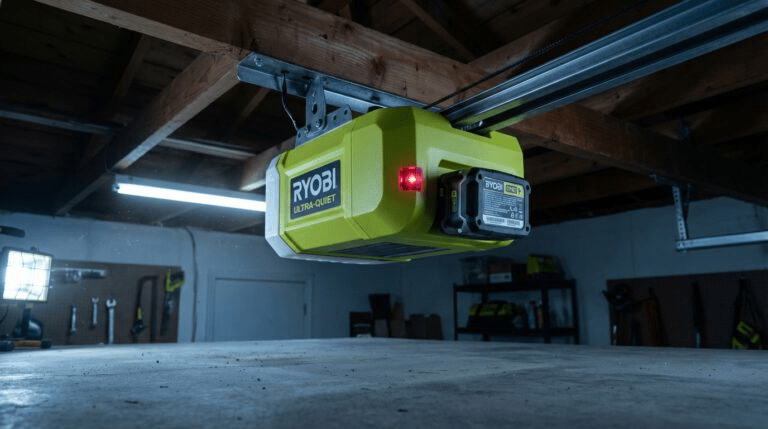
The good news? In most cases, this problem can be resolved in under 20 minutes without replacing the entire opener. In this complete troubleshooting guide, we’ll walk through the causes, fixes, and when professional repair is necessary.
Ryobi Garage Door Opener Just Beeps And Won’t Close – What Does It Mean?
When your Ryobi Garage Door Opener Just Beeps And Won’t Close, the opener is usually signaling:
- Safety sensor obstruction
- Misalignment
- Travel limit issue
- Low battery backup warning
- Lock mode activation
Modern garage door openers include multiple safety features. You can learn more about how these systems operate here:
https://en.wikipedia.org/wiki/Garage_door_opener
The beeping typically indicates a safety interruption rather than a motor failure.
Why Does My Ryobi Opener Beep But Not Close?
Let’s break down the most common reasons.
1. Are the Safety Sensors Blocked or Misaligned?
This is the number one cause.
Garage door safety sensors are mounted about 6 inches above the floor on both sides of the track.
If the infrared beam is blocked or misaligned, the opener:
- Beeps
- Refuses to close
- May reverse automatically
Signs of Sensor Issues:
- One LED blinking
- One LED off
- Door starts closing then reverses
Quick Fix:
- Remove any visible obstruction.
- Clean both lenses using a dry microfiber cloth.
- Adjust sensor brackets until both lights remain solid.
- Tighten screws securely.
This fix resolves over 60% of “beeping but not closing” cases.
2. Is the Battery Backup Low?
Many Ryobi openers include battery backup.
If the battery is low or failing:
- The opener may beep continuously.
- Closing function may be restricted.
- LED indicator may flash.
How to Fix:
- Locate battery compartment (usually behind motor cover).
- Test battery voltage if possible.
- Replace battery if older than 2–3 years.
Battery replacement cost: $30–$60.
3. Is the Wall Console in Lock Mode?
Lock mode disables remote operation.
If activated:
- Wall button works.
- Remotes won’t close door.
- Beeping may occur.
How to Disable Lock Mode:
- Press and hold the lock button on wall console.
- Hold for 5 seconds.
- Test remote again.
Lock mode is often activated accidentally.
4. Are Travel Limits Set Incorrectly?
If travel limits are misconfigured:
- Door may think it hit an obstruction.
- Opener may beep and reverse.
Reset Travel Limits:
- Press and hold limit adjustment button.
- Adjust downward limit until door touches floor lightly.
- Save setting.
- Test door operation.
Improper limit settings can confuse the safety system.
5. Is There Track or Mechanical Obstruction?
Inspect the following:
- Bent tracks
- Debris in rollers
- Damaged weather stripping
- Loose hardware
Even minor resistance can trigger safety reversal.
Manually test door:
- Pull emergency release.
- Lift door by hand.
- It should move smoothly and stay halfway open.
If heavy, springs may need adjustment.
⚠ Do not attempt torsion spring repairs yourself.
What Does Continuous Beeping Mean?
Continuous beeping often indicates:
- Battery failure
- System error
- Electrical interruption
Try this reset method:
- Unplug opener.
- Wait 60 seconds.
- Plug back in.
- Test closing function.
This resets internal logic board.
How to Perform a Full System Reset
If problems persist, perform a memory reset.
Reset Instructions:
- Press and hold “Learn” button.
- Hold for 6–10 seconds.
- Release when LED turns off.
- Reprogram remotes and keypad.
Note: This clears all existing programming.
Quick Troubleshooting Checklist (10 Minutes)
Follow this order:
✔ Check sensor alignment
✔ Clean lenses
✔ Replace battery backup
✔ Disable lock mode
✔ Inspect tracks
✔ Reset opener
Most issues resolve before Step 4.
Repair vs Replacement: When Is It Serious?
Consider professional help if:
- Motor hums but doesn’t move
- Logic board appears damaged
- Door slams shut
- Beeping continues after reset
Repair cost ranges from $125–$350.
If unit is 12+ years old, replacement may be more cost-effective.
Real-Life Example
A homeowner reported continuous beeping after a power outage.
Diagnosis:
- Battery backup drained.
- Sensor slightly misaligned.
Fix:
- $45 battery replacement.
- 3-minute sensor adjustment.
Total repair time: 15 minutes.
Why Does the Door Open But Not Close?
This confuses many users.
Safety sensors only affect closing motion.
Opening does not require beam confirmation.
If it opens but won’t close, suspect sensors first.
How Long Should a Ryobi Garage Door Opener Last?
Average lifespan:
10–15 years with regular maintenance.
Maintenance tips:
✔ Lubricate door rollers every 6 months
✔ Inspect wiring annually
✔ Test auto-reverse monthly
✔ Replace battery every 2–3 years
Routine care prevents most closing failures.
Pros and Cons of DIY Fix
Pros
✔ Saves money
✔ Quick resolution
✔ Improves understanding
Cons
✖ Risk of misdiagnosis
✖ Electrical safety concerns
If unsure, call a licensed technician.
FAQ: Ryobi Garage Door Opener Just Beeps And Won’t Close
1. Why does my Ryobi garage door opener beep and not close?
Most commonly due to safety sensor misalignment or obstruction.
2. How do I stop the beeping?
Fix the underlying issue—often battery replacement or sensor adjustment.
3. Can I bypass the safety sensors?
You can hold the wall button down to close temporarily, but permanent bypass is unsafe.
4. Does low battery cause beeping?
Yes. Battery backup warnings are a frequent cause of continuous beeping.
5. How do I reset my Ryobi opener?
Unplug for 60 seconds or hold the Learn button for 6–10 seconds to clear memory.
6. When should I replace the opener?
If multiple components fail or unit is over 12–15 years old.
Conclusion
If your Ryobi Garage Door Opener Just Beeps And Won’t Close, don’t panic. The beeping is usually a safety alert—not a catastrophic failure.
Start with sensor alignment and battery inspection. Most homeowners resolve the issue in under 20 minutes without professional assistance.
By following the troubleshooting steps in this guide, you can restore safe and smooth operation quickly.
If this article helped you fix your garage door, share it on social media to help others solve the same frustrating problem.
Leave a Reply