Introduction
Is your new Chamberlain 1/2 HP garage door opener sitting idle because you can’t figure out how to sync your remote? You’re not alone—many homeowners struggle with the initial setup process, leading to frustration and unnecessary service calls. Learning how to program Chamberlain 1/2 HP garage door opener correctly can save you time, money, and hassle while ensuring secure access to your home.
Garage door openers are essential security devices that protect your vehicle and belongings. According to the International Door Association, over 70% of homeowners use their garage as a primary entry point, making proper setup critical for both convenience and safety. This comprehensive guide will walk you through every step of programming your Chamberlain opener, from basic remote syncing to advanced keypad configuration.
Understanding Your Chamberlain 1/2 HP Model
Before diving into the programming process, it’s important to identify which specific Chamberlain model you own. The 1/2 HP series includes several variations such as the B970, WD832KEV, and C4738 models, each with slightly different programming procedures.
Key Components You’ll Need
- Remote control (usually included with purchase)
- Wall-mounted control panel
- Keypad (if applicable)
- Ladder for safe access to the motor unit
- Owner’s manual for model-specific instructions
Most Chamberlain 1/2 HP openers feature the Security+ 2.0 technology, which uses rolling code encryption to prevent unauthorized access. This means each time you press your remote, a new code is generated, significantly enhancing security compared to older fixed-code systems.
Step-by-Step Guide: Programming Your Remote Control
Step 1: Locate the Learn Button
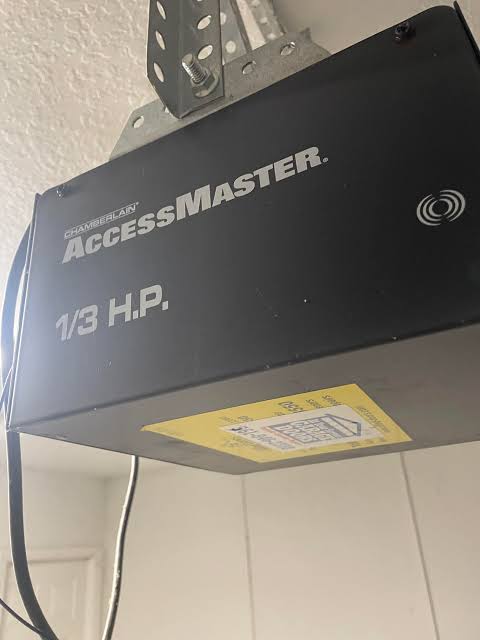
The first step in learning how to program Chamberlain 1/2 HP garage door opener is finding the “Learn” button on your motor unit. This button is typically located on the back or side of the opener and may be colored yellow, purple, red, or green depending on your model year.
Important: Before pressing any buttons, ensure your garage door is fully closed and the area is clear of people and obstacles.
Step 2: Clear Previous Codes (If Necessary)
If you’re replacing an old remote or suspect unauthorized copies exist, clear the memory first:
- Press and hold the Learn button for 6–10 seconds
- Wait until the indicator light turns off
- Release the button
This action erases all previously programmed remotes and keypads, requiring you to reprogram each device.
Step 3: Program Your Remote
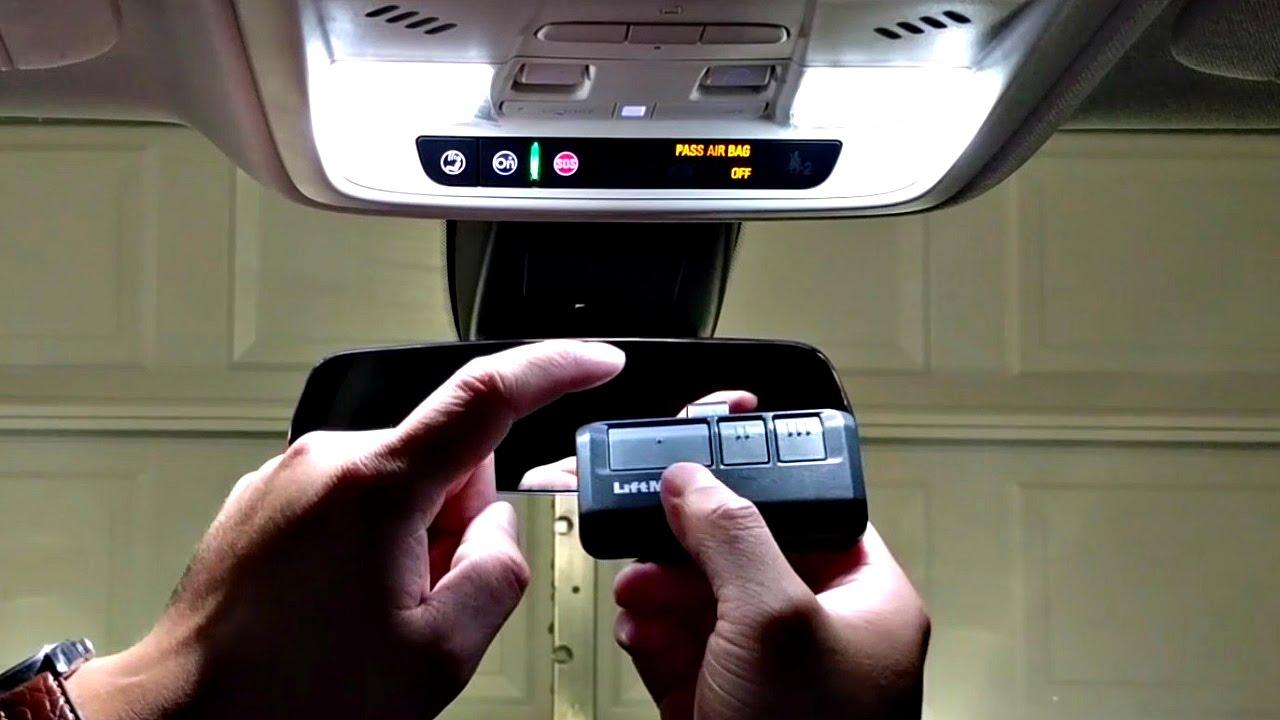
Follow these precise steps:
- Press the Learn button once briefly—the indicator light will illuminate or blink
- Within 30 seconds, press and hold the button on your remote that you want to program
- Hold for 2–3 seconds until you see the motor unit’s lights flash or hear a click
- Test the remote by pressing the programmed button twice
If successful, your garage door should respond immediately. If not, repeat the process, ensuring you’re within 5–10 feet of the motor unit during programming.
Step 4: Program Additional Remotes
Repeat Step 3 for each additional remote. Most Chamberlain 1/2 HP models can store up to 8–10 remote codes simultaneously.
Programming a Wireless Keypad
Many homeowners prefer the convenience of a wireless keypad mounted outside their garage. Here’s how to set it up:
Standard Keypad Programming
- Enter your desired 4-digit PIN on the keypad
- Press and hold the Learn button on the motor unit
- Within 30 seconds, enter your PIN again on the keypad
- Press the “Enter” or arrow button
- The motor unit lights should flash, confirming successful programming
Pro Tip: Choose a PIN that’s easy for you to remember but difficult for others to guess. Avoid obvious combinations like 1234 or your birth year.
For more detailed technical specifications about garage door opener security standards, visit Wikipedia’s article on garage door openers.
Troubleshooting Common Programming Issues
Even with careful following of instructions, problems can arise. Here are solutions to the most frequent issues:
| Problem | Possible Cause | Solution |
|---|---|---|
| Remote won’t program | Dead battery | Replace remote battery with fresh CR2032 |
| Light doesn’t flash | Wrong timing | Ensure you press remote within 30 seconds |
| Door doesn’t respond | Interference | Move closer to motor unit; remove obstacles |
| Multiple remotes fail | Memory full | Clear all codes and reprogram |
| Intermittent operation | Signal interference | Check for LED bulbs causing RF interference |
LED Bulb Interference
A surprisingly common issue involves LED or CFL light bulbs in your garage. These bulbs can emit radio frequency interference that disrupts the opener’s signal. If you experience inconsistent operation:
- Replace standard LED bulbs with Chamberlain-approved LED bulbs
- Or temporarily remove non-essential bulbs during testing
Advanced Features: MyQ Smart Connectivity
Modern Chamberlain 1/2 HP openers often include MyQ technology, allowing smartphone control via WiFi. To activate this feature:
- Download the MyQ app from iOS App Store or Google Play
- Create an account or log in
- Follow in-app instructions to connect your opener
- Ensure your opener is within range of your home WiFi network
This feature enables you to monitor and control your garage door from anywhere, receive alerts when the door opens or closes, and grant temporary access to visitors.
Safety Considerations and Best Practices
Programming your garage door opener isn’t just about convenience—it’s about security. Follow these essential safety guidelines:
- Never share your PIN with untrusted individuals
- Change your keypad code periodically (every 6–12 months)
- Keep remotes secure when not in use, especially in vehicles
- Test safety sensors monthly by placing an object in the door’s path
- Maintain your opener with annual professional inspections
According to the Consumer Product Safety Commission, garage door-related injuries send thousands of Americans to emergency rooms annually. Proper programming and regular maintenance significantly reduce these risks.
FAQ Section
Q1: How long does it take to program a Chamberlain 1/2 HP garage door opener?
A: The basic remote programming process takes approximately 2–5 minutes per remote. If you’re programming multiple devices including a keypad and smartphone app, allow 15–20 minutes total.
Q2: Can I program a universal remote to work with my Chamberlain opener?
A: Yes, most universal remotes compatible with Security+ 2.0 technology will work with Chamberlain 1/2 HP models. However, genuine Chamberlain remotes offer better reliability and warranty support.
Q3: What should I do if I lose my remote?
A: First, clear all codes from your opener using the Learn button method described earlier. Then program your remaining remotes and consider purchasing a replacement. This prevents unauthorized access if someone finds your lost remote.
Q4: Why won’t my newly programmed remote work consistently?
A: Several factors could cause this: weak batteries, signal interference from LED bulbs, distance from the motor unit, or physical obstructions. Try replacing batteries first, then check for interference sources.
Q5: Do I need professional help to program my Chamberlain opener?
A: No, programming is designed for DIY installation. However, if you’ve followed all steps correctly and still experience issues, contact Chamberlain customer support or a certified technician.
Q6: How many remotes can I program to one Chamberlain 1/2 HP opener?
A: Most models support 8–10 remote controls plus one wireless keypad. Check your specific model’s manual for exact capacity, as older units may have lower limits.
Conclusion
Learning how to program Chamberlain 1/2 HP garage door opener is straightforward when you follow the correct steps. From basic remote syncing to advanced MyQ connectivity, this guide has covered everything you need to get your system running smoothly and securely.
Remember that proper programming is just the beginning—regular maintenance, battery replacement, and security awareness ensure long-term reliability. By taking control of your garage door setup, you’re investing in both convenience and peace of mind.
Did you find this guide helpful? Share it with friends and family who might be struggling with their garage door opener setup. Bookmark this page for future reference, and don’t hesitate to revisit these steps whenever you need to add new remotes or troubleshoot issues. Your secure, properly functioning garage door is just a few simple steps away!
Leave a Reply